

Autodesk's official release of Inventor Fusion has arrived on the Mac App Store, after several months as a technology preview. Inventor Fusion is software that enables advanced 3D mechanical design. The software is free and "makes it easy to open and edit 3D models from almost any source and incorporate them into your design, enabling rapid design changes without limitations."
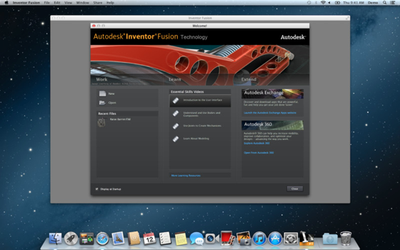
Imagine the new and exciting ideas you can create using Autodesk Inventor Fusion technology to bring your designs to life. This new, 3D CAD modeling software enables creation of designs through intuitive direct manipulation and easy to understand design tools.
Features:
- 2D Sketching: Start your designs by using simple 2D sketch tools. Control sketches with dimensions. Create 2D layouts from which you can create multiple shapes fast.
- Direct Modeling: Push – pull and edit your way to your final desired result. Direct modeling means you can focus on your design task and not on complex modeling commands and dialogs. Autodesk Inventor Fusion technology is a history free 3D design tool.
- Assembly design: Assemblies that mimic the real world makes positioning and moving your design fast and predictable. Designing in context means you have all the right information to make design decisions. Flexible assembly structure ensures you can change your mind at any time.
- Real Time Visualization: Beautiful 3D and fast real-time navigation make creating and presenting your design easy.
- Cloud Storage: Store and Share your designs using Autodesk 360 collaboration service. Use Webgl enabled browsers or Autodesk Viewers for IOS to view your designs when on the go.
- AutoCAD® Compatibility: Autodesk Inventor Fusion Technology is compatible with other Autodesk® software products, making it easy for you to read files from colleagues and clients.
- Translators: Read SAT, STEP, DWG and Autodesk Inventor Files. Share data as STEP or STL. STL output means you are ready to use the growing number of 3D printers and printing services.
The system requirements for Inventor Fusion for Mac include most relatively recent Mac Pro, iMac, and MacBook Pro models with specific graphics options from AMD, NVIDIA or Intel. Autodesk has, however, indicated that users may still have success running the software on officially unsupported systems.
Autodesk Inventor Fusion is available free from the Mac App Store. [Direct Link]




















Top Rated Comments
I just switched to MAC for my Engineering computer, however I have to use parallels for AutoCad (still not good for long time users of the PC version) and Inventor. Once they get AutoCad up to standards and do a little more with assemblies I can finally cut the tie. And to think I am a PC and Android Fanboy. :eek: :) ;)
I hope more are yet to come, at least my hopes are that Solidworks will come one day. As a mechanical engineer its my must have app. Its the only main reason i have to bootcamp the windows partition.
And Catia would be great for me, but not expecting it any times soon, unfortunately.
Please hurry Autodesk.