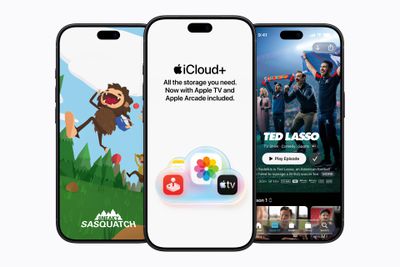
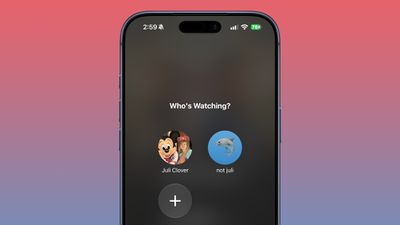
With iOS 27.2 and iPadOS 27.2, Apple extended Apple TV app profiles to the iOS version of the app.
Apple brought Apple TV profiles to tvOS with tvOS 26.2, but the feature has been limited to the Apple TV until now.
Apple TV app users can create new profiles in the account settings section, which can also be used to swap between profiles. Profiles only require a name, profile rating, and information about whether the user is a child.
Creating an account for a child limits content to a PG rating by default, but there is a customize option for more granular control. Users can select age ratings for TV shows and movies that are appropriate for the child based on their age
Profiles are a useful feature for a parent that wants to hand over an iPhone or iPad to a child to watch TV or movie content because it restricts what's available without impacting what the parent sees when signed into their own account.
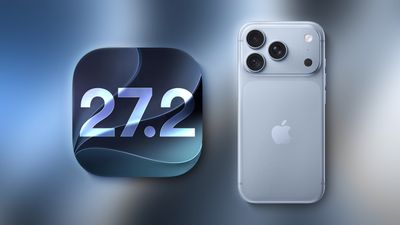
Apple just seeded the first beta of iOS 27.2 to developers for testing. Yes, you read that correctly: iOS 27.2, not iOS 27.1.
Why no iOS 27.1 beta? The answer likely relates to the iPhone Duo.
Apple previously announced that the iPhone Duo will ship with iOS 27.1, which means that software version will contain all sorts of references to the device hidden within the code. If an iOS 27.1 beta were to have been released today, it could have spoiled some smaller iPhone Duo details that did not make it into Apple's event.
The earlier iOS 27.2 beta versions at a minimum will likely have little to no iPhone Duo references within the code to prevent leaks.
Eventually, the iOS 27.1 and iOS 27.2 codebases will presumably converge, but we will have to wait and see how Apple goes about this exactly.
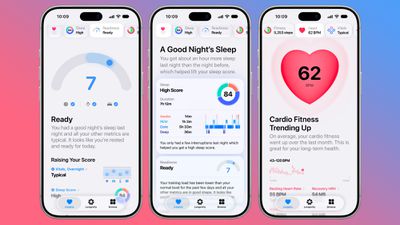
The first beta of iOS 27.2 includes Apple's redesigned Health app, giving developers a chance to try out the features ahead of launch later this year.
Apple's developer notes for the feature say the Health app is being tested in this beta, but it won't be in the launch version of iOS 27.2. It will instead come later in the year.
The Health app will incorporate Apple Intelligence to turn data and metrics collected by the Apple Watch into personalized guidance. Here are the new features we can expect:
Insights - The Insights tab offers an Apple Intelligence-generated summary of timely information like your latest sleep metrics or a new peak in VO2 max. There are options to get custom advice on readiness, fitness, heart health, and more in the For You section.
Personal Guidance - Personal guidance is part of the Insights tab. It knows what's important to you, and will make relevant suggestions. Apple says if you're working on your cardio, you might see a suggestion to incorporate intervals into your morning run. Recommendations adapt to each user and their data.
Readiness - The new Apple Watch models calculate a readiness score that takes into account recent activity, vitals, and sleep score. It gives a 0–10 score with recommendations on activity level. Readouts include Recover, Pace Yourself, Ready, or Go For It. Info is shown on the watch, in the Fitness app, and in the Health app's Insights tab.
Fitness - Insights incorporates your daily activity and it updates throughout the day.
Vitals - The Vitals option in the Health app has new overnight views and daytime views. HRV is incorporated as a metric, offering a better look at your ability to recover from stress. It measures overall HRV and recovery HRV.
Longevity - There is a new Longevity tab in the Health app. It uses metrics from your iPhone and Apple Watch to assess overall health across heart health, sleep, mental wellbeing, movement health, metabolic health, hearing, and nutrition. The section shows you how well you're doing in each category, and how each metric is classified against the latest clinical guidance.
Health Age - Health Age is part of the Longevity tab. It uses metrics like VO2 max, resting heart rate, HRV, sleep, and biomarkers from blood work to determine how your health metrics compare to your actual age. It will help you figure out what habits make the biggest impact on your health, and how you can improve.
At-home health assessments like a VO2 max test will be coming to the Health app, taking advantage of the iPhone's camera to track your movements as you follow instructions from a trainer. There will be in-depth physical assessments for measuring flexibility, strength, balance, and movement mechanics in addition to VO2 max.
Apple also plans to eventually offer U.S. users the option to buy a bloodwork panel from Quest that covers more than 50 biomarkers. The test is priced at $119, and users will be able to order it right in the Health app.
Not all of the new features are going to be available in the beta. CNET says ordering labs, personalized health info in the Insights tab, and personalized recommendations will not be available until later in the year. Features are going to roll out progressively.
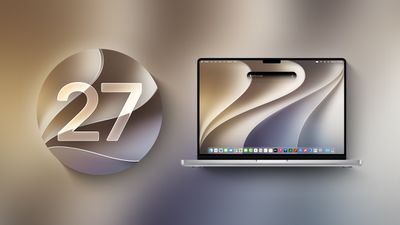
Apple is testing the next macOS Golden Gate update, and developers can download the macOS Golden Gate 27.2 beta as of today. The beta comes just two days after Apple launched macOS Golden Gate 27.0.
Registered developers can download macOS Golden Gate 27.2 by opening up the System Settings app, clicking on General, selecting Software Update, and opting into macOS Golden Gate betas.
Apple removed two Apple Intelligence features from the launch version of macOS Golden Gate, but said they would be coming back in a future software update. It's possible the features will return as soon as the 27.2 release.
Apple delayed Suggestions in Messages, a feature that lets the Messages app offer actions based on the context of conversations. If someone asks for a photo, Messages might suggest inserting it with a tap. If someone invites you to an event, Messages can suggest adding it to the Calendar app.
Apple also pulled the Apple Intelligence feature that automatically updates weak and compromised passwords using Safari.
Apple today seeded the first beta of an upcoming iOS 27.2 update to developers for testing purposes, with the update coming just two days after the iOS 27 launch. Apple also seeded an iPadOS 27.2 beta.
Registered developers can download the beta updates by opting in under Settings > General > Software Update and selecting the iOS 27 developer beta.
Siri AI will be available in new languages later this year, and support could be added in iOS 27.2. Apple is adding French, Japanese, Korean, Portuguese, and Spanish in October.
Two Apple Intelligence features were removed from the launch version of iOS 27, and those could also be reintroduced as soon as iOS 27.2. Apple delayed suggestions in Messages conversations and the option to automatically fix compromised and weak passwords using AI.
Apple also plans to debut a new Health app experience, and we could see that in the beta as well.
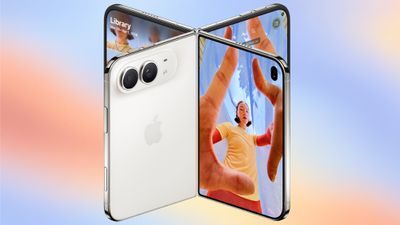
Apple releasing an iOS 27.2 beta ahead of a iOS 27.1 beta is a surprise, especially because the company plans to ship the iPhone Duo with iOS 27.1. Apple may be holding iOS 27.1 until the Duo comes out, just to keep the features under wraps. iOS 27.1 will add updated app layouts and features built for the iPhone Duo's two displays. The iPhone Duo will have a vertical dock, vertical Dynamic Island, new dual-screen app layouts, side-by-side app multitasking, and exclusive Camera app capabilities.
Since the iPhone Duo will launch on Friday, October 23 and will ship with iOS 27.1, Apple will need to release the iOS 27.1 update before then. If iOS 27.2 includes new Siri AI languages, it too will launch sometime during the month of October.
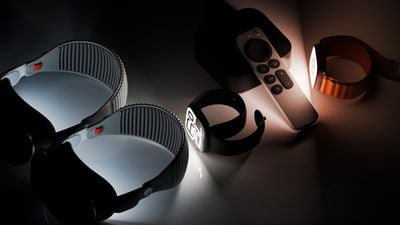
Alongside new betas of iOS 27.2, iPadOS 27.2, and macOS Golden Gate 27.2, Apple has released the first betas of watchOS 27.2, tvOS 27.2, and visionOS 27.2. The betas come two days after the 27.0 software updates were released.
Registered developers can download the betas through the Settings app on each device.
Two new Apple Intelligence features are coming to the Apple Watch Series 12 and Apple Watch Ultra 4 in late 2026, and Apple could start testing them as soon as watchOS 27.2. Live Rewind will allow users to double-press the Digital Crown to get a transcription of what was said in the last 15 seconds, while Siri Recap will turn conversations users have had during the day into high-level notes.
There's no word on what's being added in visionOS 27.2 and tvOS 27.2, but Apple is expected to introduce a new version of the Apple TV 4K with Siri AI support sometime before the end of the year.
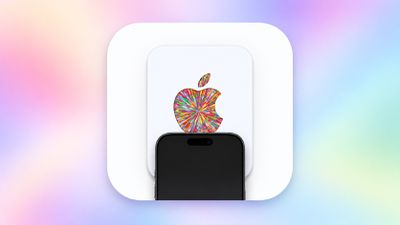
Last week, our team discovered code in the iOS 27 Release Candidate that revealed there will be a new NFC-based way to redeem Apple gift cards by tapping them on the back of a compatible iPhone, and now a demo of the feature has surfaced.
While the functionality does not appear to be live yet, Karta co-founder David Anderson figured out a workaround to get the new gift card interface to appear on iOS 27 and shared a video of it in action on his LinkedIn page today.
Apple's new gift cards will have fine print on the bottom of the card that says "hold iPhone here to redeem," and then a redemption flow will automatically pop up on iOS 27. You can then proceed to check the balance of the card and redeem it. Alternatively, the fine print says that customers can still visit apple.com/redeem for manual redemption.
Specifically, customers will be instructed to hold the top, rear side of their iPhone near the bottom of the Apple gift card to initiate NFC-based redemption.
NFC-based redemption will seemingly help to combat Apple gift card scams, but we do not have all of the details yet. During the redemption process, Apple will verify that the card is authentic and unspent, according to iOS 27 code. For security reasons, the interface may show "this card has been blocked" or "cancelled" if necessary.
iOS 27 is compatible with the iPhone 11 series and newer, all of which support NFC, so this new Apple gift card redemption method should be widely available. However, the feature has yet to be announced by Apple and we do not know when it will launch.
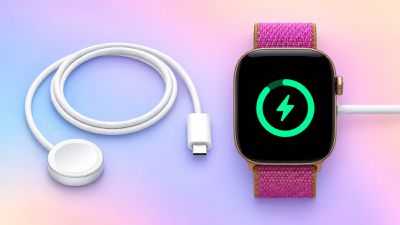
The new Apple Watch Series 12 and Apple Watch Ultra 4 have hardware changes that allow for faster charging, but you will need to use the new version of the Apple Watch Magnetic Fast Charger included in the box in order to achieve this boost. If you need extra ones for your own charging stands or travel or so forth, Apple released the new version of the charger on its online store last week, with U.S. pricing set at $29.
We have confirmed that the new version of the Apple Watch charging puck — model A3277 — can deliver up to 10W of power to enable the faster charging speeds. The previous version of the charger is limited to 5W. Accordingly, you will also need to use a USB-C Power Delivery charger that is rated 10W or higher for the fastest charging.
With just 15 minutes of charging, Apple said the new charger can add 12 hours of battery life to the Series 12 and 18 hours of battery life to the Ultra 4.
The previous Apple Watch Series 11 and Apple Watch Ultra 3 can get 8 hours and 12 hours of battery life respectively with a 15-minute charge, according to Apple. Using the new charging puck will not speed up these times, as the Series 12 and Ultra 4 have hardware changes, so you need both a new watch and the new charger for the fastest charging.
Apple memory supplier SK Hynix is in exploratory talks with Intel about manufacturing memory chips in the United States for the first time, according to Reuters.
One option would see the South Korean chipmaker lease part of Intel's planned manufacturing complex in Ohio. Another would involve a joint venture with Intel and major cloud providers seeking to secure memory supplies, people familiar with the discussions said. No decisions have been made, and other arrangements remain possible.
SK Hynix supplies Apple with memory alongside Samsung and Micron. The discussions come as AI infrastructure spending puts pressure on the supply of memory for consumer devices, including iPhones and Macs. Chipmakers have been directing more production capacity toward high-bandwidth memory (HBM) for AI processors, leaving smartphone and computer manufacturers competing for available supplies.
It remains unclear which types of memory SK Hynix would manufacture under a potential agreement with Intel. Its products include DRAM used in smartphones, computers, and servers, NAND flash storage, and HBM for AI processors. The report does not mention whether a U.S. facility would produce memory for Apple devices.
SK Hynix already has an advanced packaging facility under construction in West Lafayette, Indiana. That project will package DRAM wafers manufactured in South Korea into HBM chips, rather than fabricate the wafers domestically.
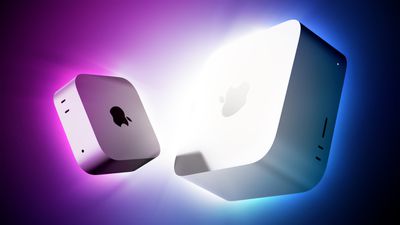
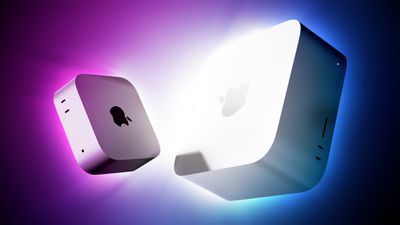
Amazon has the first cash discounts on Apple's brand new Mac mini and Mac Studio, with up to $49 off select models. One of the best deals is on the M5 Max Mac Studio with 36GB RAM and a 512GB SSD, on sale for $2,449.99, down from $2,499.00.
Note: MacRumors is an affiliate partner with Amazon. When you click a link and make a purchase, we may receive a small payment, which helps us keep the site running.
All of these deals are pre-order discounts on the 2026 Mac mini and Mac Studio, which officially launch on September 22. Regarding the Mac mini, you can get the 16GB RAM/256GB SSD Mac mini for $879.99, down from $899.00, and the 16GB RAM/512GB SSD model for $1,069.99, down from $1,099.00.
In terms of upgrades, Apple said the Mac mini with the M6 chip delivers up to 40% faster CPU performance, up to 4× faster performance for AI tasks in particular, up to 2× faster graphics performance, and up to 2× faster storage speeds compared to the previous-generation model with the 10-core M4 chip, 32GB of unified memory, and 2TB of storage.
If you're on the hunt for more discounts, be sure to visit our Apple Deals roundup where we recap the best Apple-related bargains of the past week.
Deals Newsletter
Interested in hearing more about the best deals you can find in 2026? Sign up for our Deals Newsletter and we'll keep you updated so you don't miss the biggest deals of the season!
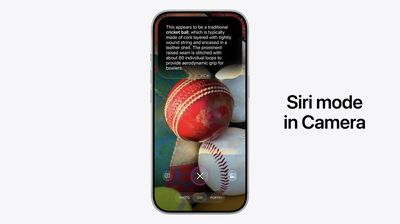
In iOS 27, available now, Apple has made some changes and additions to the iPhone's stock Camera app, including the addition of a new Siri mode.
Available in addition to the Video, Photo, and other camera modes, Siri mode can be accessed by swiping across the mode carousel at the bottom of the screen.
The new mode uses Visual Intelligence to identify objects in the frame and provide information about them. It can be used to identify plants, animals, food, and more. If it's food you want info on, for example, it can tell you what it is, and how many calories are in it.
Other examples Siri mode can be used for include capturing a photo of an event flyer and adding a date to the Calendar app, text translation, splitting a bill, and more.
In Siri mode, a button on the right lets you search Google Images, and a button on the left lets you ask a specific question. So you can ask for help to cook the food in the frame, for instance.
Apple has also tweaked the way the camera interface works in other ways. Quick access tools for activating flash, Live Photo, and Night mode are now located at the top-center of the UI, while the full set of tools can be accessed from the bottom-right instead of the top-right. It's also possible to customize which controls are displayed at the top of the screen.
Apple made iOS 27 available to download on supported iPhone models on September 14, a few days ahead of the launch of new iPhone 18 Pro models on September 18.
The first iPhone 18 Pro and iPhone 18 Pro Max reviews have been published today by selected tech websites and YouTube channels, ahead of the devices beginning to arrive to customers and launching in stores this Friday, September 18.
While the iPhone 17 Pro models featured a major design overhaul last year, the iPhone 18 Pro models look the same overall and have a set of more incremental year-over-year upgrades related to the cameras, battery life, and performance.
With the new A20 Pro chip, the first 2nm chip in a smartphone, Apple said the iPhone 18 Pro models deliver up to 20% faster CPU performance and up to 40% faster graphics performance compared to the A19 Pro chip in the iPhone 17 Pro.
I ran Geekbench 7's CPU benchmark on the iPhone 18 Pro and compared results with the iPhone 17 Pro. Both phones were running the official iOS 27 release. The iPhone 18 Pro scored 4,027 for single-core and 11,540 for multi-core, and the iPhone 17 Pro mustered 3,258 on single-core and 9,167 on multi-core. That works out to a 24% boost for single-core performance and a 26% boost for multi-core.
A revamped vapor chamber cooling system in the iPhone 18 Pro models is three times larger than the one in the iPhone 17 Pro models, for better heat dissipation. This allows the A20 Pro to achieve peak, sustained performance for longer.
Wong on the iPhone 18 Pro's thermal management:
I don't think the iPhone 18 Pros got hot once doing anything normal that would cause it to heat up. Not even shooting 4K resolution video at 60 fps under the heatwave that baked Cupertino during the Apple launch event could overheat it.
Both of the iPhone 18 Pro models have longer battery life compared to the previous generation — especially the iPhone 18 Pro Max. If we go by Apple's offline video playback metric, the iPhone 18 Pro Max has up to 15% longer battery life compared to the iPhone 17 Pro Max. Fast charging to 50% now takes 15 minutes, down from 20 minutes.
Tom's Guide published its typical battery life test, in which the iPhone 18 Pro Max achieved around half an hour longer battery life compared to the iPhone 17 Pro Max:
OnePlus 15: 25 hours and 13 minutes
iPhone 18 Pro Max: 18 hours and 27 minutes
iPhone 17 Pro Max: 17 hours and 54 minutes
Galaxy S26 Ultra: 16 hours and 40 minutes
iPhone 18 Pro: 16 hours and 17 minutes
iPhone 17 Pro: 15 hours and 21 minutes
iPhone 18 Pro models have a slightly smaller Dynamic Island at the top of the screen that supports up to three Live Activities at once, up from two.
In my testing, what I've actually appreciated most is what happens when you have two Live Activities running at the same time. Thanks to the smaller Dynamic Island, the second Live Activity that appears on the right side can now show more information.
The popular flight-tracking app Flighty showed this off:
Flighty for iOS 27 is here
🏝️ Refined Dynamic Island 💫 New flight progress arc 📱 Support for all new sizes 🎨 New app icons ✨️ "Ask Flighty" with Siri AI
Flying's most useful Dynamic Island. Now even better.
Get: https://t.co/N1Fh9U3TnUpic.twitter.com/4IJlokeam3
— Flighty (@Flighty) September 14, 2026
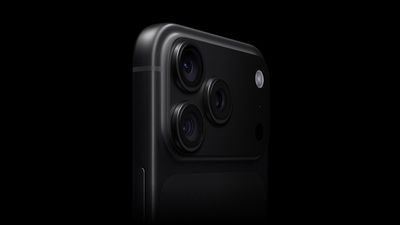
The main 48-megapixel Fusion camera on both the iPhone 18 Pro and iPhone 18 Pro Max has variable aperture, allowing you to adjust the amount of light that reaches the image sensor for greater control over depth of field. Apple says this upgrade will allow for improved low-light photography and crisper details in the back of group photos.
Variable aperture options include ƒ/1.48, ƒ/1.8, ƒ/2.8, and ƒ/4.0.
I think Apple's choice not to lock us to the wider aperture was very smart, because sharpness takes a hit when shooting wide open. We noticed that while the center is about as sharp as last year's iPhone 17 Pro when shooting at night, the edges quickly degraded — this is not unusual for a wide-open lens, even on a full-size camera. When you're that wide open, image quality tends to fall off without a bunch of additional glass elements to counteract it. However, the image cleans up nicely at f/1.8 and sharpness peaks at f/2.8. At f/4, sharpness dips again, this time from diffraction, but not substantially. In order from sharpest to softest, it goes: f/2.8, f/1.8, f/4, and f/1.48.
In the Camera app, iPhone 18 Pro users can manually adjust shutter speed, white balance, and aperture, and there is an option to use a histogram. These new "Pro controls" are exclusive to the iPhone 18 Pro and iPhone 18 Pro Max.
I enjoy these controls, as I have when they've appeared on Android phones. My big criticism is how they're accessed: I use the lens aperture and shutter speed controls quite a bit, but they are located at the bottom of the camera controls drawer. When shooting one-handed, I have to tap, then expand the drawer to get to the bottom. I wish I could customize the position of the icons like I can with settings in the phone's control center. Also, why can't I assign any of these to the Camera Control button on the side of the phone? Imagine focus pulling in a video recording by sliding your finger.
For 5G and LTE, the iPhone 18 Pro is equipped with Apple's second-generation C2 cellular modem worldwide, while the iPhone 18 Pro Max has the C2 modem in every country except the U.S., where it is reportedly still equipped with a Qualcomm modem, perhaps for contractual reasons. Apple said the C2 modem delivers "meaningfully faster uploads" compared to its previous C1X modem while consuming 15% less energy. In the U.S., the C2 is Apple's first modem with mmWave 5G support.
We have not yet found any reviews that tested the C2 modem in a scientific way, but anecdotally most reviewers found 5G performance to be very adequate.
iPhone 18 Pro and iPhone 18 Pro Max color options: a classic Silver, the return of Black, and special new Burgundy and Glacier finishes.
In our view, there is no massive reason to upgrade to the iPhone 18 Pro models if you are coming from an iPhone 17 Pro or perhaps even an iPhone 16 Pro. If you have an iPhone 14 Pro or older, though, upgrading to the iPhone 18 Pro is worth it to catch up on years of enhancements and bump up to a model that supports the new-and-improved Siri, which truly is a lot better and is available on the iPhone 15 Pro and newer.
That's the reality with most iPhone launches nowadays: the devices remain excellent, yet the year-over-year upgrades can sort of feel "meh."
In the iPhone Duo's shadow, the iPhone 18 Pro certainly feels like an "S" device. But S-year iPhones were never bad iPhones. They were simply unexciting. Similarly, while none of the iPhone 18 Pro's latest features are things you should run out the door to spend money on, it's certainly a meaningful improvement for anyone on an iPhone 16 Pro or older. Of all the iPhones you can buy now, it has the best camera setup, and anyone with the slightest interest in manual photography will appreciate the new variable aperture controls.
Apple today announced "What Holds Us," a photography exhibition featuring work shot exclusively on the iPhone 18 Pro by Alex Prager, Jack Davison, and Jimmy Chin. Curated by Kathy Ryan, the exhibition explores human connection through crowd scenes, portraits involving clay, and mountain photography.
The exhibition will be on display in New York City from September 18 to 20, before traveling to London and Shanghai over the coming months. You can see many of the exhibition's images in Apple's Newsroom post.
Apple is considering offering an AI server built around "M8" series chips and has discussed incorporating Nvidia networking hardware, The Information reports.
The system would be sold to outside customers, potentially bringing Apple back into a business it left behind when it discontinued Xserve in 2011. Apple is reportedly targeting companies that want to run AI models on their own equipment, with a particular focus on inference and generating responses from trained models.
One option under consideration is Nvidia's NVLink Fusion, which provides hardware and software for exchanging data between chips. Apple could use the platform to link its M8 processors, although neither the Nvidia arrangement nor the server itself is finalized. The report places a potential release date in 2029, but it could be canceled before then.
Apple CEO John Ternus reportedly supported the initiative when work on it began approximately a year ago, during his tenure as the company's hardware engineering chief. The project follows growing interest in Apple hardware among AI businesses, which have been buying Mac mini and Mac Studio systems in large quantities.
Apple already produces server hardware for Private Cloud Compute, the infrastructure that handles Apple Intelligence tasks requiring processing beyond a user's device. According to the report, scaling Apple's existing connections between chips would present cost and speed problems, which is why it is considering Nvidia's technology. Apple has also declined partners' requests to use those Private Cloud Compute servers.
An agreement would give Nvidia a role in an Apple product that could compete with its own AI systems. NVLink Fusion allows Nvidia to supply networking technology to companies building alternative processors, expanding its business beyond customers using Nvidia chips.
The discussions also suggest a closer working relationship between Apple and Nvidia following their longstanding disputes. Apple has already announced plans to extend Private Cloud Compute to Google Cloud using Nvidia GPUs. The companies have reportedly explored additional ways to work together on AI, including the use of Nvidia's open-source models.
The project still faces challenges beyond developing the hardware. There is still said to be a need for stronger support for business customers and more software resources for AI developers, including further investment in its MLX framework.
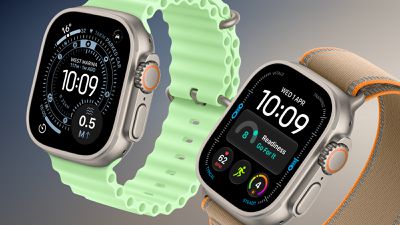
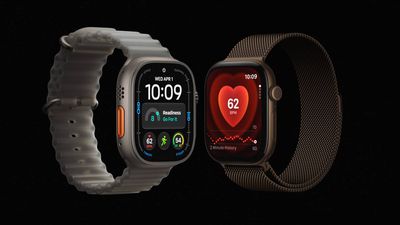
The Apple Watch Ultra 4 is now available for pre-order, bringing a new health sensing system, more memory, and longer battery life over its predecessor. Here's everything that's new.
Last year, the Apple Watch Ultra 3 introduced a larger, more efficient display, satellite connectivity, 5G, and improved battery life. The Ultra 4 retains the same basic design and display, but focuses on more detailed health and fitness insights, new Audio Intelligence features, and further battery life improvements.
It launches on Friday, September 18, at the same $799 starting price as the Ultra 3. The comparison below outlines the differences between the two generations:
"Health Sensing System" with second-generation electrical heart sensor
Third-generation optical heart sensor
Always-on optical heart sensor
Background heart rate tracking
High-frequency background heart rate tracking every five seconds, 60x more frequently
HRV
Recovery HRV and overall HRV, measured up to 24x more often
Vitals app with heart rate, respiratory rate, wrist temperature, and sleep duration
Vitals app heart rate, respiratory rate, wrist temperature, sleep duration, HRV, and a daytime vitals view
Readiness app
Real-time heart rate complication
Step tracking
More accurate step tracking and indoor workout distance measurements
Steps complication
Audio Intelligence (Live Rewind, Siri Recap, Sound Recognition, and automatic music identification with Shazam)
Up to 42 hours of normal use
Up to 50 hours of normal use
Up to 72 hours in Low Power Mode
Up to 84 hours in Low Power Mode
Up to 14 hours of outdoor workout tracking with full GPS and heart rate readings
Up to 18 hours of standard outdoor workout tracking
Up to 20 hours of outdoor workout tracking in Low Power Mode with full GPS and heart rate readings
Up to 25 hours in Extended Workout mode with full GPS and heart rate readings
Up to 35 hours of outdoor workout tracking in Low Power Mode with Fewer GPS and Heart Rate Readings enabled
Up to 45 hours in Max Extended Workout mode, retaining GPS readings every second
15 minutes of charging for up to 12 hours of normal use
15 minutes of charging for up to 18 hours of normal use
5 minutes of charging for up to 8 hours of sleep tracking
5 minutes of charging for up to 10 hours of sleep tracking
Natural titanium: 61.6 grams Black titanium: 61.8 grams
Natural titanium: 63.0 grams Black titanium: 63.1 grams
GPS, GLONASS, Galileo, QZSS, and BeiDou
GPS, Galileo, QZSS, and BeiDou
40% recycled content
45% recycled content
Now discontinued
From $799
Is It Worth Upgrading From Ultra 3 to Ultra 4?
For the vast majority of Apple Watch Ultra 3 owners, the Ultra 4 is not worth upgrading to. The Ultra 3 already offers all of the headline display, durability, satellite connectivity, and established health features. If it comfortably lasts between your usual charging sessions and records your longest workouts, the new model is unlikely to meaningfully change how you use your watch.
The strongest reason to upgrade is if you want recovery tracking to play a larger role in your training. The Ultra 4's more frequent measurements feed into Readiness and Recovery HRV, making it easier to assess when to push harder or take a lighter day. These features are more compelling if you will regularly use them to adjust your training, rather than simply check another set of health metrics.
Battery life is a more practical reason for endurance athletes. If you currently change settings to finish long events or recharge during an extended outing, the Ultra 4 gives you a little more flexibility. For shorter daily workouts, however, the improvement mainly means less frequent charging, which is difficult to justify replacing a year-old $799 watch for.
Audio Intelligence may also justify upgrading for specific users, particularly deaf or hard of hearing users who would benefit from Sound Recognition on their wrist. Live Rewind and Siri Recap are less convincing reasons to upgrade immediately, since they arrive in beta later this year and require a compatible newer iPhone.
Should You Buy Ultra 3 or Ultra 4?
For new buyers, the Ultra 4 should be the default choice when the price difference is modest. If you plan to wear it for several years, paying a little more for the new chip, more memory, better battery life, and health tracking enhancements is easier to justify than replacing an Ultra 3 you already own.
The Ultra 3 becomes the better value when it is heavily discounted. If you mainly want a "rugged"-style Apple Watch with a large screen, satellite connectivity, and enough battery life for everyday use and regular workouts, it delivers much of the same experience. Buyers interested in Readiness and recovery insights, or who regularly record very long activities, have a stronger reason to pay more for the Apple Watch Ultra 4.
For used or refurbished Ultra 3 models, factor battery condition and warranty coverage into the saving. A cheaper watch with a degraded battery is less appealing if endurance is your main reason for buying an Ultra.
If you're upgrading to macOS Golden Gate and you have an AirPort Time Capsule, Time Machine won't be able to back up to it. macOS 27 removes support for AFP, the legacy file-sharing protocol that Time Capsule relies on for Time Machine backups. Said backups now exclusively use the SMB protocol, which Apple's discontinued Time Capsule hardware does not support in the form required by macOS 27.
Apple warned users about the change back in June 2025 when macOS Tahoe began displaying a warning that Time Capsule backups would no longer work in the next macOS. Users still backing up to one will need an alternative, such as an external drive or a modern NAS.
The EU will ban children under 13 from using social media platforms, some gaming platforms, and AI chatbots without parental supervision. The ban is set to be outlined in the Kids Act, which will be published on Thursday, reports Financial Times.
"No social media under the age of 13. No personal account under the age of 15," said the European Commission president Ursula von der Leyen in a speech on Wednesday. "Europe has the power to act. It is us who decide the rules, not big tech."
According to a draft proposal seen by FT, children under 13 will only be allowed access with supervision from a parent, while children between 13 and 15 will need parental consent to create accounts with parental controls and other restrictions like time limits.
Meanwhile, social media companies, online gaming services, and AI chatbots will be required to introduce safeguards to protect children from abuse and addictive behavior, and companies that offer AI companions and chatbots services will have to avoid designs that encourage unhealthy emotional attachments or expose them to harmful interactions.
Affected companies will also be required to verify the age of users with an official age verification app. Failure to comply with the rules could result in fines of up to 6% of their global annual revenue.
Note: This discussion thread is located in our Political News forum with special rules.





 Note: MacRumors is an affiliate partner with Amazon. When you click a link and make a purchase, we may receive a small payment, which helps us keep the site running.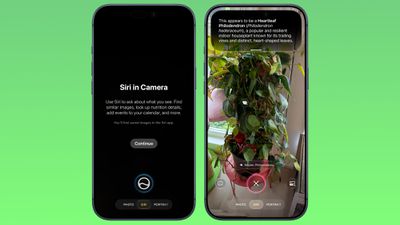
 Apple today
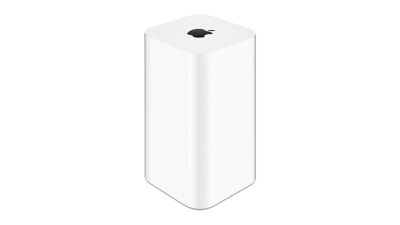 If you're upgrading to macOS Golden Gate and you have an AirPort Time Capsule, Time Machine won't be able to back up to it. macOS 27 removes support for AFP, the legacy file-sharing protocol that Time Capsule relies on for Time Machine backups. Said backups now exclusively use the SMB protocol, which Apple's discontinued Time Capsule hardware does not support in the form required by macOS 27.