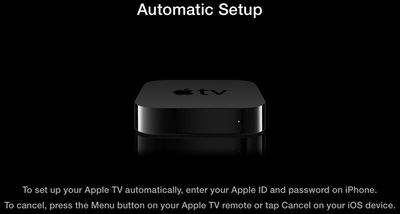
Apple today released a support document detailing a newly implemented Apple TV setup feature that was introduced last week with its Apple TV 6.0 software update.
Users that have a third-generation Apple TV running the 6.0 software can use an iPhone, iPad, or iPod touch running iOS 7 to automatically transfer network settings, Apple ID information, and language preferences to the Apple TV, allowing for faster setup. The information exchange is done via Bluetooth by touching the iOS device to the Apple TV, taking advantage of the Bluetooth LE built into all Apple devices after the iPhone 4.
Apple's support article includes a detailed list of instructions on the process:
1. Connect your Apple TV to your television and power and wait until your Apple TV displays the setup screen.
2. Unlock your iOS 7 device and ensure that Bluetooth is enabled. Also ensure that you are connected to the Wi-Fi network you want to use with Apple TV.
3. Touch your iOS device to your Apple TV and wait for the prompts to appear on your iOS device and Apple TV.
4. Enter your Apple ID and password on your iOS device.
5. Choose if you want Apple TV to remember your Apple ID password, and if you want Apple TV to send data to Apple.
6. Your Apple TV will start the configuration process, including connecting to your Wi-Fi network, activating Apple TV, and setting up your iTunes Store account.
Prior to the implementation of the tap setup feature, entering Apple TV information was a tedious process that required connecting a Bluetooth keyboard or using the Apple TV remote to pick and choose letters.
As noted by Apple, the transfer requires an iPhone 4s or later, a third-generation iPad or later, an iPad mini, or a fifth-generation iPod touch. The feature does not work with the iPhone 4 or the iPad 2.
Bloomberg's Mark Gurman has high expectations for Apple's first foldable iPhone.
In his Power On newsletter today, he said the foldable iPhone will be "the most significant overhaul in the iPhone's history."
"iPhone 4, iPhone 6 and iPhone X were clearly a big deal, but this is a whole new design," he said.
Like Samsung's Galaxy Z Fold 7, the foldable iPhone will reportedly open up like ...
iOS 26.5 is now available for developers, and while it doesn't include any new Siri capabilities, there are some major changes for the European Union, and smaller tweaks for features available worldwide.
Suggested Places
In the Maps app, there's a new "Suggested Places" feature that recommends locations to visit based on trending places nearby and recent searches. When Apple launches ads in ...
Apple has been celebrating its upcoming 50th anniversary by hosting surprise performances and other events around the world over the past few weeks, and now Bloomberg's Mark Gurman has revealed details about the company's grand finale.
In a social media post, Gurman said Apple's celebrations will conclude this week with a finale at its Apple Park headquarters for employees.
A special...
At least 14 new shows and films are premiering on the Apple TV streaming service throughout the remainder of 2026, starting with Twisted Yoga today.
In the U.S., Apple TV is priced at $12.99 per month or $129 per year, with a free one-week trial available for new subscribers. Apple TV is also included in Apple One and Peacock bundles, with all of the options outlined on Apple's website....
Wednesday March 25, 2026 3:33 pm PDT by Joe Rossignol
Apple this week released tvOS 26.4, and the software update includes a handful of new features and changes for the Apple TV.
tvOS 26.4 is compatible with all Apple TV 4K and Apple TV HD models released since 2015. To update your Apple TV, open the Settings app on the device, navigate to System → Software Updates, and select Update Software.
Below, we have recapped what is new in tvOS...
Apple today provided developers with the fourth betas of upcoming watchOS 26.4 and visionOS 26.4 betas for testing purposes. The software comes a week after Apple released the third betas.
The software updates are available through the Settings app on each device, and because these are developer betas, a free developer account is required.
watchOS 26.4 adds a new Average Bedtime metric to ...
Given that it's Bluetooth, why do the devices need to touch at all?
This isn't far off from the 'bumping' they mocked (though I realise there's a huge difference between this and AirDrop).
They don't need to touch. But touching ensures that the iOS device is close enough to the Apple TV, which is why I assume Apple specifies a touch in the documentation.
Now I want to wipe my :apple:TV 3 just to see this in action!
Edit: Okay, that was pretty slick.
Reset my :apple:TV, and it gave this prompt. Got my iPhone 4S about an inch from the :apple:TV, and a dialog appeared on the iPhone asking for my iTunes password. A couple "yes or no" type questions on the iPhone, and the :apple:TV was ready to go.
Given that it's Bluetooth, why do the devices need to touch at all?
This isn't far off from the 'bumping' they mocked (though I realise there's a huge difference between this and AirDrop).
Edit: It may be that they're doing something clever with the iOS device's accelerometer readings to initiate the process whilst ensuring that they're within Bluetooth range...?