

Pixelmator App for iOS Updated With Drag and Drop and HEIF Image Support - MacRumorsOpen MenuShow RoundupsShow Forums menuVisit ForumsOpen Sidebar
Skip to Content

Pixelmator App for iOS Updated With Drag and Drop and HEIF Image Support

by

Pixelmator today updated its iOS app with full support for iOS 11, including importing HEIF images and Drag and Drop functionality on iPad.
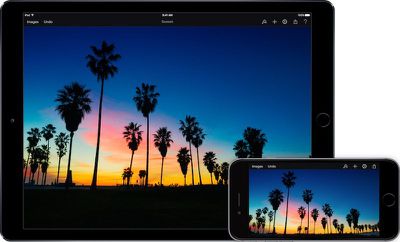
Pixelmator for iOS %E2%80%94 HEIF Support
Drag and Drop support enables iPad users to easily move images and graphics between Pixelmator and other apps. For example, users can move their entire composition into apps like Mail, Messages, and Keynote by simply touching and holding outside the image canvas, then dropping the image into the other app.
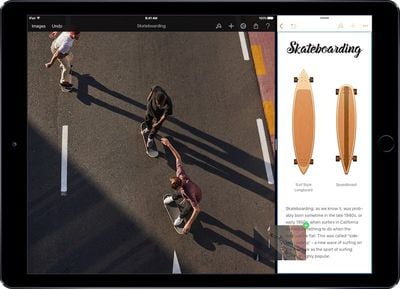
Pixelmator for iPad %E2%80%94 Drag and Drop
With support for HEIF images, Pixelmator for iOS users can now import images saved in the High Efficiency Image File Format. The new, more efficient format reduces file sizes without sacrificing quality, and is now used as the default on the iPhone 7 and later. Learn more about HEIF in our earlier coverage.

Last week, Pixelmator for Mac was also updated to include HEIF image support and integration with Apple's Photos app on macOS High Sierra.

The update also includes bug fixes for issues such as Pixelmator quitting unexpectedly when zooming in after starting a selection, compositions sometimes disappearing when adding or removing layers, and certain buttons in the Color and Format popovers occasionally not responding to touches.

Pixelmator version 2.4 is available on the App Store [Direct Link] as a free update for existing users. The app costs $4.99 for new users.


Top Rated Comments

Chupa Chupa Avatar
113 months ago
So I assumed the forthcoming Pixelmator Pro was going to be the new version of Pixelmator, just with a fancier name. But with the recent Mac OS update, now iOS, with new features, not just compatibility fixes I'm guessing Pixelmator Pro is going to be a fuller featured version and both Pixelmator and Pixelmator Pro will live together side-by-side just like Photoshop Elements and Photoshop CC?
Score: 1 Votes (Like | Disagree)

Popular Stories

Apple Wallet

iOS 27 Will Add Two New Apple Wallet Features to Your iPhone

Monday June 1, 2026 12:15 pm PDT by
Apple is set to unveil iOS 27 during its WWDC 2026 keynote on Monday, June 8, and the update will reportedly include two new Apple Wallet features. First, iOS 27 will reportedly let users create their own digital passes by scanning items like movie tickets, concert passes, and gym membership cards. Many apps already offer Apple Wallet passes, but now users will be able to create a custom...
Dynamic Island iPhone 18 Pro Feature

iPhone 18 Pro Battery Capacities Allegedly Leaked

Tuesday June 2, 2026 1:54 am PDT by
Battery capacities for Apple's upcoming iPhone 18 Pro have allegedly surfaced, and the numbers suggest only a modest increase over the iPhone 17 Pro. According to prolific Weibo-based leaker Digital Chat Station, Apple is testing the iPhone 18 Pro with different battery capacities for the China and U.S. versions of the device, similar to last year's iPhone 17 Pro models. The Chinese model is ...
macOS 27 on MacBook Pro

Apple Says macOS 27 Won't Be Compatible With These Macs

Wednesday June 3, 2026 8:29 am PDT by
During WWDC 2025, Apple revealed that macOS 26 Tahoe would be the final major macOS version for Intel-based Macs. macOS 27 will be compatible with Apple silicon Macs only, meaning that you will need a Mac with an M-series chip or a MacBook Neo with an A18 Pro chip in order to install the software update. Apple will unveil macOS 27 during its WWDC 2026 keynote this Monday, June 8, and the...














