

Microsoft has revealed its plans to bring a new design to its Outlook for Mac app along with several performance improvements (via The Verge).
Account syncing optimizations are promised as Outlook will adopt the same cloud sync technology that's used in Outlook for iOS and Android, which should mean Office 365, Outlook.com, and Google accounts sync faster.
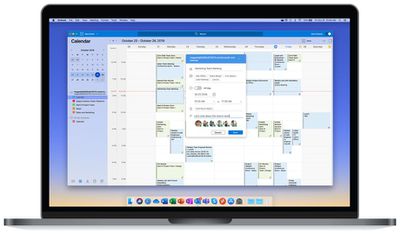
Design-wise, users can expect a bundle of new features they may already be familiar with from using the web and mobile versions of Outlook. They include single line email views, a new mail compose interface, the ability to ignore emails, and collapsible panels in the main view.
Regular users will also notice that the ribbon has gone from Outlook for Mac. Microsoft explained its removal to The Verge in the following terms:
"Following the same design principles as the Office 365 user experience updates announced last year, the ribbon was updated in the new Outlook for Mac to be fully customizable. In Mac environment, we refer to it as a toolbar – at this time, there are no plans to announce updates to the ribbon elsewhere on Office for Mac."
Meanwhile, Microsoft is integrating Microsoft Search into the Outlook search bar, which will now live at the top of the Outlook window and hopefully provide quicker and more relevant results. There's also a new My Day view being added to the calendar in the main mail screen.
The new-look Outlook for Mac is available this week to beta testers in signed up to the Insider Fast builds. Simply toggle the "New Outlook" in the top right-hand corner of the app window. Microsoft says it has more updates in the works that should arrive over the coming months.





















Top Rated Comments
I mean, there’s no excuse for how bad the search function is. “Search” has been around almost since the beginning of the internet.
Thanks
Outlook for Mac isn’t even that old, but it has been utterly terrible since day one and is unacceptably broken. Poor performance, regular crashes, broken search, feature incomplete. It’s a disaster. The ribbon is the least of its problems!