

Apple Seeds Release Candidate Version of macOS Ventura 13.4 to Developers - MacRumorsOpen MenuShow RoundupsShow Forums menuVisit ForumsOpen Sidebar
Skip to Content

Apple Seeds Release Candidate Version of macOS Ventura 13.4 to Developers

Apple today seeded the release candidate (RC) version of macOS Ventura 13.4 to developers for testing purposes, with the software coming a week after the launch of the fourth beta. The RC represents the final version of macOS Ventura 13.4 that will be provided to the public.
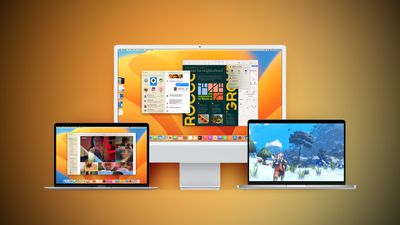
Ventura Macs Feature Yellow
Registered developers can download the beta through the Apple Developer Center and after the appropriate profile is installed, with the betas available through the Software Update mechanism in System Settings.

According to Apple's release notes, the update adds a Sports feed in the sidebar of Apple News and it addresses several bugs, including one that would prevent the Mac Auto Unlock feature from working with the Apple Watch.

macOS Ventura 13.4 includes the following enhancements and bug fixes:
- Sports feed in the sidebar of Apple News gives easy access to stories, scores, standings, and more, for the teams and leagues you follow
- My Sports score and schedule cards in Apple News take you directly to game pages where you can find additional details about specific games
- Resolves an issue where Auto Unlock with Apple Watch does not log you into your Mac
- Fixes a Bluetooth issue where keyboards connect slowly to Mac after restarting
- Addresses a VoiceOver issue with navigating to landmarks on webpages
- Fixes an issue where Screen Time settings may reset or not sync across all devices

Some features may not be available for all regions, or on all Apple devices.
For detailed information about the security content of this update, please visit: https://support.apple.com/kb/HT201222

macOS 13.4 also adds the simplified beta installation method that was first introduced in iOS 16.4. With the update, developers and public beta testers enrolled in Apple's respective programs can toggle on beta updates from System Settings on the Mac, without the need to install a profile.

An Apple ID associated with either a public beta account or a developer account is required to turn on beta updates, which means that it is no longer possible to use a developer profile not associated with a developer account to install the developer betas.


Related Forum: macOS Ventura

Popular Stories

macOS 27 on MacBook Pro

Apple Says macOS 27 Won't Be Compatible With These Macs

Wednesday June 3, 2026 8:29 am PDT by
During WWDC 2025, Apple revealed that macOS 26 Tahoe would be the final major macOS version for Intel-based Macs. macOS 27 will be compatible with Apple silicon Macs only, meaning that you will need a Mac with an M-series chip or a MacBook Neo with an A18 Pro chip in order to install the software update. Apple will unveil macOS 27 during its WWDC 2026 keynote this Monday, June 8, and the...
MacBook Neo on Yellow Feature

MacBook Neo is So Popular That Apple Reportedly Doubled Production

Wednesday June 3, 2026 9:24 am PDT by
On an earnings call in late April, Apple's CEO Tim Cook said that customer response to the MacBook Neo was "off the charts," and the popularity of the laptop has reportedly led the company to significantly boost production. Apple supply chain analyst Ming-Chi Kuo this week said he believes that MacBook Neo shipments to Apple were doubled from an initial target of 5 million units to 10...
iphone 18 pro blue%402x

iPhone 18 Pro: Dark Cherry, Light Blue, and Dark Gray Chassis Leaked [Update]

Thursday June 4, 2026 5:18 am PDT by
Update: Since publication, new information has come to light suggesting the images have been AI-manipulated and are not in fact iPhone 18 Pro chassis parts. The original article follows. The color options Apple is reportedly planning for the upcoming iPhone 18 Pro and ‌iPhone 18 Pro‌ Max have appeared online today in the form of images of chassis parts of unknown authenticity....

Top Rated Comments

patearrings Avatar
40 months ago

Not showing yet but will report on internet filters bug as soon as i have it installed.
Installed. Little snitch is working again! It did need an uninstall and reinstall of the app though. But all is well now. Knew it had to be a bug and not intentional.
Score: 7 Votes (Like | Disagree)
Realityck Avatar
40 months ago
Yeah takes time for this to always show.

* iOS 16.5 RC (20F65) - May 9, 2023
* iPadOS 16.5 RC (20F65) - May 9, 2023
* macOS 13.4 RC (22F62) - May 9, 2023
* watchOS 9.5 RC (20T562) - May 9, 2023
* tvOS 16.5 RC (20L562) - May 9, 2023
* iOS 15.7.6 RC (19H349) - May 9, 2023
* iPadOS 15.7.6 RC (19H349) - May 9, 2023

[SPOILER="macOS Ventura 13.4 RC Release Notes"]
Apple Studio Display ('https://developer.apple.com/documentation/macos-release-notes/macos-13_4-release-notes#Apple-Studio-Display')
Known Issues ('https://developer.apple.com/documentation/macos-release-notes/macos-13_4-release-notes#Known-Issues')

* Apple Studio Display firmware update starts showing progress but never completes. (107287354)
Workaround: To install other updates including future macOS Beta Updates, click “More info…” in Software Update Settings, uncheck Apple Studio Display firmware update, and click “Install Now.”

CSS ('https://developer.apple.com/documentation/macos-release-notes/macos-13_4-release-notes#CSS')
Resolved Issues ('https://developer.apple.com/documentation/macos-release-notes/macos-13_4-release-notes#Resolved-Issues')

* Fixed increasing column-count above 2 not updating the layout. (71808738)

File Bookmark ('https://developer.apple.com/documentation/macos-release-notes/macos-13_4-release-notes#File-Bookmark')
Resolved Issues ('https://developer.apple.com/documentation/macos-release-notes/macos-13_4-release-notes#Resolved-Issues')

* Fixed a regression in macOS Ventura 13.3 where a security check causes bookmark resolution to fail when the path contains Unicode characters stored with composed normalization. As an example, this prevented files in Finder from opening when double-clicked. (107550080)

SwiftUI ('https://developer.apple.com/documentation/macos-release-notes/macos-13_4-release-notes#SwiftUI')
Resolved Issues ('https://developer.apple.com/documentation/macos-release-notes/macos-13_4-release-notes#Resolved-Issues')

* Fixed: Using ImageRenderer within a ShareLink’s preview closure crashed the running application. (107763234)


[/SPOILER]
Score: 3 Votes (Like | Disagree)
Realityck Avatar
40 months ago
MacOS 13.4 RC. (22F62)

* Safari Version 16.5 (18615.2.9.11.4)
* System Firmware Version: 8422.121.3 (M1 based Macs)
* Darwin Kernel Version 22.5.0: Mon Apr 24 20:53:44 PDT 2023; root:xnu-8796.121.2~5/RELEASE_ARM64_T8103 arm64


MacOS 13.4 beta 4

* Safari Version 16.5 (18615.2.9.11.3)
* System Firmware Version: 8422.121.1 (M1 based Macs)
* Darwin Kernel Version 22.5.0: Tue Apr 25 04:06:41 PDT 2023; root:xnu-8796.121.2~8/RELEASE_ARM64_T6000 arm64
Score: 2 Votes (Like | Disagree)
40 months ago
Just showed up for me - installing now. We'll see about these content filters :)
Score: 2 Votes (Like | Disagree)
40 months ago
From here until the next month is the peaceful and tranquil period for any macOS release. After that it's back to standing on pins.
Score: 1 Votes (Like | Disagree)
40 months ago

Look at https://developer.apple.com/news/releases/?id=12132017a
Yes. That's better.

But on the actual portal it looks like this, which is very misleading:


Attachment Image

Attachment Image
Score: 1 Votes (Like | Disagree)














