Apple Seeds Sixth Beta of tvOS 18 to Developers - MacRumorsOpen MenuShow RoundupsShow Forums menuVisit ForumsOpen Sidebar
Skip to Content

Apple Seeds Sixth Beta of tvOS 18 to Developers

Apple today seeded the sixth beta of the upcoming tvOS 18 refresh to developers for testing purposes, with the beta coming a week after the fifth beta came out.
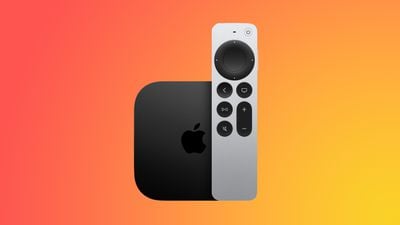
apple tv 4k new orange
Registered developers are able to download the tvOS 18 update by opting in to the beta through the Settings app on the Apple TV. A registered developer account is required.

tvOS 18 adds an InSight feature to the TV app, and it is able to provide real-time information about actors, music, and more in ‌Apple TV‌+ shows and music. Enhanced Dialogue has been refined with machine learning and computational audio so it is better able to boost vocal clarity over background noise and music, plus it is now available on built-in TV speakers, AirPods, and other Bluetooth devices.

Subtitles will now show up automatically when relevant, such as when the TV's volume is muted, a show or movie is rewound, or when the language of a show doesn't match the device language.

Other new features include 21:9 aspect ratio support for projectors, new screen savers and improved controls for swapping screen savers, and support for Live Captions during FaceTime calls through an iPhone or iPad.

Related Roundup: Apple TV
Buyer's Guide: Apple TV (Don't Buy)

Popular Stories

General visionOS watchOS and tvOS Betas Feature Redux

Apple Releases Third watchOS 26.6, tvOS 26.6 and visionOS 26.6 Betas

Monday June 29, 2026 10:08 am PDT by
Apple today provided developers with the third betas of upcoming watchOS 26.6, tvOS 26.6, and visionOS 26.6 betas for testing purposes. The software comes two weeks after Apple seeded the second betas. The software updates are available through the Settings app on each device, and because these are developer betas, a free developer account is required. There's no word on what's in the...
Apple TV 2025 Thumb 2 Sans Text

iOS 27 Lets You Update Your Apple TV Using Your iPhone

Tuesday June 23, 2026 9:09 am PDT by
If the idea of digging out your Siri Remote to install a tvOS update on your Apple TV sounds like too much effort, Apple's upcoming iOS 27 software will have a new feature you'll surely welcome. Based on the latest iOS 27 beta 2, you can push Apple TV software updates straight from your iPhone, and you don't even need to turn the Apple TV on first. Apple's set-top box now appears in the...
Chase Sapphire Reserve Apple Perk Feature

Chase Sapphire Credit Cards Offering New Apple TV and Apple One Perks

Wednesday June 24, 2026 7:00 am PDT by
Chase recently introduced new Apple TV and Apple One perks for its Sapphire Preferred and Sapphire Reserve credit cards in the United States. Sapphire Preferred cardholders ($95 annual fee) are now eligible to receive a complimentary one-year Apple TV streaming subscription, or a $7.50/month discount on an active Apple One subscription for 12 months instead. Sapphire Reserve cardholders...

Top Rated Comments

25 months ago

Do you think this option would work on TVs too?
Yes, it should work on anything that has a 21:9(ish) screen.

21:9 is just an aspect ratio, so it should work on any device capable of displaying it. The thing is, they've never said "what" they mean by 21:9. Content that is in 21:9 (2.40:1, 2:39:1, 2.35:1, aka 'Scope') is distributed in a 16:9 wrapper that has black bars on the top and bottom so that it will be displayed correctly on most TVs (The same way "letterboxed" movies were distributed in a 4:3 wrapper before widescreen TVs were prominent). There are almost no native 21:9 projectors. The way it works is you use an anamorphic lens that sits in front of the projection lens to squeeze the projected image into the scope format (21:9). Obviously using an anamorphic lens will distort a non-scope image, so most projectors have anamorphic modes that compensate for this.

My hope is that what Apple means by 21:9 is twofold: 1. That all menus will be able to be displayed, unstretched and undistorted in 21:9. 2. That their software, once told that you are using a 21:9 screen, will be able to move any subtitles on 21:9 content out of the bottom black bar and into the displayed area. Both of these should be really easy for Apple to implement. My media player from Zidoo, a very small manufacturer with far fewer resources, has both of these capabilities already.
Score: 2 Votes (Like | Disagree)
gaximus Avatar
25 months ago
Does it have Snoopy screen saver?
Score: 2 Votes (Like | Disagree)
25 months ago
Yes, I have a projector with a scope screen. Having my ATV4K Gen3 display menus in 21:9 would be awesome.
Score: 1 Votes (Like | Disagree)
25 months ago
Have they implemented the 21:9 support? I have gone through every beta they've released for TVOS 18 and have yet to see it (or I'm looking in the wrong place).
Score: 1 Votes (Like | Disagree)
gimmesomemo Avatar
25 months ago

All sorted. It wasn't the update. I just had to off and on it all 🤣
The answer to literally all receiver problems 🥴 (with some added cable unplug/replugs)
Score: 1 Votes (Like | Disagree)
JeffPerrin Avatar
25 months ago
So far the public beta seems pretty solid as far as Atmos/surround support. I wouldn't ever recommend folks getting the developer beta unless, well, they're a developer. 😛
Score: 1 Votes (Like | Disagree)


















