Apple Releases tvOS 18.2 With Snoopy Screen Savers and Projector Support - MacRumorsOpen MenuShow RoundupsShow Forums menuVisit ForumsOpen Sidebar
Skip to Content

Apple Releases tvOS 18.2 With Snoopy Screen Savers and Projector Support

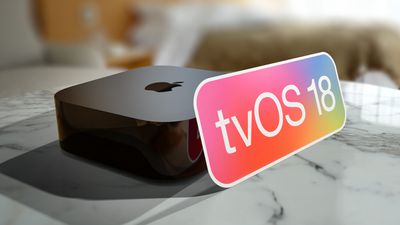
Apple today released tvOS 18.2, the newest version of the tvOS 18 operating system that came out in September. tvOS 18.2 comes more than a month after Apple released tvOS 18.1, and it is available for the Apple TV 4K and the ‌Apple TV‌ HD models.

tvOS 18 Thumb 3
tvOS 18.2 can be downloaded using the Settings app on the ‌‌Apple TV‌‌. Open up Settings and go to System > Software Update to get the new software. ‌‌Apple TV‌‌ owners who have automatic software updates activated will be upgraded to tvOS 18.2 automatically.

tvOS 18.2 adds a selection of new Snoopy screen savers that are available as an alternative to the aerial, memory, and portrait screen saver options, plus it includes natural language search support for Siri for looking for movies, music, and TV shows.

The update also includes an option that lets the ‌Apple TV‌ automatically detect the best aspect ratio for a television or projector, along with new aspect ratios for projectors. Options include 16:9, 21:9, 2.37:1, 2.39:1, 2.40:1, DCI 4K, and 32:9.

Apple shares full release notes for tvOS in its tvOS support document, which is updated after each new version of tvOS comes out.


Popular Stories

iPhone 18 Pro and Pro Max Feature

'Apple Upgrade' Program Reportedly Launching Next Week

Tuesday July 21, 2026 8:30 am PDT by
Apple and Klarna are partnering on a new "Apple Upgrade" leasing program set to launch in the U.S. on Tuesday, July 28, according to Bloomberg's Mark Gurman. The program will allow you to finance most iPhone, iPad, Mac, and Apple Watch models, with a 24-month term for iPhones and Apple Watches and a 36-month term for iPads and Macs. Customers will be able to pay off the device early during...
iPhone 18 Pro Deep Red Feature

iPhone 18 Pro Launching in Two Months With These 12 New Features

Tuesday July 21, 2026 6:22 am PDT by
It is now mid-July, and that means the iPhone 18 Pro and iPhone 18 Pro Max are now just two months away. The devices are expected to look similar to the iPhone 17 Pro and iPhone 17 Pro Max, but there will still be many year-over-year changes, with rumored features including a smaller Dynamic Island, 5G via satellite, and more. Apple is expected to unveil the iPhone 18 Pro, iPhone 18 Pro Max, ...
iPhone 18 Pro Deep Red Feature

iPhone 18 Pro Launching in Two Months With These 12 New Features

Friday July 17, 2026 10:39 am PDT by
It is now mid-July, and that means the iPhone 18 Pro and iPhone 18 Pro Max are now just two months away. The devices are expected to look similar to the iPhone 17 Pro and iPhone 17 Pro Max, but there will still be many year-over-year changes, with rumored features including a smaller Dynamic Island, 5G via satellite, and more. Apple is expected to unveil the iPhone 18 Pro, iPhone 18 Pro Max, ...

Top Rated Comments

21 months ago
Couldn’t figure out why I didn’t have the Snoopy screensavers available after the update. Seems they are only available on 4K Second Generation Apple TVs; all mine are first gen 4Ks. Lame!
Score: 5 Votes (Like | Disagree)
21 months ago

Agreed.
Same here: shame Apple. And I want to add: are your marketing guys that stupid to think that I buy the new model just to have an extra screen saver?
Score: 4 Votes (Like | Disagree)
bigpoppa Avatar
21 months ago
Very stable and fast on my AppleTV!
Score: 3 Votes (Like | Disagree)
21 months ago

Couldn’t figure out why I didn’t have the Snoopy screensavers available after the update. Seems they are only available on 4K Second Generation Apple TVs; all mine are first gen 4Ks. Lame!
Well obviously it's because:

* You can't play 4K content on Apple TV 4K gen 1
* You can't play 60 fps video on Apple TV 4K gen 1
* You can't play modern codecs on Apple TV 4K gen 1 (oh wait, you can prerender/transcode it in any that you need)
* You can't play HDR content on Apple TV 4K gen 1 (oh wait, again with the damn prerender/transcoding)

Need some help here Tim! I can't fanboy this hard on my own 😓
Score: 2 Votes (Like | Disagree)
ThatGuyInLa Avatar
21 months ago
120hz output so we have an even amount of held frames for 24fps, 30fps, 60fps. This would help produce the clearest image. No need to "match frame rate or depth" anymore. With all the annoyances that comes with. Far too long screen time outs from HDMI handshake changes. Screen lockups from bad HDMI handshakes.

Currently I use my ATV in Dolby Vision 4k 60 with all MATCHING turned off. This way I have a fluid smooth operation of everything. The TV never has to handshake. Of course 24fps playing in a 60fps container might cause an issue to those most sensitive to it. And no, it's not the soap-opera effect. It would be the potential for visible frame judder from the uneven frame doubling. 120hz solves all this. (well and you need a TV that can handle 120)
Score: 2 Votes (Like | Disagree)
wgaller Avatar
21 months ago
My update seems to be stuck on verifying update screen, and playing audio clips from various streaming channels?
Score: 2 Votes (Like | Disagree)