iOS 26 Breaks Calendar Search for Some iPhone Users
iOS 26 breaks search functionality in the Calendar app for some iPhone users, according to comments from affected users across the Apple Support Community, Reddit, X, Facebook, and other online discussion platforms.
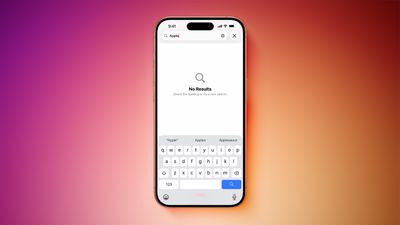
The issue is affecting many iPhone models, ranging from the iPhone 13 mini to the iPhone 17 Pro, and it has not been fixed in the first iOS 26.1 beta version.
Affected users attempt to search for an existing calendar event, but no results are found.
The problem does not impact all iPhone users, and certain search phrases may still yield results, so it appears to be a bit of a hit-or-miss situation.
The first complaints about the issue surfaced during iOS 26 beta testing, but the problem has gained more attention since the update was released last week.
Apple's support representatives have informed customers that the company is aware of the issue and will be implementing a fix in a future software update, so keep your iPhone up to date. It is unclear if the fix will arrive in iOS 26.0.1 or iOS 26.1.
(Thanks, Mark!)
Popular Stories
Apple today released iOS 26.6.2 with a fix for "an issue that prevents downloading a software update over a cellular connection."
The minor software update is rolling out now for the iPhone 11 series and newer. To update your iPhone, open the Settings app and tap on General → Software Update. It might take a few minutes for the update to be visible to everyone.
iOS 26.6.2 arrives...
Alongside iOS 27, Apple today released iOS 26.7, an update to the existing iOS 26 software. Users who check for new software will see iOS 26.7 as the default update, with iOS 27 listed as an option at the bottom of the Software Update interface.
According to Apple's release notes, iOS 26.7 includes security fixes, but it does not have any other features.
Apple will eventually show iOS 27 ...
Today's iOS 27 update addresses over 100 security vulnerabilities, which is a good reason to install the new software.
If you don't want to update to iOS 27 yet, Apple also released iOS 26.7 with over 80 security fixes. 75 of the fixes are shared across both updates, so iOS 26.7 addresses many of the same issues.
There are multiple kernel fixes, including one that could allow a malicious...























