Apple's HomePod speakers are a great way to stream your favorite music and podcasts from your iPhone or iPad, but occasionally you might find that some podcasts or music tracks play at a louder or quieter volume than others, which can be uncomfortable for your ears.
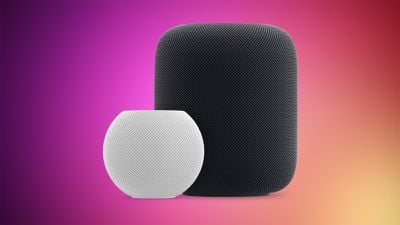
Fortunately, Apple includes a feature for HomePods that can balance out the volume level between different media sources. It's called Sound Check, and here's how you can enable it.
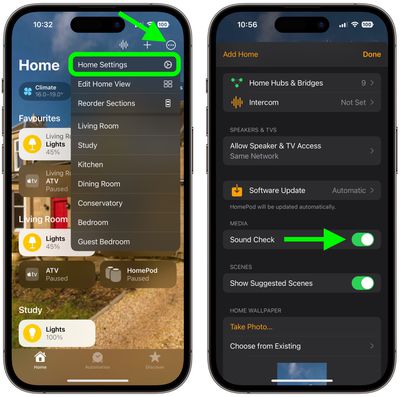
- Open the Home app on your iPhone or iPad.
- Tap the ellipsis button (three dots in a circle) in the top-right corner of the main Home screen.
- Select Home Settings from the dropdown menu.
- Scroll down, and under "Media," toggle on the switch next to Sound Check.
That's it. The volume at which you play music and podcasts on your HomePod(s) will be consistent from now on.
Related Roundups: HomePod, HomePod mini
Buyer's Guide: HomePod (Neutral), HomePod Mini (Don't Buy)
Related Forum: HomePod, HomeKit, CarPlay, Home & Auto Technology