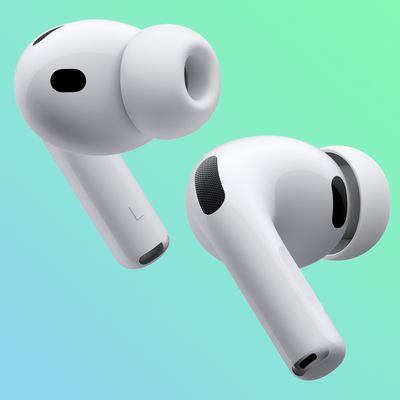
When you pair AirPods to your iPhone, iPad, Apple Watch, Mac or Apple TV, the pairing information is synced across all the devices linked to your iCloud account.
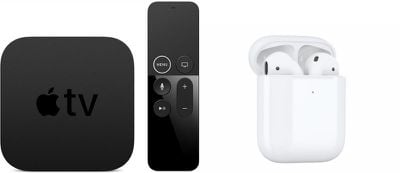
That means if you've already paired your AirPods to one of your other devices, then you shouldn't need to go through the process again when it comes to connecting them to your Apple TV.
Of course, if you haven't paired your AirPods to any devices yet then you'll need to pair them manually to your Apple TV. The pairing process described below is also useful if you want to connect your AirPods to a shared Apple TV, if you're troubleshooting the AirPods connection with your own set-top box, or you own a third-generation Apple TV or earlier. Here's how it's done.
Note that to successfully connect, second-generation AirPods require your Apple TV to be running tvOS 12.2 or later, while first-generation AirPods require tvOS 11 or later to be installed.
How to Pair AirPods to Apple TV
If you aren't already wearing your AirPods, make sure to at least flip the lid open on the charging case before continuing.
- Press and hold the circular button on the back of the AirPods charging case until the light inside the case between the AirPods starts flashing white.
- On your Apple TV, launch the Settings app.
- Navigate to Remotes and Devices > Bluetooth.
- Select your AirPods when they appear in the Other Devices list.
- Click Connect Device to initiate the pairing process. Once complete, your AirPods will be connected to your Apple TV and ready to use.
How to Quickly Connect AirPods to Apple TV
Now that your AirPods are successfully paired, you can connect them to your Apple TV quickly anytime quickly and easily.
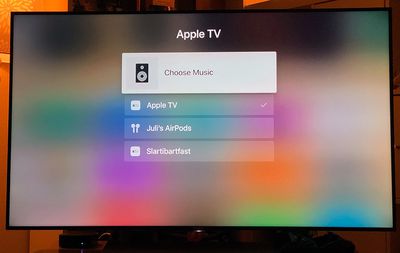
Simply navigate to the Apple TV Home screen, hold the Play/Pause button on your Apple TV Remote, and then select your AirPods from the panel list that appears.