New iTunes Metadata Suggests Users May Soon Be Able to Hide Stock iOS Apps - MacRumorsOpen MenuShow RoundupsShow Forums menuVisit ForumsOpen Sidebar
Skip to Content

New iTunes Metadata Suggests Users May Soon Be Able to Hide Stock iOS Apps

Apple may be laying the groundwork to allow users to remove or hide stock iOS apps, such as Compass and Tips, from their iPhones in an upcoming version of its mobile software, based on recently added metadata keys showing up on App Store apps.
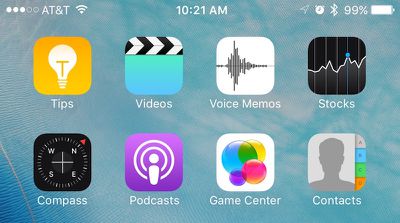
Stock iOS Apps
As discovered by AppAdvice, Apple several weeks ago added a new pair of keys called "isFirstParty" and "isFirstPartyHideableApp" to the metadata of every App Store listing in iTunes. The new keys allow for a Boolean value of "true" or "false" to denote whether the app would be allowed to be hidden or removed from the user's iPhone. It's unclear whether the metadata is referring to an Apple-approved way to simply hide the first-party apps, or remove them altogether.

Last September, Apple CEO Tim Cook spoke about the long-standing desire by users to remove apps like Stocks and Voice Memos from their iPhones to reduce clutter of unused apps. He admitted the company was at a bit of an impasse over the situation, because while some of its first-party experiences could be removed without much of a headache, certain apps "are linked to something else on the iPhone." Their removal could begin a domino effect of bugs and issues elsewhere in iOS, so implementing a feature allowing their removal would be understandably risky.

Stock Apps metadata

Image via AppAdvice

The hints found in the metadata of iTunes could be the potential solution, with Apple specifically targeting first-party apps that are safe to hide or remove, and letting users decide on their end if they choose to do so. With no official word from Apple on the topic since last year, it's hard to say when -- or if -- we will see such a feature implemented into iOS, although iOS 10 coming later this year is an obvious opportunity.

Users looking to minimize clutter from less popular stock apps such as Tips and Compass, and even newer editions like Health and News in some cases, frequently sequester their least favorite apps into a forgotten folder somewhere on their home screens, but some have even gotten crafty in figuring out ways to go one step further in removing unsightly crammed folders from their home screens, without needing to resort to jailbreaking their devices.


Popular Stories

Liquid Glass App Store Feature

Apple Pulled Cal AI for Deceptive Billing Design, Not External Payments

Tuesday April 21, 2026 12:54 pm PDT by
Apple recently cracked down on Cal AI, an app owned by MyFitnessPal that tried to skirt Apple's in-app purchase rules. Apple told TechCrunch that it briefly pulled the calorie-counting app last week for violating purchasing guidelines and using a deceptive billing design. When the app was pulled last week, there was speculation that it was removed for implementing web-based payments,...
app store monthly sub commitment

Apple Introduces App Store Monthly Subscriptions With 12-Month Commitment

Monday April 27, 2026 12:52 pm PDT by
Apple today announced the launch of a new subscription option for App Store developers: monthly subscriptions with a 12-month commitment. The new option allows developers to offer subscribers discounted pricing typically associated with an annual subscription but paid on a monthly basis to keep payments more affordable. This new payment option allows you to offer subscribers more affordable...
app store blue banner epic 1

Epic Games Wins Reversal of Stay in App Store Fee Legal Battle

Wednesday April 29, 2026 5:05 am PDT by
Apple will not be able to delay a district court battle over fee calculations while it waits to hear whether the U.S. Supreme Court will weigh in on the latest developments in its long-running dispute with Epic Games. On Tuesday, the Ninth Circuit Court of Appeals reversed an earlier decision letting Apple keep its current zero-fee link-out commission structure in place while it appeals to...

Top Rated Comments

132 months ago
This means the end of the "Crapple" folder.
Score: 19 Votes (Like | Disagree)
hybrid_x Avatar
132 months ago
I don't see what the big deal is with being able to hide the default apps. Just collect the ones you don't want to see into a folder, and bury it on the last home screen. Done. Hidden.
Score: 16 Votes (Like | Disagree)
jasonklee Avatar
132 months ago
Finally. Can't wait to remove useless apps like Game Center, Tips, Compass, Messages, Safari, News, Health, Calendar, Photos, Camera, FaceTime, Contacts, Settings, App Store, iTunes Store, Music, Mail, Stocks, Reminders, Notes, Videos, Maps, Wallet, Watch, Activity, iBooks, Podcasts, Find My Friends, Find My iPhone, Calculator, Voice Memos, and Phone.
Score: 12 Votes (Like | Disagree)
Mac Rules Avatar
132 months ago
Isn't this one of the signs of the apocalypse?
Score: 12 Votes (Like | Disagree)
132 months ago
This would be great!
Score: 9 Votes (Like | Disagree)
gsmornot Avatar
132 months ago
This says hide, not remove. Is that right? If so, I'm already doing this.
Score: 8 Votes (Like | Disagree)