Apple Releases Minor watchOS 3.2.2 Update - MacRumorsOpen MenuShow RoundupsShow Forums menuVisit ForumsOpen Sidebar
Skip to Content

Apple Releases Minor watchOS 3.2.2 Update

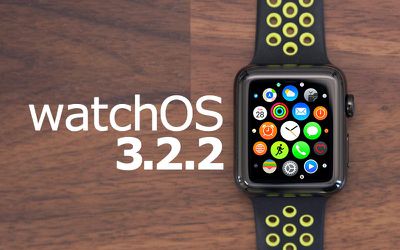
Apple today released a new software update for the Apple Watch, upgrading watchOS 3.2 to watchOS 3.2.2. The watchOS 3.2.2 update comes more than one month after the release of watchOS 3.2, an update that introduced Theater Mode.

watchOS 3.2.2 can be downloaded through the dedicated Apple Watch app on the iPhone by going to General -> Software Update. To install the update, the Apple Watch must have 50 percent battery, it must be placed on the charger, and it must be in range of the iPhone.
watchos 3
An iPhone running iOS 10 or later is required to download the new software, but it is available for all Apple Watch models.

During the beta testing period for watchOS 3.2.2, no major changes or feature tweaks were discovered, so watchOS 3.2.2 appears to focus mainly on performance improvements and bug fixes.

watchOS 3 will soon be succeeded by a new version of watchOS, which we expect to see introduced at the June Worldwide Developers Conference.

Related Roundup: Apple Watch 11
Buyer's Guide: Apple Watch (Caution)

Popular Stories

youtube iphone apple watch health ad 2026

New Apple Ad Sells the iPhone and Apple Watch Health Pairing

Thursday April 23, 2026 11:18 am PDT by
Apple has published a new ad to appeal to customers in the market for an iPhone and Apple Watch pairing, highlighting the insights it can offer for your health. Titled simply "Health with iPhone + Apple Watch," the half-minute ad focuses on a woman waiting in line at a cafe who begins receiving unsolicited health and fitness advice from other people in the queue, as well as local residents,...
watchos 26 gradient light

This New Apple Watch Face Is Coming in watchOS 26.5

Friday April 24, 2026 5:51 am PDT by
iOS 26.5 and watchOS 26.5 will have a new Pride Luminance wallpaper and Apple Watch face when the updates are released in the coming weeks, according to Bloomberg's Mark Gurman. In a brief tweet, Gurman revealed that Pride Luminance will "Celebrate the vibrancy and individuality of the LGBTQ+ community and customize your watch face with colors from Pride flags." iOS 26.5 has been in...
modular ultra training load

watchOS 27 to Offer New Watch Faces, Including 'Modular Ultra' Variant

Monday May 4, 2026 5:58 am PDT by
For watchOS 27, Apple is testing new Apple Watch faces, and one of them is a simpler version of an existing Apple Watch Ultra watch face that could be coming to standard Series models. Writing in his latest Power On newsletter, Bloomberg's Mark Gurman reports that Apple is testing multiple new faces for watchOS 27, code-named "Orchid." One of them is said to be a "simplified take" on the...

Top Rated Comments

Analog Kid Avatar
118 months ago
Can we please do away with the requirement to have the watch on the charger? If I have more than 50% battery, why does it have to be on the charger?
The Watch seems more susceptible to bricking if the update gets interrupted-- I'm guessing they're making damn sure the watch doesn't lose power during the process.
Hi. I guess you have a New XC90,V90, or S90. If so the problem with the remote start is not your apple devuces but is a problem with the cars software. There has been a Volvo software upgrade for this a few weeks now.
There is also a new complete Volvo software upgrade that changes the touch screen tia much better design.
Make sure your car has half a tank and is connected to the pump before attempting the update.
Score: 6 Votes (Like | Disagree)
PCtoMAC1 Avatar
118 months ago
Will it finally fix my Volvo app being unable to start my car since changing watches or upgrading to a newer model? Something is wrong with the way the digital signature works (according to Volvo) when you change devices.
[emoji58]First world problems.
Score: 5 Votes (Like | Disagree)
wesley96 Avatar
118 months ago
I don't believe that is correct. Removing the watch during the install process can lead to bricking the device. My friend's watch was updating then the power went out. Got the red exclamation point. Had to shipped off to Apple.
"Can", but not "will". I have, on multiple occasions(watchOS 1 to 3, Apple Watch Series 0 and 2), initiated an Apple Watch update by putting it on the charger, then taking it off once the upgrade process indicator circle appeared. I have always finished the updates with no problems whatsoever, as long as my iPhone was near the watch. I've even done this while traveling and getting Wi-Fi connection only at the beginning of the update process.

I Don't believe this is accurate. I don't have evidence and nor have I tried this, but the Apple Watch needs to be connected to the charger during the entire update process. I will Contact Apple on this tomorrow and ask, now that my curiosity is piqued.
As pointed out above, the hypothesis that the charger is required for entirety of the update process is invalid. This also invalidates the hypothesis that the charger is required for the reboot of the Apple Watch during the update process.

Once the initial update conditions are met (Wi-Fi, 50% charge, on charger) and the update starts, you can move away from those conditions and still finish the update just fine, as I and ErikGrim have done. Based on these observations, I hypothesize that the conditions were mandated in order to reduce, as much as possible, the possible fail states that lead to bricking, not that they are absolute necessities.
Score: 4 Votes (Like | Disagree)
ErikGrim Avatar
118 months ago
You're still not following what I am saying. The charger automatically reboots the watch. Maybe the installation process doesn't have the reboot automatic like iOS, so the only way is to be connected to the charger.

I'm trying to think outside the box to make a logical explanation of why the charger is required. And this completely satisfies that.
Your thinking is wrong. The requirement is only for it to be on the charger when the process is initiated. Once it starts you can wear your watch and installation continues, including reboots.
Score: 4 Votes (Like | Disagree)
118 months ago
WOW! This update added steroids to my battery!

I had a very good battery life previously but after this update, on a regular usage of my watch, I woke up this morning at 6:30 a.m. and until 3:30 p.m. the battery dropped form 100% to 94% only!

In the past I had about 14-15% down in this time range. It's not placebo, I wasn't even expecting improved battery life.

This is really insane!

Apple Watch Sports Series 2
Score: 3 Votes (Like | Disagree)
themick4u Avatar
118 months ago
I must say that after this update I have noticed that the battery life is greatly improved over the short time its been installed and used.
Score: 3 Votes (Like | Disagree)

















