

As the launch of the iPhone X approaches in the United States, Apple has started sharing iPhone X support documents and tips that instruct users on how to operate the device.
The iPhone X is the first iPhone that doesn't feature a Home button, which means there are a range of new gestures to get used to, as well as several functions like Face ID and Animoji.
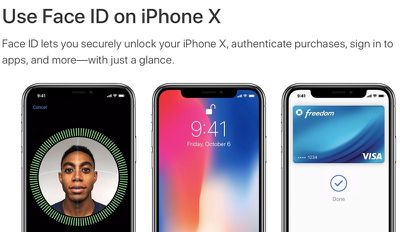
Support documents, listed below, cover setting up and using Face ID, getting help with Face ID should it fail, creating and sending Animoji, and using gestures to navigate on iPhone X.
- Use Face ID on iPhone X
- Get help with Face ID on your iPhone X
- Use Animoji on your iPhone X
- Use gestures to navigate your iPhone X
Many of these support documents cover features that have been well-outlined in reviews, first impressions, and hands-on experiences with the iPhone X, but it's useful to have all of the information in one place.
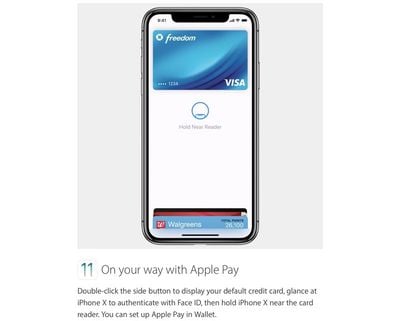
As for Tips, Apple has several short GIFs and images on topics like turning the iPhone X off, using Face ID, Animoji, Tap to Wake, Apple Pay, Multitasking, using Siri, and accessing the Home screen.
The first iPhone X devices are already being delivered in Australia and New Zealand, and deliveries will expand to additional countries as November 3 rolls around across the globe. In the United States, iPhone X deliveries and in-store sales will kick off first on the east coast at 8:00 a.m. local time.

















Top Rated Comments
[doublepost=1509672634][/doublepost]Makes sense. Running the camera uses a decent amount of battery life. Wouldn't want to kill things faster when the battery is low. I'm 100% cool with that.
You can use Face ID to autofill saved usernames and passwords for websites in Safari. Just go to Settings > Face ID & Passcode and turn on Safari AutoFill. Then follow these steps:
[LIST=1]
* Open Safari and go to a website.
* Tap the sign in field. If you see your username or password appear above the keyboard, tap it.
* Glance at your iPhone X to autofill your username and password.
So how is that any quicker? If there’s a password there why is there a need to tab anything. The website should just open when you look at the phone.
Without Face ID you’d do step 2 and hit GO on the keyboard.