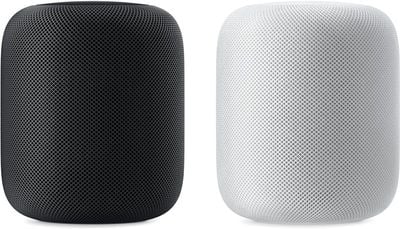
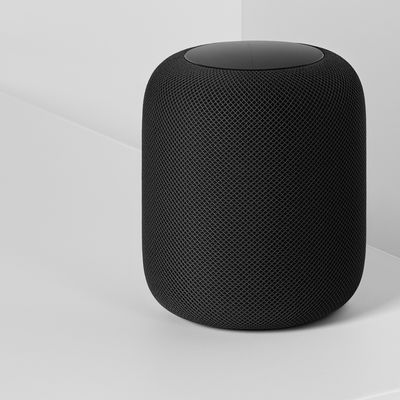
At today's "Gather Round" event at the Apple Park campus in Cupertino, California, Apple CEO Tim Cook highlighted some new features that are coming to the HomePod through a software update set to be released next Monday.
The HomePod will gain a number of new features with the software update, which is going to come alongside iOS 12, tvOS 12, and watchOS 5.
Search for your favorite songs by lyrics using Siri
Create multiple timers
Make and receive phone calls right from the HomePod
Ping your iPhone or any of your Apple devices to find them in your home
HomePod is also going to work with Siri Shortcuts, a feature coming in iOS 12. According to Cook, Siri Shortcuts will "open up a world of apps" for HomePod.
Many of these new features are additions that HomePod users have been hoping for. The HomePod has been the butt of jokes for not being able to support more than one timer at once, and while it could be used as a speakerphone previously, the new phone call functionality will expand its usefulness as a standalone communication device.
All of Apple's fall software updates are set to be released on Monday, September 17, with the exception of macOS Mojave, which will see a release on September 24.
Bloomberg's Mark Gurman has high expectations for Apple's first foldable iPhone.
In his Power On newsletter today, he said the foldable iPhone will be "the most significant overhaul in the iPhone's history."
"iPhone 4, iPhone 6 and iPhone X were clearly a big deal, but this is a whole new design," he said.
Like Samsung's Galaxy Z Fold 7, the foldable iPhone will reportedly open up like ...
iOS 26.5 is now available for developers, and while it doesn't include any new Siri capabilities, there are some major changes for the European Union, and smaller tweaks for features available worldwide.
Suggested Places
In the Maps app, there's a new "Suggested Places" feature that recommends locations to visit based on trending places nearby and recent searches. When Apple launches ads in ...
Tuesday March 31, 2026 10:36 am PDT by Joe Rossignol
Apple today added the MacBook Air (13-inch, 2017) to its "vintage" products list, meaning the device is now only eligible for repairs at Apple Stores and Apple Authorized Service Providers if parts remain available.
The MacBook Air (13-inch, 2017) was the final MacBook Air model released before Apple redesigned the laptop and gave it a Retina display in 2018.
Apple also added all iPad...
Apple has a new version of the HomePod and a new Apple TV 4K ready to go, but the devices may be tied to the Siri update that's been continually postponed, according to Bloomberg's Mark Gurman.
In a report on a planned September launch for new Siri capabilities and the home hub that's reliant on the revamped version of Siri, Gurman says the updated Apple TV and HomePod are both linked to...
Apple considered launching a HomePod with a camera and additional sensors years before the upcoming "HomePad" device, Bloomberg's Mark Gurman reports.
In a detailed profile of Apple's hardware engineering chief John Ternus, Gurman revealed that Apple considered adding a camera and a more advanced array of sensors to the original HomePod, which was announced in 2017. Ternus apparently...
Alongside iOS 26.4, iPadOS 26.4, and macOS Tahoe 26.4, Apple has released new HomePod 26.4 software for the HomePod and the HomePod mini. The update comes a little over a month after Apple released HomePod Software 26.3.
According to Apple's release notes, HomePod Software 26.4 includes performance and stability improvements.
HomePod software is installed...
just make a homepod without siri. I just want a nice Apple AirPlay2 speaker
You know you don't have to use it, right? You can simply use it as a speaker system if you like.
Using your voice:
[LIST=1] * Say "Hey Siri, stop listening."" * When Siri asks you to confirm, say ""Yes.".
Using the Home app:
[LIST=1] * Launch the Home app on your iPhone or iPad Home screen. * Tap on the Rooms tab, bottom middle. * Swipe to the Room that contains your HomePod. * Long press (or firmly press) on your HomePod. * Tap Details. * Toggle Listen for "Hey Siri" off.