

Epic Games' latest update to the iOS version of popular battle royale title Fortnite that enables iPad Pro owners to run the game at 120 frames per second.
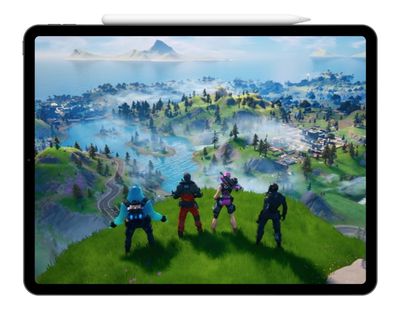
iPad Pro owners wanting to make the most of the Pro Motion display's high refresh rate for a smoother performance can find the 120fps mode in the Fortnite settings screen.
Enabling the mode does come at the expense of visual quality and automatically drops the resolution and fixes the visual settings at "medium," which falls in line with the game's other limits of "high" at 60fps and "epic" at 30fps.
Despite that limitation, an iPad Pro running Fortnite can now beat the performance of current-generation consoles like the PS4 and Xbox One, which are restricted to 60fps.
Also in latest v11.40.1 update, thumbstick buttons are now supported on iOS 13 and above.
Fortnite on iOS has become a popular mobile alternative to the PC and console game, offering users the chance to play the well-known "Battle Royale" mode while on the go.
Fortnite initially launched as a beta on iOS in March 2018 and then expanded wide in April the same year. The smartphone apps are focused entirely on Fortnite's PvP Battle Royale mode, but the console and desktop versions of the game also include a PvE mode called Save the World.
Fortnite is a free-to-play game available to download on the App Store. [Direct Link]





















Top Rated Comments
iOS 13 added game console controller support. I use my PS4 controller.
any 8k TV is going to be working overtime to upscale 4k & 1080p content, but there's no chance that you have 8k games next gen. anyone advertising or suggesting this is trying to throw out buzzwords to mislead consumers.
moreover, most people wont see a difference. the optimal viewing distance for a 65" 4k display is between 5 and 8 feet away from the panel.
so you either buy a much, much larger 8k (hint: they're 5 figures expensive) or buy a smaller one and sit too close to fit the screen into your eyes
If you use the touchscreen there are presets for the position of buttons depending on your playstyle, or you can customise your own HUD layout. There are also several firing modes, one of which is Auto Fire.
Support for controllers in games like this makes the iPad Pro more viable as a games console. This year’s Pro will hopefully take this even further!