Shortly after the release of iOS 14 and watchOS 7, many users ran into problems with their iPhone and Apple Watch.
Multiple online support threads including our own found GPS data was not being properly recorded during activities. The issue appeared to affect all models of Apple Watches.
In the majority of cases, users record a workout on their watch while leaving their iPhone at home, but when they later look at the Activity app it only shows the workout's starting point on the GPS map, and nothing else.
In addition, some users have been reporting excess battery drain of their Apple Watch, iPhone or both under iOS 14 and watchOS 7. In the support threads, the unofficial fix seemed to be unpairing and restoring your Apple Watch. Jack Taylor from our forums reported resolving both issues with this method:
Both the GPS and severe battery drain issues on watchOS 7 were fixed for me simply by in-pairing and re-pairing my watch. Both issues resolved themselves immediately after as noted in many of the support groups
It appears that Apple has adopted this advice as the official solution to this problem. In a newly published support document titled If you're missing Workout GPS routes or Health data after updating to iOS 14 and watchOS 7, Apple writes that users may see the following issues after upgrading to iOS 14 and watchOS 7:
Possible Symptoms
Your workout route maps are missing in the Fitness app on iPhone for previous GPS-enabled workouts from your Apple Watch.
The Activity, Heart Rate, or other health-related apps fail to launch or load data on your Apple Watch.
The Fitness app or Health app fail to launch or load data on your iPhone.
The Health app or Fitness app is reporting an inaccurate amount of data storage on your iPhone.
The Activity app is reporting an inaccurate amount of data storage on your Apple Watch.
Your environmental sound levels data or headphone audio levels data from Apple Watch is missing in the Health app on iPhone.
Increased battery drain on your iPhone or Apple Watch.
If you are experiencing two or more of these symptoms, Apple suggests unpairing your Apple Watch, backing up both your iPhone and Apple Watch, wiping both devices and restoring from backup. Apple provides steps to accomplish these tasks in their support document which was published today.
Bloomberg's Mark Gurman has high expectations for Apple's first foldable iPhone.
In his Power On newsletter today, he said the foldable iPhone will be "the most significant overhaul in the iPhone's history."
"iPhone 4, iPhone 6 and iPhone X were clearly a big deal, but this is a whole new design," he said.
Like Samsung's Galaxy Z Fold 7, the foldable iPhone will reportedly open up like ...
iOS 26.5 is now available for developers, and while it doesn't include any new Siri capabilities, there are some major changes for the European Union, and smaller tweaks for features available worldwide.
Suggested Places
In the Maps app, there's a new "Suggested Places" feature that recommends locations to visit based on trending places nearby and recent searches. When Apple launches ads in ...
Apple has been celebrating its upcoming 50th anniversary by hosting surprise performances and other events around the world over the past few weeks, and now Bloomberg's Mark Gurman has revealed details about the company's grand finale.
In a social media post, Gurman said Apple's celebrations will conclude this week with a finale at its Apple Park headquarters for employees.
A special...
Apple is hoping to 3D-print aluminum device enclosures in the future, according to Bloomberg's Mark Gurman.
In today's "Power On" newsletter, Gurman revealed that Apple is pushing to move to 3D-printed aluminum enclosures for for future devices. The MacBook Neo relies on a new aluminum manufacturing process that saves as much metal as possible to drive down costs and speed up production....
Tuesday March 17, 2026 3:32 am PDT by Tim Hardwick
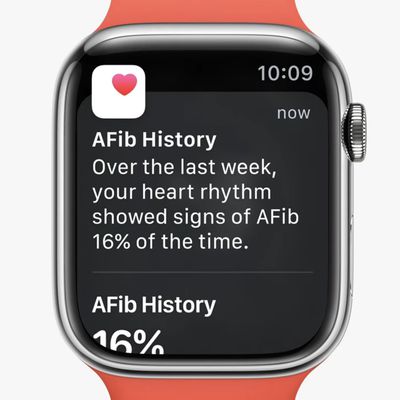
Apple today launched its atrial fibrillation history feature for Apple Watch in mainland China.
Since 2022, Apple Watch in the U.S. has supported AFib History, which allows users diagnosed with atrial fibrillation to view an estimate of how frequently their heart is in this type of irregular rhythm.
The feature analyzes pulse rate data collected by a photoplethysmography (PPG) sensor to...
Thursday March 19, 2026 3:10 pm PDT by Juli Clover
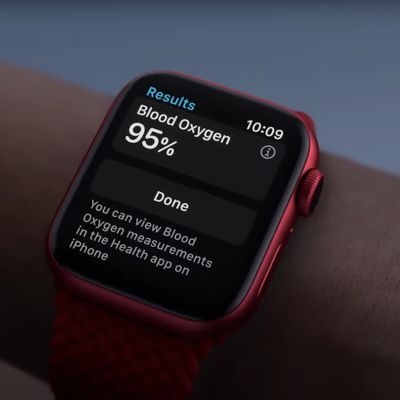
Apple's current blood oxygen sensing implementation in the U.S. does not infringe on patents owned by Masimo and Apple will not face a revived import ban, a U.S. International Trade Commission judge said this week (via Reuters).
After Apple was found to have violated Masimo's patents related to blood oxygen sensing, the Apple Watch faced a U.S. import ban that caused Apple to briefly pause...
This is horrible. Most people won't know how to do this or read Macrumors to find out to do this. They'll just notice the excessive battery drain and be unhappy about it. :/ Makes one wonder if an update wouldn't fix this because they put the time into suggesting people unpair/pair.
I've done this several times with my AW3 and AW5 and it does seem to help when I've had problems in the past.
to be clear my issue was missing health data. My watch and activity app and even the rings summary in the health app would say a number of active cals, but the health app active cals would be about 1/3rd. Other data like steps and stuff would show similar patterns. Also heart rate data would not make it to the workout section in the activity app despite being in the watch end if without summation.
It fixed the issue moving forward but I lost all the missing health data between the iOS upgrade and this procedure... 1.5 weeks worth.
additionally, I lost my Apple Watch restore point. It simply wasn’t there despite unpairing properly. This might have been the main contributor to losing the data in between.
and since the watch backup was gone I had to set up the watch as a new one.
And then of course you have to go re-pair all your things and re login to all the apps that aren’t saved as part of the iCloud backup. You have to set up Apple Pay and Face ID again.
and then you lose the apps that aren’t in the App Store anymore.
etc...
not a great user experience on that one. So decide long and hard how important this issue is before going down this path. That’s all.