iOS 15 Can Automatically Add and Remove Widgets to a Smart Stack
On iOS 14, Smart Stacks for widgets allow users to stack different widgets on top of each other and then allow iOS to display the most relevant widget depending on the time of day, location, and more. On iOS 15, Apple is taking Smart Stacks even further with Widget Suggestions, which automatically add and remove widgets in a Smart Stack depending on context.
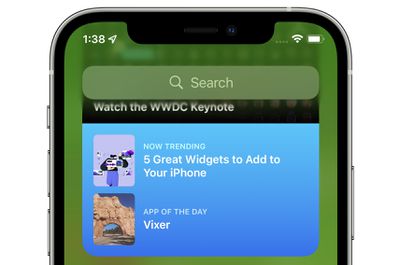
For example, if a user has an existing Smart Stack which includes the Weather and Reminders widget, iOS 15 may add a Calendar widget to the stack if the user has an upcoming meeting. Then, after the meeting, iOS 15 will remove the widget from the Smart Stack, reverting it to the stack that the user had set up with Weather and Reminders. Apple says it hopes this new feature, which can be disabled on a per Smart Stack basis, will allow users to discover new and helpful widgets.
iOS 15 and iPadOS 15 introduces new widgets for Find My, Game Center, App Store Today, Sleep, Mail, and more. Developers interested in learning more about widget suggestions and how they can be implemented into their app can check out this WWDC session.
Popular Stories
Bloomberg's Mark Gurman has high expectations for Apple's first foldable iPhone.
In his Power On newsletter today, he said the foldable iPhone will be "the most significant overhaul in the iPhone's history."
"iPhone 4, iPhone 6 and iPhone X were clearly a big deal, but this is a whole new design," he said.
Like Samsung's Galaxy Z Fold 7, the foldable iPhone will reportedly open up like ...
iOS 26.5 is now available for developers, and while it doesn't include any new Siri capabilities, there are some major changes for the European Union, and smaller tweaks for features available worldwide.
Suggested Places
In the Maps app, there's a new "Suggested Places" feature that recommends locations to visit based on trending places nearby and recent searches. When Apple launches ads in ...
Apple today added the MacBook Air (13-inch, 2017) to its "vintage" products list, meaning the device is now only eligible for repairs at Apple Stores and Apple Authorized Service Providers if parts remain available.
The MacBook Air (13-inch, 2017) was the final MacBook Air model released before Apple redesigned the laptop and gave it a Retina display in 2018.
Apple also added all iPad...
Popular Stories
Bloomberg's Mark Gurman has high expectations for Apple's first foldable iPhone.
In his Power On newsletter today, he said the foldable iPhone will be "the most significant overhaul in the iPhone's history."
"iPhone 4, iPhone 6 and iPhone X were clearly a big deal, but this is a whole new design," he said.
Like Samsung's Galaxy Z Fold 7, the foldable iPhone will reportedly open up like ...
iOS 26.5 is now available for developers, and while it doesn't include any new Siri capabilities, there are some major changes for the European Union, and smaller tweaks for features available worldwide.
Suggested Places
In the Maps app, there's a new "Suggested Places" feature that recommends locations to visit based on trending places nearby and recent searches. When Apple launches ads in ...
Apple today added the MacBook Air (13-inch, 2017) to its "vintage" products list, meaning the device is now only eligible for repairs at Apple Stores and Apple Authorized Service Providers if parts remain available.
The MacBook Air (13-inch, 2017) was the final MacBook Air model released before Apple redesigned the laptop and gave it a Retina display in 2018.
Apple also added all iPad...























