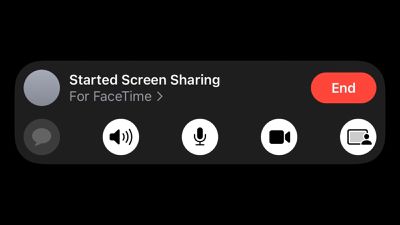
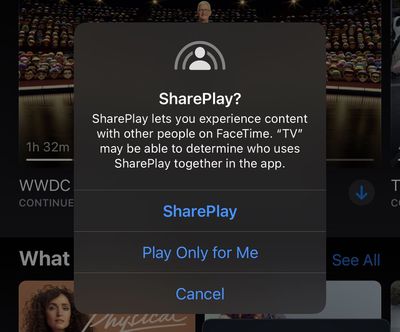
Apple today seeded the second betas of iOS 15 and iPadOS 15 to developers for testing, and one notable change is that SharePlay has now been enabled in FaceTime, allowing for two users on the latest beta to share their screens to view apps together and more.
SharePlay allows users to share experiences while connecting with friends and family on FaceTime, such as watching an Apple TV+ show in sync. SharePlay is functional in the Apple TV and Apple Music apps as of the second beta of iOS 15.
According to Jordi Bruin, the developer of a new Navi app that will bring subtitles and translation to FaceTime calls, Apple has also started accepting apps that use the GroupActivities framework through App Store Connect, meaning third-party apps offering SharePlay integration will likely be available in beta through TestFlight soon.
Navi TestFlight incoming. It seems that SharePlay apps can now be submitted. If you’re working on anything cool let me know! pic.twitter.com/j2gd6v4xcZ
— Jordi Bruin (@jordibruin) June 24, 2021
As a developer beta, iOS 15 is officially only available to those enrolled in the Apple Developer Program, which costs $99 per year. A free public beta will be available in July, and the software update will be released in the fall.
Bloomberg's Mark Gurman has high expectations for Apple's first foldable iPhone.
In his Power On newsletter today, he said the foldable iPhone will be "the most significant overhaul in the iPhone's history."
"iPhone 4, iPhone 6 and iPhone X were clearly a big deal, but this is a whole new design," he said.
Like Samsung's Galaxy Z Fold 7, the foldable iPhone will reportedly open up like ...
iOS 26.5 is now available for developers, and while it doesn't include any new Siri capabilities, there are some major changes for the European Union, and smaller tweaks for features available worldwide.
Suggested Places
In the Maps app, there's a new "Suggested Places" feature that recommends locations to visit based on trending places nearby and recent searches. When Apple launches ads in ...
New images of an alleged iPhone 18 Pro prototype and screen protectors have emerged from multiple sources, adding weight to earlier reports that Apple plans to significantly shrink the Dynamic Island later this year.
An X user called @earlyappleleaks recently shared an image purportedly showing a prototype iPhone 18 Pro with a noticeably smaller Dynamic Island. In the picture, the flashlight ...
Apple today released watchOS 5.3.10 and watchOS 8.8.2 for older Apple Watch models that are not able to run the current watchOS 26 update. watchOS 5.3.10 is available for the Apple Watch Series 1, Series 2, Series 3, and Series 4, while watchOS 8.8.2 is available for the Apple Watch Series 3, Series 4, Series 5, Series 6, Series 7, and original Apple Watch SE.
According to Apple's release...
Bloomberg's Mark Gurman has high expectations for Apple's first foldable iPhone.
In his Power On newsletter today, he said the foldable iPhone will be "the most significant overhaul in the iPhone's history."
"iPhone 4, iPhone 6 and iPhone X were clearly a big deal, but this is a whole new design," he said.
Like Samsung's Galaxy Z Fold 7, the foldable iPhone will reportedly open up like ...
iOS 26.5 is now available for developers, and while it doesn't include any new Siri capabilities, there are some major changes for the European Union, and smaller tweaks for features available worldwide.
Suggested Places
In the Maps app, there's a new "Suggested Places" feature that recommends locations to visit based on trending places nearby and recent searches. When Apple launches ads in ...
Shareplay sounds awesome. I sometimes get questions from clients about how to do something in an app. I usually just do a screenshare from a desktop/laptop and run the app in the simulator and show them. Now, I can just have them share their screen and I can walk them through or show my screen and show them without having to get to a computer.
I hope there are some scaling options for when someone shares from iPad to iPhone.