

Apple's new Digital Legacy feature is now available to beta testers, giving the first clear indication of exactly what data Apple will make available to your next of kin when you pass away.
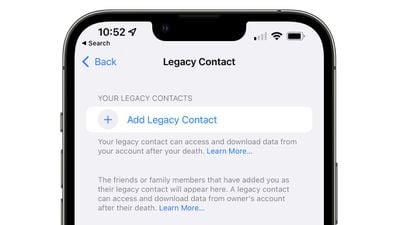
First outlined in June with the unveiling of iOS 15, Digital Legacy is a new feature designed to let you set a person as your Legacy Contact, giving the person access to your Apple ID account and personal information in the event of your death.
The Legacy Contact option can be accessed by opening up the Settings app, tapping on your profile picture and then selecting "Password & Security." From there, choose "Legacy Contact" from the list and you can choose a trusted person to access your account after you pass away.
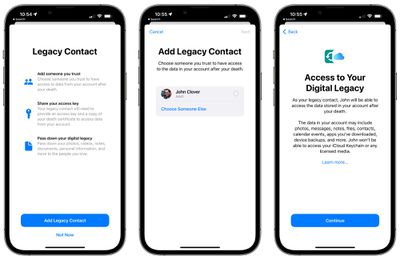
When they need to, the Legacy Contact can visit digital-legacy.apple.com to request access using an access key and a copy of death certificate. There, they can access the following data from the deceased user's iCloud:
- Photos
- Videos
- Calendar events
- Notes
- Documents
- Contacts
- Messages
- Emails
- Downloaded apps and their associated data
- Device backups
iCloud Keychain logins and passwords will not be made available, nor will any licensed media. Apple says that Digital Legacy also includes access to other personal information from a user's iCloud account, but it is not yet clear exactly what additional data will be available.
Apple did not include Legacy Contact in the initial versions of iOS 15 that were released to the public as the feature was not yet ready, but it is available in the iOS 15.2 and iPadOS 15.2 betas that were recently seeded to developers and public beta testers.
iOS 15.2 and iPadOS 15.2 also include a number of new features, such as Find My lost item tracking, Communication Safety, improvements to the Notification Summary, and more. For a full list of features that have been added with each iOS 15.2 and iPadOS 15.2 beta, we have dedicated guides for the initial beta and the second beta.



















