Apple Says Pro Display XDR and 2021 MacBook Pro Can Experience Limited Brightness in High Temperatures
Apple today shared a new support document outlining a warning symbol that can show up on the MacBook Pro with Liquid Retina XDR Display or the Pro Display XDR when the screen is running too hot, leading to brightness being diminished.
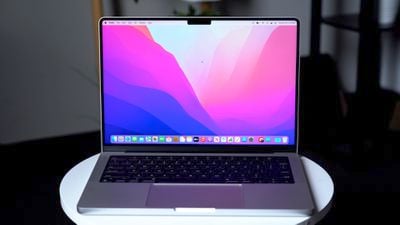
Apple explains that a caution symbol in the menu bar or Display menu in Control Center on a 2021 MacBook Pro or an Apple Pro Display XDR means the display is in low power mode and "using limited brightness."
This situation can occur if the ambient temperature of the room is high and if bright content has been playing for an extended period of time. Apple offer several solutions for those who see the warning, including lowering the temperature of the room and temporarily putting a Mac to sleep to allow it to cool.
- On MacBook Pro with Liquid Retina XDR display, quit any apps that could be consuming significant system resources.
- Use the Apple XDR Display or Pro Display XDR reference mode unless your current workflow requires a specific reference mode.
- Lower the ambient temperature of the room.
- Close or hide any windows with HDR content.
- Choose Apple menu > Sleep to put your Mac to sleep. Let your display cool down for 5-10 minutes, then press any key on the keyboard to wake your Mac.
Apple says that users who see this problem continually when the ambient temperature of the room is under 77 degrees Fahrenheit should contact Apple Support for help.
Popular Stories
Bloomberg's Mark Gurman has high expectations for Apple's first foldable iPhone.
In his Power On newsletter today, he said the foldable iPhone will be "the most significant overhaul in the iPhone's history."
"iPhone 4, iPhone 6 and iPhone X were clearly a big deal, but this is a whole new design," he said.
Like Samsung's Galaxy Z Fold 7, the foldable iPhone will reportedly open up like ...
iOS 26.5 is now available for developers, and while it doesn't include any new Siri capabilities, there are some major changes for the European Union, and smaller tweaks for features available worldwide.
Suggested Places
In the Maps app, there's a new "Suggested Places" feature that recommends locations to visit based on trending places nearby and recent searches. When Apple launches ads in ...
Apple today added the MacBook Air (13-inch, 2017) to its "vintage" products list, meaning the device is now only eligible for repairs at Apple Stores and Apple Authorized Service Providers if parts remain available.
The MacBook Air (13-inch, 2017) was the final MacBook Air model released before Apple redesigned the laptop and gave it a Retina display in 2018.
Apple also added all iPad...
Popular Stories
The new Studio Display XDR is designed for all kinds of professional work, and it is uniquely suited for use in the medical field.
The Studio Display XDR supports DICOM medical imaging presets and a Medical Imaging Calibrator so it can be used for diagnostic radiology. Radiologists will be able to view images right on the Studio Display XDR without the need to use a single-purpose medical...
Apple is now accepting pre-orders for all of the new products that it announced this week. Everything can be ordered from the online Apple Store following the debut of the new low-cost MacBook earlier this morning, with deliveries starting on Wednesday, March 11.
Here's a list of what you can order now, with pricing details included.
MacBook Neo - The 13-inch MacBook Neo has an A18 Pro...
Apple today released a new firmware update for the Studio Display and Studio Display XDR, two products that aren't set to launch until March 11.
The Studio Display Firmware 26.3 update is only for the new Studio Display options, and it is not available on the older model.
Studio Display firmware can be updated by connecting the display to a Mac and going to System Settings > Software...