

Apple this week announced iOS 16, a major release filled with significant customization features for the Lock Screen, new features for Focus mode, the ability to edit and retract iMessages, and so much more.
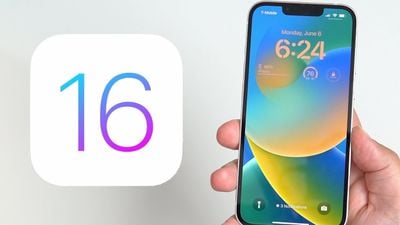
While Apple showcased some of iOS 16's major features during its jam-packed WWDC keynote, there are dozens, if not hundreds, of smaller features and changes left for users to discover. Below, we've compiled a list of six changes and new features you may not have known about.
Transparent FaceTime Video Call UI
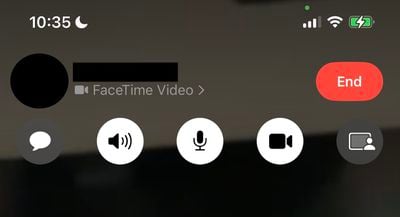
During a FaceTime video call, Apple has updated the UI in iOS 16 to be fully transparent, with buttons for camera, microphone, message, speaker, and SharePlay now larger and easier to tap.
iMessage Mention Suggestions Now Include Contact Images

When mentioning a contact on iMessage, mention suggestions now include a contact image in the Quick Tap bar. This can be particularly helpful in group chats where multiple people may share a first name.
Entirely Redesigned Video Player UI
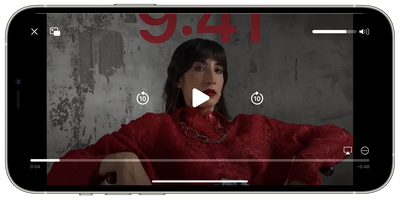
Apple has redesigned the stock video player UI in iOS 16, making it cleaner by getting rid of unnecessary clutter while highlighting basic controls such as volume, play/pause, and Picture in Picture.
Redesigned Voice Messaging Experience in iMessage
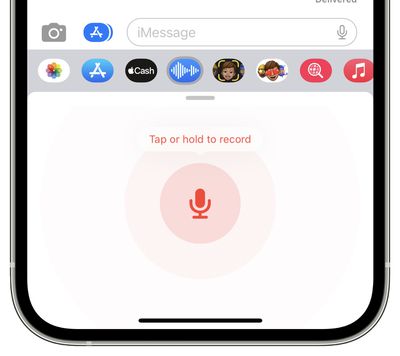
Apple has redesigned the voice messaging experience on iMessage with iOS 16, making it its own separate iMessage app that lives in the app bar.
The app lets users tap, hold, and record messages more quickly. Apple has replaced the previous hold and swipe-up gesture to record voice messages with a new Dictation button. On a related note, users can now skim through voice messages on iOS 16.
Privacy Access History
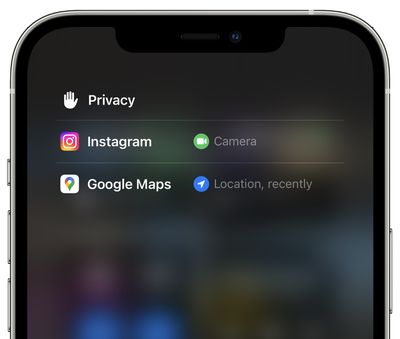
On iOS 16 Apple is adding a neat trick that lets users check which apps have recently accessed their camera, microphone, location, and other sensitive sensors on their iPhone. The new view can be accessed by tapping on the top of Control Center shortly after an app has used access.






















