

Adobe today updated its Lightroom apps for Mac and iOS, bringing a set of new image editing features as well as the ability to edit video for the first time.
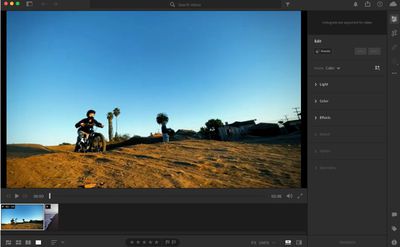
With the release of version 5.4 for Mac and 7.4 for iOS, Lightroom now enables you to edit videos using the same controls that are used for photos. You can trim videos, adjust color and exposure, and apply presets optimized for video.
Meanwhile, Adobe has added a new class of AI-powered adaptive presets that allow you to perform one-click edits to the sky or subject in photos, while a new Preset Amount Slider gives you the ability to control the intensity of a preset.
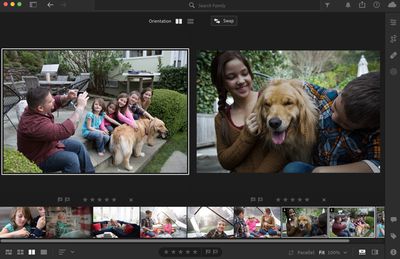
Elsewhere, there's a new Red Eye Removal feature that automatically finds and removes red eyes with a single click, and a new Compare view lets you compare photos side-by-side.
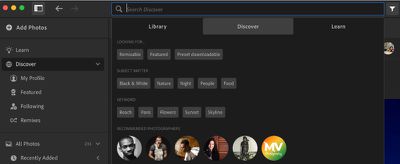
There are also more than 50 new, handcrafted premium presets designed for videos, portraits, and live concert photos, and the community-based Discover section is now searchable, allowing you to more easily find topics of interest as well as photographers you'd like to follow.
Also new in this version is a new Invert Mask option that lets you invert masks at both the group and component levels, and you can also now choose to Duplicate & Invert masks.
In addition, the Select Sky and Select Subject AI masks can now be copied and pasted to other photos and they will be recomputed automatically, so there's no need to manually apply the new masks to each photo.
Lightroom for Mac is available through Adobe's Creative Cloud 1TB Lightroom plan for $9.99 per month, or through its 20GB and 1TB Photography plans, which bundle Photoshop and Lightroom together and cost $9.99 and $19.99 per month, respectively.
Lightroom for iPhone and iPad can be downloaded from the App Store for free and include several in-app premium storage subscription options starting from $1.99 per month for 40GB.


















