Apple Seeds Third Beta of macOS Ventura 13.4 to Developers
Apple today seeded the third beta of macOS Ventura 13.4 to developers for testing purposes, with the beta coming two weeks after the launch of the second beta.
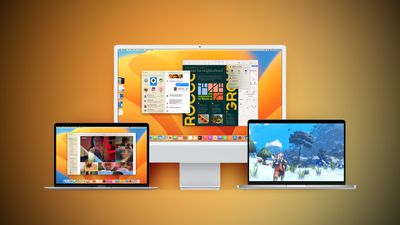
Registered developers can download the beta through the Apple Developer Center and after the appropriate profile is installed, with the betas available through the Software Update mechanism in System Settings.
macOS 13.4 adds the simplified beta installation method that was first introduced in iOS 16.4. With the update, developers and public beta testers enrolled in Apple's respective programs can toggle on beta updates from System Settings on the Mac, without the need to install a profile.
An Apple ID associated with either a public beta account or a developer account is required to turn on beta updates, which means that it is no longer possible to use a developer profile not associated with a developer account to install the developer betas.
Popular Stories
Bloomberg's Mark Gurman has high expectations for Apple's first foldable iPhone.
In his Power On newsletter today, he said the foldable iPhone will be "the most significant overhaul in the iPhone's history."
"iPhone 4, iPhone 6 and iPhone X were clearly a big deal, but this is a whole new design," he said.
Like Samsung's Galaxy Z Fold 7, the foldable iPhone will reportedly open up like ...
iOS 26.5 is now available for developers, and while it doesn't include any new Siri capabilities, there are some major changes for the European Union, and smaller tweaks for features available worldwide.
Suggested Places
In the Maps app, there's a new "Suggested Places" feature that recommends locations to visit based on trending places nearby and recent searches. When Apple launches ads in ...
New images of an alleged iPhone 18 Pro prototype and screen protectors have emerged from multiple sources, adding weight to earlier reports that Apple plans to significantly shrink the Dynamic Island later this year.
An X user called @earlyappleleaks recently shared an image purportedly showing a prototype iPhone 18 Pro with a noticeably smaller Dynamic Island. In the picture, the flashlight ...
Popular Stories
Bloomberg's Mark Gurman has high expectations for Apple's first foldable iPhone.
In his Power On newsletter today, he said the foldable iPhone will be "the most significant overhaul in the iPhone's history."
"iPhone 4, iPhone 6 and iPhone X were clearly a big deal, but this is a whole new design," he said.
Like Samsung's Galaxy Z Fold 7, the foldable iPhone will reportedly open up like ...
iOS 26.5 is now available for developers, and while it doesn't include any new Siri capabilities, there are some major changes for the European Union, and smaller tweaks for features available worldwide.
Suggested Places
In the Maps app, there's a new "Suggested Places" feature that recommends locations to visit based on trending places nearby and recent searches. When Apple launches ads in ...
New images of an alleged iPhone 18 Pro prototype and screen protectors have emerged from multiple sources, adding weight to earlier reports that Apple plans to significantly shrink the Dynamic Island later this year.
An X user called @earlyappleleaks recently shared an image purportedly showing a prototype iPhone 18 Pro with a noticeably smaller Dynamic Island. In the picture, the flashlight ...
























