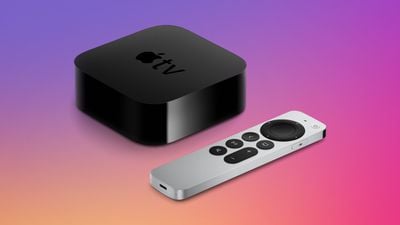
Apple today seeded the first beta of the upcoming tvOS 17 update to its public beta testing group, allowing the general public to download and test the update ahead of its September launch.
Public beta testers can download the tvOS 17 beta by opening up the Settings app on Apple TV, choosing the Software Updates section under System, and then toggling on the Get Public Beta Updates option. Signing up on Apple's public beta website is also required.
tvOS 17 adds FaceTime to the Apple TV, with an iPhone or iPad serving as the camera. The FaceTime interface shows up on the bigger display of the TV, and Center Stage keeps you front and center as you move around the room. There's even a Split View option so you can use FaceTime while watching TV or playing a game on the other part of the screen.
There's a revamped Control Center that makes it quicker to get to key settings and information without needing to go into the Settings app, plus it supports useful shortcuts and tools that are customized for each user.
If you have a second-generation Siri Remote, you can use the Apple TV Remote section in the iPhone's Control Center to track it down, preventing you from losing your remote.
Other new features in tvOS 17 include new aerial screen savers, screen savers based on the Memories section of the Photos app, an enhance dialogue option to make it easier to hear what's being said on a TV show or movie, and more. Additional details can be found in our Apple TV roundup.
Bloomberg's Mark Gurman has high expectations for Apple's first foldable iPhone.
In his Power On newsletter today, he said the foldable iPhone will be "the most significant overhaul in the iPhone's history."
"iPhone 4, iPhone 6 and iPhone X were clearly a big deal, but this is a whole new design," he said.
Like Samsung's Galaxy Z Fold 7, the foldable iPhone will reportedly open up like ...
iOS 26.5 is now available for developers, and while it doesn't include any new Siri capabilities, there are some major changes for the European Union, and smaller tweaks for features available worldwide.
Suggested Places
In the Maps app, there's a new "Suggested Places" feature that recommends locations to visit based on trending places nearby and recent searches. When Apple launches ads in ...
Tuesday March 31, 2026 10:36 am PDT by Joe Rossignol
Apple today added the MacBook Air (13-inch, 2017) to its "vintage" products list, meaning the device is now only eligible for repairs at Apple Stores and Apple Authorized Service Providers if parts remain available.
The MacBook Air (13-inch, 2017) was the final MacBook Air model released before Apple redesigned the laptop and gave it a Retina display in 2018.
Apple also added all iPad...
At least 14 new shows and films are premiering on the Apple TV streaming service throughout the remainder of 2026, starting with Twisted Yoga today.
In the U.S., Apple TV is priced at $12.99 per month or $129 per year, with a free one-week trial available for new subscribers. Apple TV is also included in Apple One and Peacock bundles, with all of the options outlined on Apple's website....
Wednesday March 25, 2026 3:33 pm PDT by Joe Rossignol
Apple this week released tvOS 26.4, and the software update includes a handful of new features and changes for the Apple TV.
tvOS 26.4 is compatible with all Apple TV 4K and Apple TV HD models released since 2015. To update your Apple TV, open the Settings app on the device, navigate to System → Software Updates, and select Update Software.
Below, we have recapped what is new in tvOS...
Apple today provided developers with the fourth betas of upcoming watchOS 26.4 and visionOS 26.4 betas for testing purposes. The software comes a week after Apple released the third betas.
The software updates are available through the Settings app on each device, and because these are developer betas, a free developer account is required.
watchOS 26.4 adds a new Average Bedtime metric to ...
Maybe I will stop gettng the same 3 screen savers over and over. Especially that overhead one of the street in Dubai I think it's Dubai). I am so sick of that one.
There's a Beta VPN (FloVPN) but I haven't been reading good things about it. Many have signed up for one month and end up being charged for a year with no recourse. The log where you have been, etc. On a positive note----it works so (hopefully) more VPNs will follow, soon.
I was thinking more of the current apps available for iOS and iPadOS. I am curently subscribed to ExpressVPN and hoping that tvOS 17 will support it.