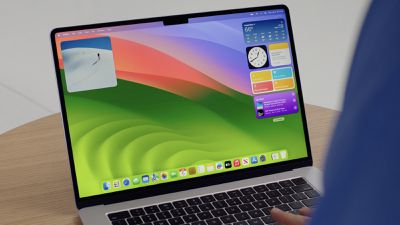
Apple today seeded the first beta of an upcoming macOS Sonoma 14.1 update to developers for beta testing, with the update coming just a day after the public launch of macOS Sonoma.
Registered developers can opt-in to the beta through the Software Update section of the System Settings app. Under Beta updates, simply toggle on the Sonoma Developer Beta. Note that an Apple ID associated with an Apple Developer account is required to get the beta.
There are several features that were announced at WWDC in June but that did not make it into the launch version of macOS Sonoma. Apple says that these features are coming in an update later this year, so we could begin seeing some of them in this beta.
Additions we are waiting on include interactive Music widgets, iCloud Sync improvements, the option to use Stickers through the Tapback menu in Messages, Intelligent form detection and Enhanced AutoFill for PDF documents and forms, an option to complete words by pressing the space bar, collaborative playlists in the Music app, and a favorite songs playlist.
When we learn what's new in the beta, we'll update this article.
Bloomberg's Mark Gurman has high expectations for Apple's first foldable iPhone.
In his Power On newsletter today, he said the foldable iPhone will be "the most significant overhaul in the iPhone's history."
"iPhone 4, iPhone 6 and iPhone X were clearly a big deal, but this is a whole new design," he said.
Like Samsung's Galaxy Z Fold 7, the foldable iPhone will reportedly open up like ...
iOS 26.5 is now available for developers, and while it doesn't include any new Siri capabilities, there are some major changes for the European Union, and smaller tweaks for features available worldwide.
Suggested Places
In the Maps app, there's a new "Suggested Places" feature that recommends locations to visit based on trending places nearby and recent searches. When Apple launches ads in ...
Tuesday March 31, 2026 10:36 am PDT by Joe Rossignol
Apple today added the MacBook Air (13-inch, 2017) to its "vintage" products list, meaning the device is now only eligible for repairs at Apple Stores and Apple Authorized Service Providers if parts remain available.
The MacBook Air (13-inch, 2017) was the final MacBook Air model released before Apple redesigned the laptop and gave it a Retina display in 2018.
Apple also added all iPad...
Bloomberg's Mark Gurman has high expectations for Apple's first foldable iPhone.
In his Power On newsletter today, he said the foldable iPhone will be "the most significant overhaul in the iPhone's history."
"iPhone 4, iPhone 6 and iPhone X were clearly a big deal, but this is a whole new design," he said.
Like Samsung's Galaxy Z Fold 7, the foldable iPhone will reportedly open up like ...
iOS 26.5 is now available for developers, and while it doesn't include any new Siri capabilities, there are some major changes for the European Union, and smaller tweaks for features available worldwide.
Suggested Places
In the Maps app, there's a new "Suggested Places" feature that recommends locations to visit based on trending places nearby and recent searches. When Apple launches ads in ...
Tuesday March 31, 2026 10:36 am PDT by Joe Rossignol
Apple today added the MacBook Air (13-inch, 2017) to its "vintage" products list, meaning the device is now only eligible for repairs at Apple Stores and Apple Authorized Service Providers if parts remain available.
The MacBook Air (13-inch, 2017) was the final MacBook Air model released before Apple redesigned the laptop and gave it a Retina display in 2018.
Apple also added all iPad...
Sonoma has done the impossible for me: made the wake from sleep issue even worse. Computer (2019 Intel iMac) immediately wakes when trying to sleep it, and continues spinning up and down my external HD's as it keeps trying to sleep and then wake. I've given up on troubleshooting, etc.
The .1 finally matches every other operating system this time. macOS usually lags one major X.X behind everything else. More continuity between the operating systems is never a bad thing in my opinion
Sonoma has done the impossible for me: made the wake from sleep issue even worse. Computer (2019 Intel iMac) immediately wakes when trying to sleep it, and continues spinning up and down my external HD's as it keeps trying to sleep and then wake. I've given up on troubleshooting, etc.
Had this happen in ventura....eventually I went into energy saver and prevented automatic sleeping when the display is off.... and stopped hard disk sleep....