watchOS 10.2 Beta Reintroduces Option to Change Apple Watch Faces With a Swipe
The third watchOS 10.2 beta that Apple released this week reintroduces an Apple Watch feature for swapping watch faces that was initially removed with the upgrade to watchOS 10.
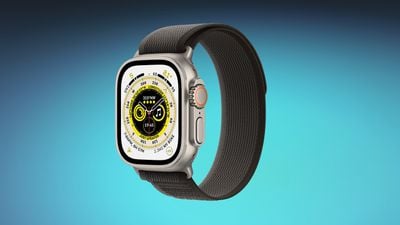
Users can now choose to use a swipe gesture to switch the active Apple Watch face by enabling the option in the Apple Watch Settings app. With the feature turned on, swiping left or right on the watch face scrolls through the available watch faces that have been set up.
Switching watch faces with a swipe gesture was the default in watchOS 9, but Apple updated the interaction because of complaints that it was too easy to accidentally change watch faces. The current gesture requires long pressing before swiping to change the active watch face.
With watchOS 10.2, Apple Watch owners who preferred the prior method of changing their watch faces can choose to enable the setting if desired. The option is under Settings > Clock in the third beta.
watchOS 10.2 is available to both developers and public beta testers at this time, and it is expected to see a public launch in December.
Popular Stories
Bloomberg's Mark Gurman has high expectations for Apple's first foldable iPhone.
In his Power On newsletter today, he said the foldable iPhone will be "the most significant overhaul in the iPhone's history."
"iPhone 4, iPhone 6 and iPhone X were clearly a big deal, but this is a whole new design," he said.
Like Samsung's Galaxy Z Fold 7, the foldable iPhone will reportedly open up like ...
iOS 26.5 is now available for developers, and while it doesn't include any new Siri capabilities, there are some major changes for the European Union, and smaller tweaks for features available worldwide.
Suggested Places
In the Maps app, there's a new "Suggested Places" feature that recommends locations to visit based on trending places nearby and recent searches. When Apple launches ads in ...
Apple has been celebrating its upcoming 50th anniversary by hosting surprise performances and other events around the world over the past few weeks, and now Bloomberg's Mark Gurman has revealed details about the company's grand finale.
In a social media post, Gurman said Apple's celebrations will conclude this week with a finale at its Apple Park headquarters for employees.
A special...
Popular Stories
Apple today provided developers with the fourth betas of upcoming watchOS 26.4 and visionOS 26.4 betas for testing purposes. The software comes a week after Apple released the third betas.
The software updates are available through the Settings app on each device, and because these are developer betas, a free developer account is required.
watchOS 26.4 adds a new Average Bedtime metric to ...
Apple today seeded the release candidate versions of upcoming watchOS 26.4, tvOS 26.4 and visionOS 26.4 updates for testing purposes. The software comes a week after Apple released the fourth betas. Release candidates are the final updates that will be provided to the public in the near future if no final bugs are discovered.
The software updates are available through the Settings app on...
Apple today released watchOS 26.4, the fourth major update to the watchOS 26 operating system that came out in September. watchOS 26.4 comes a month and a half after Apple released watchOS 26.3.
watchOS 26.4 can be downloaded for free on an iPhone running iOS 26.4 by opening up the Apple Watch app and going to General > Software Update, or initiating an update in the Settings app on the...