macOS Sequoia Adds iCloud Support for macOS 15 Virtual Machines - MacRumorsOpen MenuShow RoundupsShow Forums menuVisit ForumsOpen Sidebar
Skip to Content

macOS Sequoia Adds iCloud Support for macOS 15 Virtual Machines

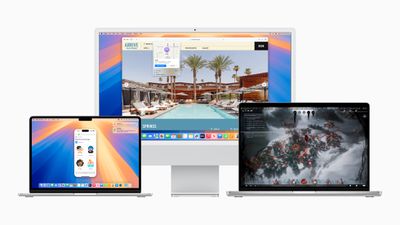
Apple is introducing a notable enhancement to its virtualization framework in macOS Sequoia by enabling Mac users to sign into iCloud within macOS virtual machines (VMs).
Apple WWDC24 macOS Sequoia hero 240610
Previously, users could not sign into iCloud on macOS VMs, which limited the framework's utility for developers needing to test iCloud features and for users looking to sync their apps with iCloud. As spotted by ArsTechnica, macOS Sequoia removes that barrier, provided that both the host and guest operating systems are macOS 15 or newer.

The feature will be available on Apple silicon Macs, but it has some limitations. Developers aiming to run older macOS versions alongside macOS 15 in a VM or those who upgrade VMs from older macOS versions will not be able to sign into iCloud on the VM. Only brand-new VMs created from a macOS 15 install image (an .ipsw file) can utilize iCloud and services related to Apple Account (formerly Apple ID).

Apple's virtualization framework documentation explains:

"When you create a VM in macOS 15 from a macOS 15 software image… Virtualization configures an identity for the VM that it derives from security information in the host's Secure Enclave. Just as individual physical devices have distinct identities based on their Secure Enclaves, this identity is distinct from other VMs."

Apple says that if someone moves a VM to a different Mac host and restarts it, the Virtualization framework automatically creates a new identity for the VM using the information from the Secure Enclave of the new Mac host. This identity change requires the person using the VM to re-authenticate to allow iCloud to restart syncing data to the VM.

Both Parallels and VMware offer virtualization software, and Broadcom recently made VMware Fusion free for personal use. macOS Sequoia is currently in developer beta, with a public beta set to arrive in July, followed by a general release in the fall.


Related Forum: macOS Sequoia

Popular Stories

Apple Card iPhone 16 Pro Feature

Apple Card Promo to Offer Free AirPods Pro 3

Friday May 15, 2026 8:59 am PDT by
Starting as early as next week, customers who sign up for an Apple Card at Apple's retail stores in the U.S. will receive $249 cash back when they purchase AirPods Pro 3, according to Bloomberg's Mark Gurman. The promotion has yet to be officially announced by Apple, so exact terms and conditions are not available at this time. AirPods Pro 3 are priced at $249 in the U.S., so customers who...
Apple WWDC25 iOS 26 CarPlay Light mode 250609

Six Popular iPhone Apps Now Available on CarPlay

Thursday May 14, 2026 9:10 am PDT by
Apple's CarPlay system for accessing iPhone apps on a vehicle's dashboard screen has received six popular apps in recent weeks: ChatGPT, Perplexity, Grok, Google Meet, WhatsApp, and the indie artist streaming platform Audiomack. Make sure you have the latest version of each app and they will automatically appear on CarPlay. ChatGPT Starting with iOS 26.4, CarPlay supports voice-based...
ipad mini 7 blue

OLED iPad Mini: Release Date, Pricing, and What to Expect

Thursday May 14, 2026 5:08 am PDT by
According to the latest rumors, Apple is close to launching its next-generation iPad mini. So what should we expect from the successor to the iPad mini 7 that Apple released over a year ago? Read on to find out. Processor and Performance Apple is working on a next-generation version of the iPad mini (codename J510/J511) that features the A19 Pro chip, according to information found in code...

Top Rated Comments

25 months ago
Ok, now allow virtualization on iPads and we are good
Score: 12 Votes (Like | Disagree)
chrfr Avatar
25 months ago

Thank you! I actually just purchased my MacPro 2019 machine a couple of months ago (refurb). I don't like the limitations that Apple Silicon imposes. This is yet another one.
Well, performance is the big limitation that staying with Intel imposes.
Score: 7 Votes (Like | Disagree)
therunningman Avatar
25 months ago

Well, performance is the big limitation that staying with Intel imposes.
My workload involves virtualization pertaining to Intel hardware specifically. I can expand the RAM in my Intel MacPro to ridiculous amounts. I can do eGPUs. Apple Silicon allows none of this. So a performance hit vs. no performance at all is a really easy choice for me.
Score: 6 Votes (Like | Disagree)
chrfr Avatar
25 months ago
Both Parallels and VMware offer virtualization software, and Broadcom recently made VMware Fusion free for personal use (https://www.macrumors.com/2024/05/15/vmware-fusion-pro-13-free-personal-use/). macOS Sequoia is currently in developer beta, with a public beta set to arrive in July, followed by a general release in the fall.

Article Link: macOS Sequoia Adds iCloud Support for macOS 15 Virtual Machines (https://www.macrumors.com/2024/06/20/macos-sequoia-adds-icloud-support-vms/)
VMware Fusion does not allow the virtualization of macOS on Apple Silicon hosts, so that it exists at all is irrelevant to this topic.
Score: 5 Votes (Like | Disagree)
25 months ago

Ok, now allow virtualization on iPads and we are good
Apple rejected an App Store submission for UTM on iPhone and iPad, and also refused to notarize the app so that it could be listed on third-party app stores in the EU.

https://9to5mac.com/2024/06/09/apple-blocks-pc-emulator-utm-app-store/
Score: 3 Votes (Like | Disagree)
yoink Avatar
25 months ago
Don’t forget UTM: https://github.com/utmapp/UTM
https://getutm.app/

It’s nowhere near as feature complete as Fusion or Parallels desktop (particularly awkward file sharing), but it’s great for development, and has an easy to use headless mode.
Score: 3 Votes (Like | Disagree)