Apple Releases New AirPods Pro 2 Beta Firmware With Support for iOS 18 Features
Apple today released a second beta firmware for the AirPods Pro 2, including both the Lightning and USB-C versions. The updated firmware has a build number 7A5244b and it is available to developers at the current time. This is the second firmware update that Apple has released since announcing new AirPods Pro 2 features in June.
There are several new features that are coming to the AirPods Pro 2 as part of iOS 18, and these features are included in the firmware update.
With head gestures, users can control Siri on the AirPods Pro with a shake or a nod of the head. If you get a phone call, for example, you can shake your head no if you don't want to answer it, or nod to accept the call. Siri interactions can be used for responding to incoming messages, calls, and notifications.
Apple is adding Voice Isolation to the AirPods Pro to cut down on loud background sounds to make you easier to hear, and there is a new Personalized Spatial Audio feature specific to gaming. Game developers will be able to incorporate spatial audio into their games for a more immersive audio experience.
The new firmware requires a device running iOS 18 to install, and it won't be available to the public until this fall.
Popular Stories
Bloomberg's Mark Gurman has high expectations for Apple's first foldable iPhone.
In his Power On newsletter today, he said the foldable iPhone will be "the most significant overhaul in the iPhone's history."
"iPhone 4, iPhone 6 and iPhone X were clearly a big deal, but this is a whole new design," he said.
Like Samsung's Galaxy Z Fold 7, the foldable iPhone will reportedly open up like ...
iOS 26.5 is now available for developers, and while it doesn't include any new Siri capabilities, there are some major changes for the European Union, and smaller tweaks for features available worldwide.
Suggested Places
In the Maps app, there's a new "Suggested Places" feature that recommends locations to visit based on trending places nearby and recent searches. When Apple launches ads in ...
Apple has been celebrating its upcoming 50th anniversary by hosting surprise performances and other events around the world over the past few weeks, and now Bloomberg's Mark Gurman has revealed details about the company's grand finale.
In a social media post, Gurman said Apple's celebrations will conclude this week with a finale at its Apple Park headquarters for employees.
A special...
Popular Stories
Apple is planning to launch at least three new "Ultra"-class devices this year, according to Bloomberg's Mark Gurman.
Writing in this weekend's "Power On" newsletter, Gurman explained that while the low-end of Apple's product lineups are now well-served by the Apple Watch SE, iPad 11, and MacBook Neo, there is "a more significant shift underway" toward higher-end, "Ultra" devices. Apple is...
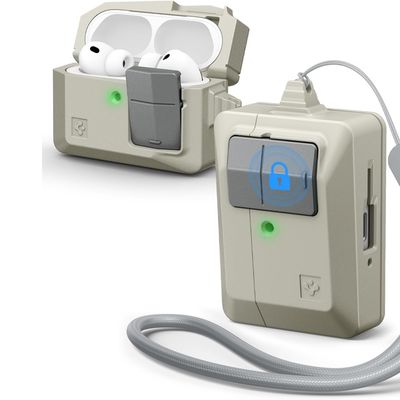
Accessory maker Spigen this week expanded its lineup of case options that are designed to look like vintage Apple Macs. The clever new Classic LS AirPods Pro 3 Case resembles a the iconic Apple Macintosh mouse, so it goes well with Spigen's Mac-style iPhone cases.
Priced at $25 from Amazon, the case features the stone color that was used for the Classic Macintosh, along with a gray mouse...
Apple today released new firmware for the AirPods Pro 2, AirPods Pro 3, and the AirPods 4. The firmware has a version number of 8B39, up from 8B34 on the AirPods Pro 3, 8B28 on the AirPods Pro 2, and 8B21 on the AirPods 4.
There is no word on what's included in the firmware, but Apple has a support document with limited notes. Most updates are limited to bug fixes and performance...