Apple introduced its long-awaited Journal app for iPhone in iOS 17.2. Apple's Journal app lets you record your daily thoughts and activities, incorporating data like photos, music listened to, workouts, and more, plus it suggests topics to write about. However, if you don't find the suggestions useful, you can turn them off.
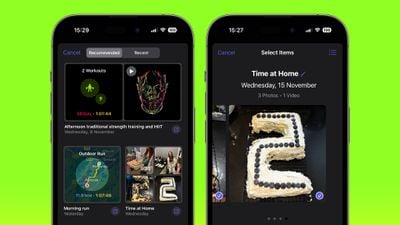
By default, the Journal app will suggest recent and recommended "moments" from your week that include photos, workouts, or places you visited. These are intended to be used as writing prompts. but if they aren't something for you, here's how to disable them.
- Open the Settings app on your iPhone.
- Scroll down and tap Journal.
- Under "New Entry," toggle on the switch next to Skip Journaling Suggestions.
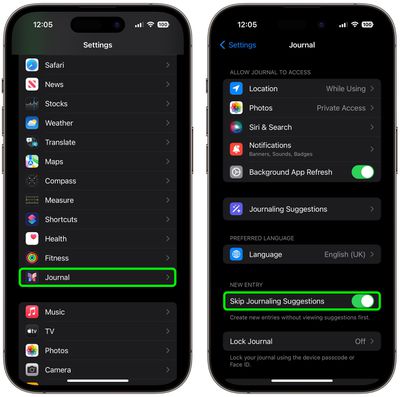
That's all there is to it. When you next tap to create a new journal entry, you will jump straight into the writing screen.