Alongside iOS public betas, Apple often releases beta HomePod software. The HomePod software updates that are beta tested are usually limited to a select group of invite-only testers, but that changed after HomePod Software 16. This article explains how you can install it on your HomePod mini devices.
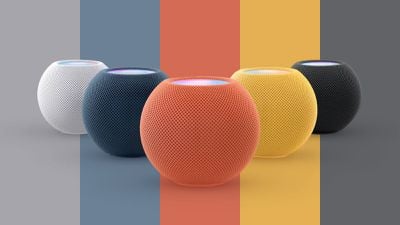
Apple doesn't always reveal new features coming to HomePod devices in a beta, but that's not to say there's nothing new in HomePod Software. Either way, you can test it yourself, but you'll have to install the latest iOS public beta on your device to do so.
Once you've done that, follow these steps to get HomePod Software beta updates installed on your HomePods.
- Launch the Home app on your device running the iOS beta software.
- Tap the ellipsis icon (three encircled dots) in the top-right corner of the screen.
- Tap Home Settings.
- Scroll down and select Software Update.
- Tap HomePod Beta Updates.
- Toggle on the switches next to the HomePods that you want to receive the beta software.

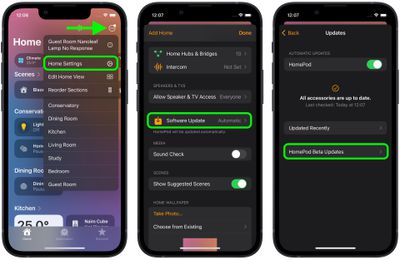
The beta software will now automatically be installed on your selected HomePods.