

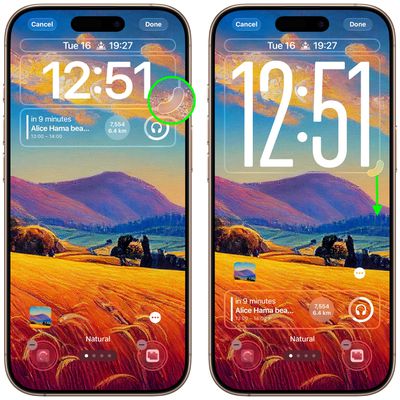
When Apple released iOS 26, it switched up the Lock Screen so that the clock can be expanded to fill more of the display, making it easier to read. This can be done in Customize mode thanks to a drag handle on the bottom-right corner of the selection frame around the time.
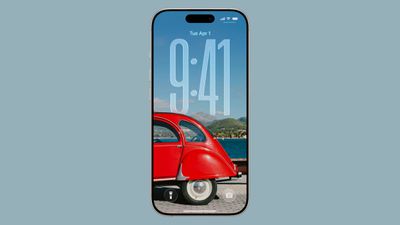
You can make the digits take up half of the screen, though if you have any widgets, they will slide down to the bottom of the display. In addition, if you have a depth effect applied to a photo and pinch to crop, the time will automatically adjust to accommodate the subject. Bear in mind that the ability to expand the time depends on the selected photo – if there's no space above the photo's subject, the drag handle won't appear.
How to Resize iPhone Lock Screen Clock
- Long press anywhere on the Lock Screen, then tap Customize.
- Rest your finger on the drag handle located at the bottom-right of the clock frame.
- Drag down to resize the clock, then up to adjust if it's too big.
- Make any other desired changes to the Lock Screen, then tap Done to finish.
If you're new to iPhone or iOS 26, there are several more iPhone Lock Screen customizations that you may want to check out in our dedicated roundup.




















