

Apple has now made iOS 26 available to download on compatible iPhone models, and if you just installed the new software, Apple has made some changes and feature additions to the iPhone Lock Screen that you may want to check out.
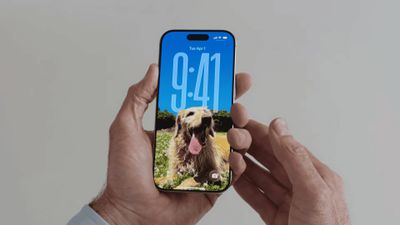
To download iOS 26 on your iPhone, go to Settings ➝ General ➝ Software Update, then let your device check Apple's servers for the latest software. Wait for the update screen to appear, then hit Update Now. With that done, here are five new things you can do to customize your the Lock Screen in iOS 26.
Change iPhone Clock to Liquid Glass
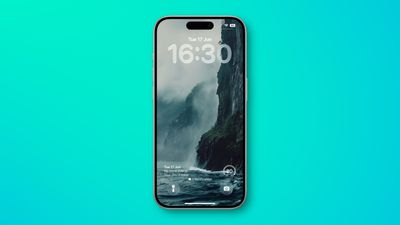
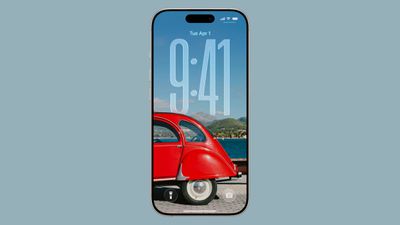
In iOS 26, Liquid Glass is Apple's new translucent material that reflects and refracts its surroundings, while dynamically transforming to help bring greater focus to content across system controls, navigation elements, app icons, and widgets. The design represents the most significant visual overhaul since iOS 7, and it also brings a new clock appearance option to your iPhone Lock Screen.
- Wake your iPhone so the Lock Screen is showing.
- Long press anywhere on the Lock Screen, then tap Customize.
- Tap the time within the square frame.
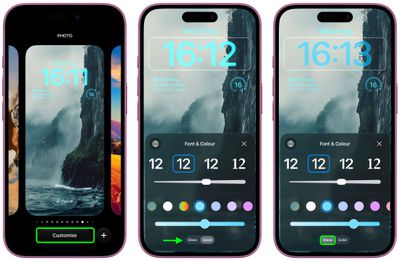
- Tap the new Glass option to switch from Solid.
- Make any other desired changes to the clock's color and style, then tap Done to finish.
Move Lock Screen Widgets to Bottom
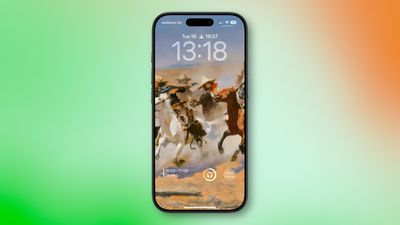
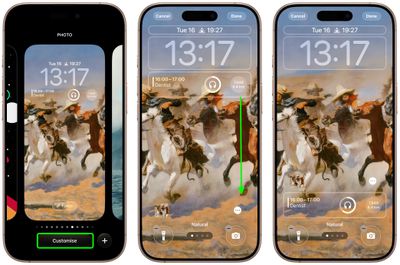
In iOS 18, the row of widgets on your Lock Screen is literally locked in place right below the clock. In iOS 26, however, Customize mode lets you drag them down to the bottom of the screen, so that they hover just above the two quick actions (assuming you have any). The new optional positioning makes tapping a widget during one-handed use a lot easier.
- Long press anywhere on the Lock Screen, then tap Customize.
- Below the clock, drag the widgets frame to the bottom of the screen.
- Make any other desired changes to the Lock Screen, then tap Done to finish.
Resize Lock Screen Clock
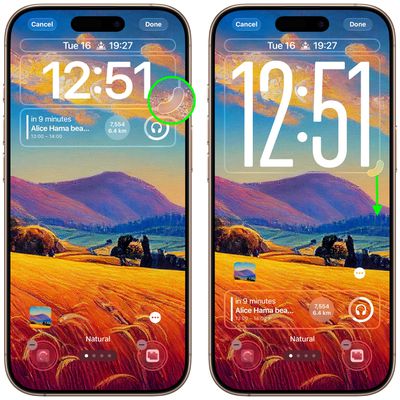
In iOS 26, Apple has made it so that the clock on the Lock Screen can be expanded to fill more of the display, making it easier to read. This can be done in Customize mode thanks to a new drag handle on the bottom-right corner of the selection frame around the time.
You can make the digits take up half of the screen, though if you have any widgets, they will slide down to the bottom of the display. In addition, if you have a depth effect applied to a photo and pinch to crop, the time will automatically adjust to accommodate the subject. Bear in mind that the ability to expand the time depends on the selected photo – if there's no space above the photo's subject, the drag handle won't appear.
- Long press anywhere on the Lock Screen, then tap Customize.
- Rest your finger on the drag handle located at the bottom-right of the clock frame.
- Drag down to resize the clock, then up to adjust if it's too big.
- Make any other desired changes to the Lock Screen, then tap Done to finish.
Turn Lock Screen Wallpaper Into a Spatial Scene

In iOS 26, your iPhone can convert 2D images into a 3D Spatial Scene that can be viewed on your Lock Screen.
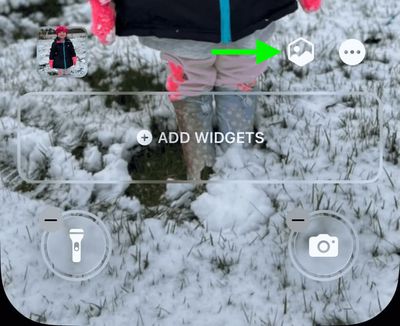
When you're browsing Lock Screen wallpaper options, iOS automatically suggests photos from your library that are compatible with the feature. And if you manually select a Lock Screen photo that supports Spatial Scenes, you'll see a toggle on the customization screen that lets you enable or disable the effect.
The feature works using generative AI that analyzes your photos to identify different elements and create depth maps. Importantly, it doesn't require Apple Intelligence to function, meaning Spatial Scenes works on iPhone 12 and newer models.
It's hard to appreciate without trying it yourself, but the results are impressive as the image animates when you move your device. Spatial Scenes use machine learning rather than Apple Intelligence, which means the feature is available on iPhone 12 and newer devices.
Make Music Albums Animate
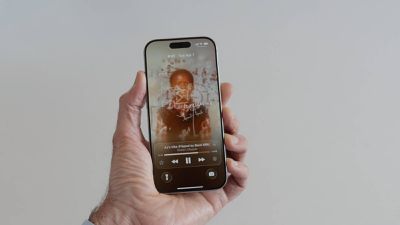
iOS 26 introduces full-screen animated album art on the iPhone Lock Screen for select Apple Music tracks. By tapping the album art in the Lock Screen music player, the artwork expands and animates, creating a more immersive listening experience. While animated album art has been available within the Apple Music app for some time, this marks its first appearance on the Lock Screen. Not all songs support it yet, but the number is steadily increasing. Apple is also opening the Animated Album Art feature to third‑party developers, so expect it to work with apps like Spotify and YouTube Music soon.





/https://forums.macrumors.com/attachments/2549947/)

/https://forums.macrumors.com/attachments/2549910/)













