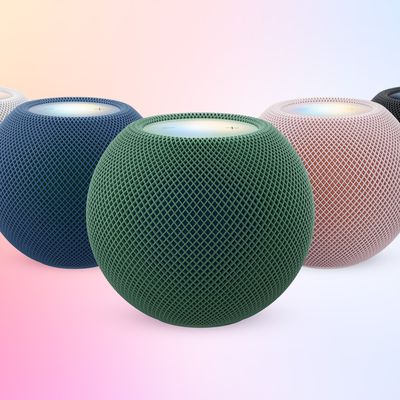
One of the features of Apple's new HomePod mini 2 speakers is being able to use them as your Mac's default speakers, but it seems to be failing to work as advertised for a number of users, with some owners already returning them, based on the latest MacRumors forum reports.
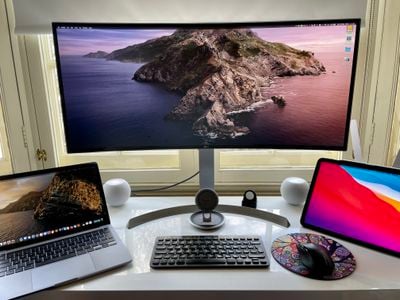
The new HomePod mini 2 can be used as a default speaker on all Mac models with Wi-Fi 6E or later, according to Apple. A single HomePod can be used alone, or a pair can be twinned for stereo sound. The same setup never reliably worked with the first-generation HomePod mini, with latency and dropout issues common.
Apple introduced the stated new feature with HomePod Software 27.2, and it's meant to work over "a responsive and persistent AirPlay connection," or a wireless point-to-point link that's designed to survive restarts and sleep. (That's different to ordinary AirPlay, which the previous-generation HomePod uses.) For the HomePod mini 2, the feature requires macOS 27.2. It's also supposed to work with the second-generation HomePod using the same software and the aforementioned Wi-Fi 6E requirement.
So far, new HomePod mini 2 owners are reporting two separate problems. For some, the option to enable the persistent connection never appears at all – even on hardware that meets Apple's stated requirements. For others, the connection works at first, but the Mac then falls back to its built-in or monitor speakers after sleep, a restart, or sometimes even after a single notification sound.
Jennifer Pattison Tuohy ran into the first problem in her review for The Verge. On a Mac mini M4 – meeting Apple's Wi-Fi 6E requirement – the persistent-output option never showed up, and the speakers behaved like ordinary AirPlay devices, along with audio artifacts, dropouts, and output switching after a restart or whenever Siri was activated on a HomePod. Tuohy said that the feature "feels unfinished," and Apple had not responded to her request for comment at the time of writing.
The second problem, though, seems more prevalent, based on MacRumors forum reports. DanJoeWhitaker said they bought a stereo pair solely to use as Mac speakers, but found that the "Play sound effects through" option reverted to their Studio Display speakers within a minute, and that a single notification sound could make their Mac "forget" the HomePods entirely.
Another forum member, Nismo73, tested a pair on a Mac Studio and was greeted by an error message and sound through the machine's internal speaker after the first wake from sleep. Five owners on the forums describe similar failures, and at least two forum members say they're returning the speakers. DanJoeWhitaker said they were told at an Apple Store that they weren't the first to have the problem – Apple Support's senior team reportedly offered no fix, suggesting the issue was "maybe just an early teething bug."
As for the cause, that's still an open question. The most detailed account we've found so far was from a Redditor with an M3 Max MacBook Pro on a UniFi network. Their Mac's logs showed the point-to-point connection failing while the HomePods were on a 6GHz network, with audio falling back to standard AirPlay at around half a second of latency. Moving the speakers to a 5GHz-only network apparently restored the low-latency persistent mode in that setup. But whether the other failures correlate with 6GHz networks or specific router configurations remains unclear.
Let us know in the comments below if you've had a similar experience with your HomePod mini 2.