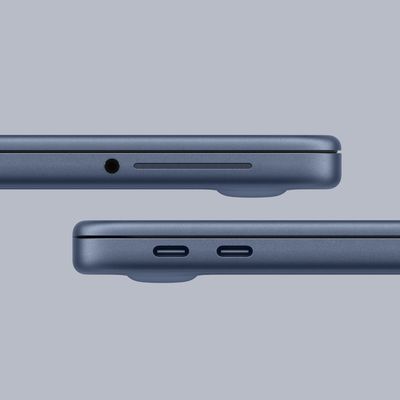
All of Apple's iPhone 15 models come with a USB-C port instead of Lightning, but not all devices in the lineup offer the same port data transfer speed.
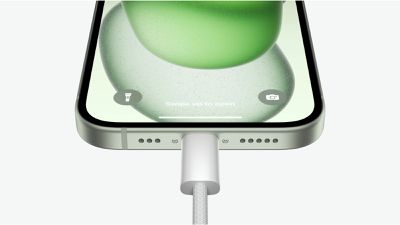
The iPhone 15 switch to USB-C brings several conveniences, such as the ability to use the same charging cable for Macs, iPads, iPhones, and other USB-C accessories. Now that the iPhone 15 models have a USB-C port instead of a Lightning port, it is also possible to use an iPhone 15 to charge the AirPods or Apple Watch directly.
However, if you tend to work with large video files, it's worth noting that not all iPhone 15 models are equal when it comes to physical data transfer.
The USB-C port on the 6.1-inch iPhone 15 and the 6.7-inch iPhone 15 Plus is limited to USB 2 charging speeds, which is the same as the original Lighting port. On the iPhone 15 Pro models, however, the USB-C port supports faster USB 3.2 Gen 2 transfer speeds of up to 10Gb/s, provided you're using the right cable.
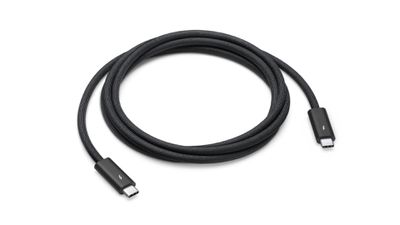
The USB-C cable included with iPhone 15 Pro models supports USB 2 speeds, so a higher-spec cable is needed for faster speeds. One such cable is Apple's Thunderbolt 4 Pro cable, which is now available in a shorter one-meter size for $69. The cable has a black braided design and can be used to connect an iPhone 15 Pro model to a Mac or external drive for data transfer.
It's worth noting that while the iPhone 15 Pro and Pro Max support USB 3 transfer speeds from the new USB-C port, only ProRes files recorded in 4K at 60p can be recorded directly to an externally attached SSD. All other video and photo modes must be saved to the iPhone first and transferred later.