On iPhone 16 Pro models, Apple ProRAW images can now be set to the JPEG-XL format, which renders as a DNG RAW file but also has an easy-to-share embedded JPEG image.
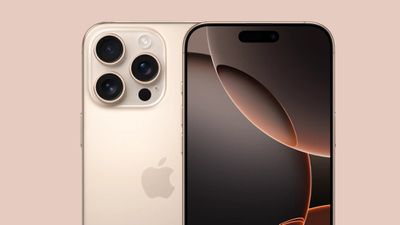
What's more, file size is now far reduced to roughly 45 megabytes in a lossless format and only 20 megabytes in a lossy format that is, despite its name, perceptively lossless. This further reduces the storage space needed both on your iPhone and in iCloud, which is great for users who want to have the benefits of RAW files at hand.
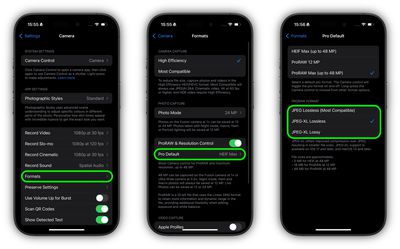
Here's how to choose between the new ProRAW Format options on iPhone 16 Pro models:
- Open Settings on your iPhone.
- Tap Camera.
- Tap Formats ➝ Pro Default.
- Under "ProRAW Format," choose between JPEG Lossless (Most Compatible), JPEG-XL Lossless, and JPEG-XL Lossy.
Note that JPEG-XL support is only available on devices running iOS 17 and later, and macOS 14 and later.
Related Roundup: iPhone 16
Related Forum: iPhone