

Stationery Pad is a handy way to nix a step in your workflow if you regularly use document templates on your Mac. The long-standing Finder feature essentially tells a file's parent application to open a copy of it by default, ensuring that the original file remains unedited.
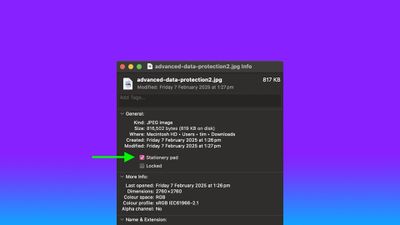
Stationery Pad doesn't get much attention these days, but it's a neat alternative to repeatedly editing templates and using the "Save As..." command, which can lead to overwriting the original file if you're not too careful.
Almost any file type can be defined as a template with Stationery Pad – it could be used to streamline common Photoshop jobs, create skeleton HTML/CSS files, or help with Word document invoicing. To make use of Stationery Pad, create the file you want to use as a template, then follow the steps below.
Define a File as a Template Using Stationery Pad
- Find the file in Finder that you want to use as a template.
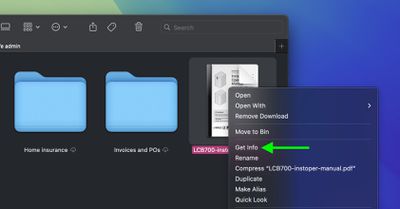
- Right-click (or Ctrl-click) the file and select Get Info in the contextual dropdown menu. Alternatively, click the file to select it and use the Command+I keyboard shortcut to launch Get Info.

- Check the Stationery Pad checkbox under the General section.
- Click the red traffic light button to close the Get Info window.
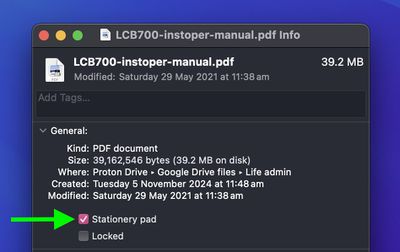
Next time you double-click the template file, Finder will create and open a copy of it, leaving the original untouched. To reverse the behavior, simply uncheck the Stationery Pad checkbox in the template file's Get Info window.




















Top Rated Comments
Seriously, "Make Template" would be so much less ambiguous.
Probably the best Mac tip going right now
Edit: After a little bit of playing around in an emulator, it looks like the feature was added in 7.