

It's taken this long, but in iOS 17, Apple has added support for multiple timers, and has also made it easy to manage several timers on iPhone with the introduction of labels.
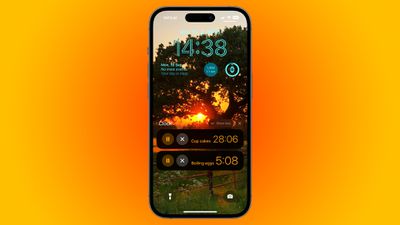
That's right. Believe it or not, iPhones have not included the ability to set multiple ongoing timers until now. In iOS 17, the Clock app finally enables several timers to be set that will run down at the same time, allowing you to keep track of more than one thing, which is handy when cooking a meal that includes several dishes, for example.
Not only can you have several timers counting down at the same time, you can also label timers, which helps you identify each one in your timer list. That way, you'll always know which timer relates to what, and you can save custom timers without having to remember what they were set up for.
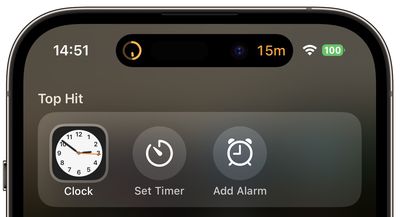
To quickly set a timer on iPhone, swipe down on the Home screen, search "timer," and tap the Siri Suggestion, or to set a timer with a name, say "Siri, set a timer called [name] for [duration]." Alternatively, open the Clock app and tap the Timers tab. In the timer setup options, select a duration, then tap the Label field and type in what you want to call it.
Choose a distinct alert for the timer if it helps you recognize it. Note that in iOS 17, you also have the option of selecting one of several preset durations in the setup screen. When a timer is set, it will be added to your editable list of timers. For added convenience, the list will also include any recently completed timers that you used.
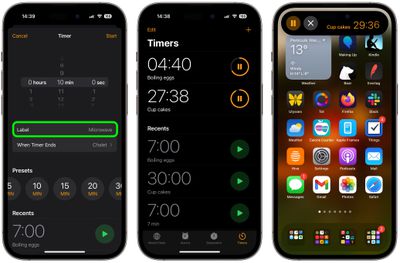
If your iPhone has a Dynamic Island, the last timer you set will appear inside it when you are doing other things on your device. The most recently set timer will also appear as a Live Activity on the Lock Screen, and you can tap to expand it and see any other timers that are running concurrently.





















Top Rated Comments
Now what I really really want is the ability to set the sound volume of my wakeup alarms so I don't wake up the whole neighborhood if I forget to turn down the volume before going to sleep. How hard that is?