

macOS Sierra, available today, includes a built-in storage optimization feature that's designed to free up storage space on a Mac by storing rarely used files in iCloud, regularly emptying the trash, removing unnecessary files, and more.
It's a handy feature that can give you a good amount of additional storage space with a set of tools that you normally had to download a third-party storage optimization app to use. Here's how to take advantage of Sierra's Optimize Storage feature:
- Click on the Apple logo at the top of the menubar and select "About This Mac" from the list of options.
- Choose the "Storage" tab at the top to see an overview of how much storage you're using on your Mac.
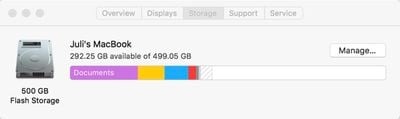
- Click on "Manage" to open up the optimization options.
When you open up Optimize Storage, there's a breakdown of where your files are stored and a list of recommended actions you can take to free up space, all of which is new.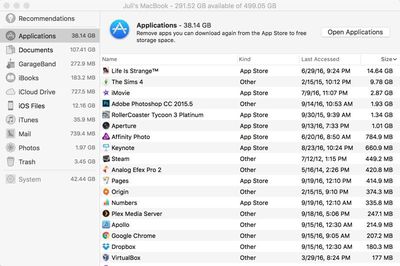
File storage on the Mac is broken down into the following categories: Applications, Documents, GarageBand, iBooks, iCloud Drive, iOS Files, iTunes, Mail, Photos, and Trash. Files can be organized by date, size, and type, so it's easy to see what's taking up a lot of space. Clicking on any file in a list will let you open the folder it's located in on the Mac, so it can be deleted.
In the "Recommendations" section of the Optimize Storage feature, there are a list of actions Apple thinks you should take to preserve space. For me, these recommendations suggested storing my files in iCloud, optimizing photo sizes, keeping only recent email attachments and removing iTunes movies and shows I've watched, emptying the trash automatically, and reducing clutter by finding files that don't need to be stored on my Mac. Depending on your usage habits, recommendations may vary.
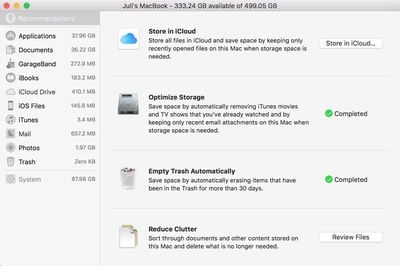
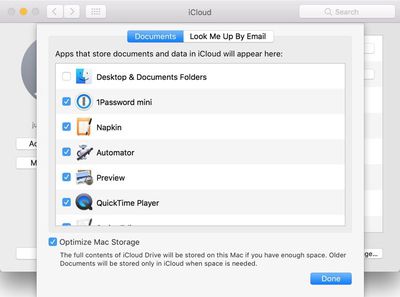
The "Store in iCloud" feature is linked to another new macOS Sierra function, which makes all documents stored on the desktop or in the Documents folder available across all devices. This can take up a lot of iCloud storage space (more than 50GB in my case) so it should be used with caution.
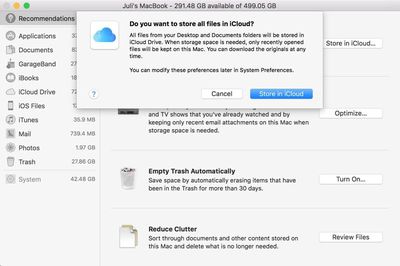
"Optimize Storage" offers preferences for automatically removing watched iTunes movies and TV shows (they're still available via iCloud) and downloading only recent attachments in Mail, features Apple said would save me a few hundred megabytes of space.
"Reduce Clutter" is a review of all documents on the Mac sorted by size, while "Empty Trash Automatically" is self-explanatory. An unmentioned feature makes sure there's space for all documents stored in iCloud Drive before downloading them onto a Mac. If there's not, older files will be kept in iCloud, while only the most recent files will be stored on the Mac itself.
A quick run through all of the storage optimization features netted me more than 40GB of space, but your mileage may vary based on how often you delete older files and empty the trash. It's fast, easy to use, and has some good storage saving tips that weren't previously available, so it's definitely worth checking out Optimize Storage after you install Sierra.




















Top Rated Comments
But, can someone explain what this "Purgeable Storage" is...?
I understand what it means literally, but what does macOS Sierra believe is "Purgeable"?