Apple Seeds Release Candidate Version of watchOS 10.2 to Developers
Apple today seeded the release candidate version of an upcoming watchOS 10.2 update to developers for testing purposes, with the update coming a week after Apple seeded the fourth watchOS 10.2 beta.
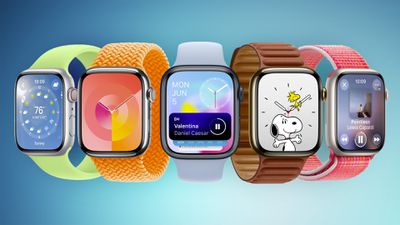
To install the watchOS 10.2 update, developers will need to open the Apple Watch app, go to the Software Update section under "General" in Settings, and toggle on the watchOS 10 Developer Beta. An Apple ID linked to a developer account is required.
Once beta updates have been activated, watchOS 10 can be downloaded under the same Software Update section. To install software, an Apple Watch needs to have 50 percent battery life and it must be placed on an Apple Watch charger.
watchOS 10.2 adds support accessing Health app data using Siri, though this feature is limited to the newest Apple Watches. The update also reintroduces an option to change watch faces by swiping left and right, along with a handful of other new features. Apple's release notes for the update are below.
watchOS 10.2 includes new features, improvements, and bug fixes, including:
- Access and log Health app data with Siri (Available on Apple Watch Series 9 and Apple Watch Ultra 2)
- Automatically view Now Playing when in proximity of HomePod (2nd generation) or HomePod mini playing media from Music or Podcasts (Available on - Apple Watch Series 6 and later and Apple Watch Ultra)
- Enable the ability to swipe to change watch faces in Settings
- Enable the ability to confirm ending workouts in Settings
- Prioritize the volume of either the music or trainers’ voices in most Fitness+ workouts
- Resolves an issue that can cause watch faces added in the Watch app on iPhone to not appear on Apple Watch
Apple is expected to release watchOS 10.2 to the public next week.
Popular Stories
Bloomberg's Mark Gurman has high expectations for Apple's first foldable iPhone.
In his Power On newsletter today, he said the foldable iPhone will be "the most significant overhaul in the iPhone's history."
"iPhone 4, iPhone 6 and iPhone X were clearly a big deal, but this is a whole new design," he said.
Like Samsung's Galaxy Z Fold 7, the foldable iPhone will reportedly open up like ...
iOS 26.5 is now available for developers, and while it doesn't include any new Siri capabilities, there are some major changes for the European Union, and smaller tweaks for features available worldwide.
Suggested Places
In the Maps app, there's a new "Suggested Places" feature that recommends locations to visit based on trending places nearby and recent searches. When Apple launches ads in ...
Apple today added the MacBook Air (13-inch, 2017) to its "vintage" products list, meaning the device is now only eligible for repairs at Apple Stores and Apple Authorized Service Providers if parts remain available.
The MacBook Air (13-inch, 2017) was the final MacBook Air model released before Apple redesigned the laptop and gave it a Retina display in 2018.
Apple also added all iPad...
Popular Stories
Apple today provided developers with the fourth betas of upcoming watchOS 26.4 and visionOS 26.4 betas for testing purposes. The software comes a week after Apple released the third betas.
The software updates are available through the Settings app on each device, and because these are developer betas, a free developer account is required.
watchOS 26.4 adds a new Average Bedtime metric to ...
Apple today seeded the release candidate versions of upcoming watchOS 26.4, tvOS 26.4 and visionOS 26.4 updates for testing purposes. The software comes a week after Apple released the fourth betas. Release candidates are the final updates that will be provided to the public in the near future if no final bugs are discovered.
The software updates are available through the Settings app on...
Apple today released watchOS 26.4, the fourth major update to the watchOS 26 operating system that came out in September. watchOS 26.4 comes a month and a half after Apple released watchOS 26.3.
watchOS 26.4 can be downloaded for free on an iPhone running iOS 26.4 by opening up the Apple Watch app and going to General > Software Update, or initiating an update in the Settings app on the...