As the name suggests, the big draw of Apple's FaceTime is its ability to make free video calls, but you can also make free audio calls over FaceTime just as easily.
If you start a FaceTime audio call on your iPhone and iPad, you can switch to FaceTime video any time you like in mid-conversation. The following steps show you how it's done.
- If you're not already on a FaceTime audio call, start one by launching the FaceTime app, select a contact to call and then tap the Audio button.
- Tap on the screen to bring up the call controls.
- Swipe up from the top of the controls panel.
- Tap the Camera Off button.

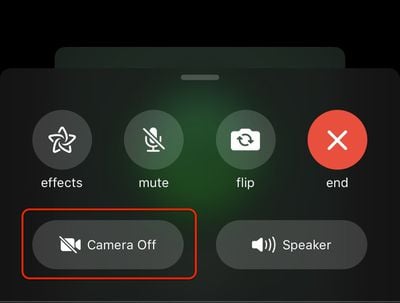
Simply tap the same Camera setting to turn it back off again.
Tag: FaceTime Guide