Apple Posts Step-by-Step Guide to Activating 3G Service on iPad Wi-Fi + 3G
With pre-orders for Apple's new iPad Wi-Fi + 3G models being delivered today and Apple retail stores gearing up for a 5:00 PM start to in-store sales, Apple has posted a new support document offering a step-by-step guide to setting up 3G service for the device through AT&T. The information expands upon a feature posted last month on Apple's iPad site and a fact sheet published by AT&T earlier this week.
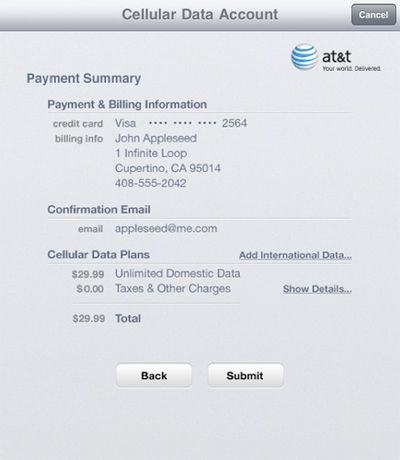
The guide provides a series of screenshots to show users the exact process for activating 3G service on their new iPads, from adding contact information and creating a login account to selecting a data plan and entering payment information.
The process also includes a review of the Terms of Service for AT&T, and upon agreement with the terms, displays a payment summary for the activated plan. International data can also be managed through this screen and must be added before leaving the United States.
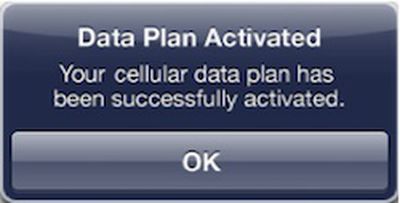
Once completing the signup process, it may take several minutes for 3G service to be activated, but customers can use their iPad as normal on Wi-Fi and will be notified by an alert once the plan is activated.
Popular Stories
Update 10:04 a.m.: iOS 27 is rolling out now, though it may take a bit for all users to see it, so keep checking!
Apple is about to release iOS 27, which will finally deliver more advanced Siri AI capabilities as well as a variety of other refinements, improvements, and new features to iPhones. It's Apple's biggest software update of the year, and Apple announced at Wednesday's iPhone event...
Update — 10 a.m. Pacific Time: Apple has released iOS 27.
During its iPhone 18 Pro and iPhone Duo event last week, Apple announced that iOS 27 will be released widely on Monday, September 14.
iOS 27 should be available around 10 a.m. Pacific Time / 1 p.m. Eastern Time today via the Settings app, under General → Software Update.
Below, we have highlighted eight new features and...
Apple today announced a new subscription initiative that turns paid iCloud+ subscriptions into a broader services bundle in more than 100 countries.
In select countries, Apple says every paid iCloud+ plan, including the cheapest 50GB tier, now includes Apple TV and Apple Arcade "at no additional cost," while family sharing extends the storage, TV and Arcade access to up to five people....