iOS 5 Beta Available for Devs, First Hands On, and Gallery - MacRumorsOpen MenuShow RoundupsShow Forums menuVisit ForumsOpen Sidebar
Skip to Content

iOS 5 Beta Available for Devs, First Hands On, and Gallery

4ded50c31c652110606221219 4ded50eab1714110606221258

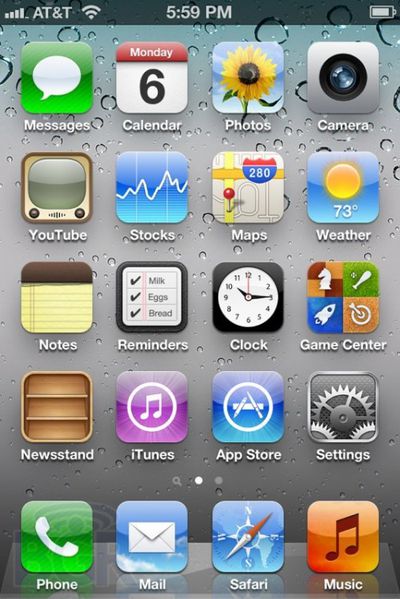
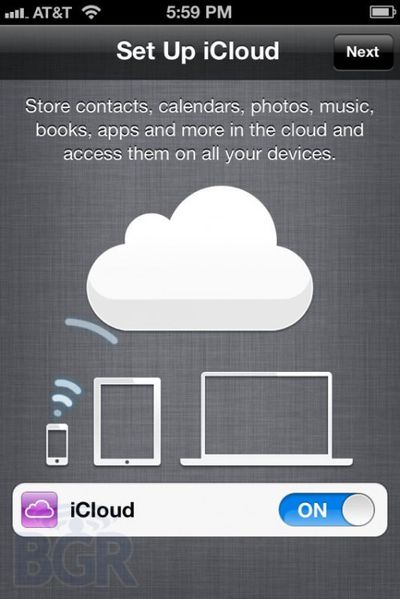
BGR posts a hands on and screenshot gallery of the newly released iOS 5 developer beta which adds a number of new features to iOS. Here are some early observations:

• Preference to open pages in Safari in a new page or in background (amazing!).
• More alert choices for emails, calendar, and the ability to buy more.
• Ability to create keyboard shortcuts (autotext) to replace custom phrases. The default entry is “omw” which is replaced with, “On my way!”
• Software update option in settings to check for the latest OS.
• Sync now button to wireless sync to iTunes
• Ability to customize how notifications in Notification Center look — you can customize how many recent ones to show, 1, 5 or 10, if it’s showed in the lock screen, if it’s in Notification Center, and also the alert style, banner or alert style.

iOS 5 is due for general release in the fall, and is presently available for download for registered iOS developers.

Popular Stories

macOS 27 on MacBook Pro

Apple Says macOS 27 Won't Be Compatible With These Macs

Wednesday June 3, 2026 8:29 am PDT by
During WWDC 2025, Apple revealed that macOS 26 Tahoe would be the final major macOS version for Intel-based Macs. macOS 27 will be compatible with Apple silicon Macs only, meaning that you will need a Mac with an M-series chip or a MacBook Neo with an A18 Pro chip in order to install the software update. Apple will unveil macOS 27 during its WWDC 2026 keynote this Monday, June 8, and the...
MacBook Neo on Yellow Feature

MacBook Neo is So Popular That Apple Reportedly Doubled Production

Wednesday June 3, 2026 9:24 am PDT by
On an earnings call in late April, Apple's CEO Tim Cook said that customer response to the MacBook Neo was "off the charts," and the popularity of the laptop has reportedly led the company to significantly boost production. Apple supply chain analyst Ming-Chi Kuo this week said he believes that MacBook Neo shipments to Apple were doubled from an initial target of 5 million units to 10...
iphone 18 pro blue%402x

iPhone 18 Pro: Dark Cherry, Light Blue, and Dark Gray Chassis Leaked [Update]

Thursday June 4, 2026 5:18 am PDT by
Update: Since publication, new information has come to light suggesting the images have been AI-manipulated and are not in fact iPhone 18 Pro chassis parts. The original article follows. The color options Apple is reportedly planning for the upcoming iPhone 18 Pro and ‌iPhone 18 Pro‌ Max have appeared online today in the form of images of chassis parts of unknown authenticity....

Top Rated Comments

196 months ago
Can you FINALLY attach a picture within the Mail app to an email???

This was only possible to do via the photo film roll (totally backwards)

In fact can you now attach anything from within the mail app e.g. docs, pics instead of the photo / pages app
Score: 11 Votes (Like | Disagree)
196 months ago
I bet intelliscreen and lockinfo devs are sighing and saying well, it was a nice run.
Score: 9 Votes (Like | Disagree)
ThE.MeSsEnGeR Avatar
196 months ago
hey guys keep on checking this page! it updates every now and then...

iOS 5 Hands-On (http://www.bgr.com/2011/06/06/apple-ios-5-iphone-ipad-2-hands-on/)


* Preference to open pages in Safari in a new page or in background (amazing!).
* More alert choices for emails, calendar, and the ability to buy more.
* Ability to create keyboard shortcuts (autotext) to replace custom phrases. The default entry is “omw” which is replaced with, “On my way!”
* Software update option in settings to check for the latest OS.
* Sync now button to wireless sync to iTunes
* Ability to customize how notifications in Notification Center look — you can customize how many recent ones to show, 1, 5 or 10, if it’s showed in the lock screen, if it’s in Notification Center, and also the alert style, banner or alert style.
* Twitter installs directly from the settings page if it’s not installed directly, you aren’t even taken to the App Store.
* FaceTime button in iMessage messages at the top now
* Tweeting photos is, so so slick. It displays on Twitter as powered by Photobucket, and it’s from iOS.
* There’s a new option to print out from the Maps app… hilarious.
* You can make new albums right from the device itself in Photos.
* You can move and add photos to albums.
* Doesn’t look iMessage is fully baked in here yet.
* You can customize the default alert times. This is so needed — so now when you enter a calendar entry, you don’t have to set the default alert time you like — I’m a 15 minute calendar alert type of guy.
* Email flagging doesn’t look to be enabled in this beta, though S/MIME support is. Never mind, it is. You have to go into the message and tap “mark”.
* It seems that Reminders sync with Exchange (Tasks basically), but you can’t set location-based reminders if you’re on Exchange, just with iCloud. You can selectively choose where to sync the reminder though, it’s just not streamlined if you use Exchange.
* You can set the caller ID for FaceTime calls, so if you call someone, you can choose it to display your cellular number or email address.
* In the weather app, there is a new pane for a current location which will show you weather for wherever you are.
* When syncing with iTunes you can use the device normally ‚ no more syncing screen!
* You can delete individual calls from the call list — I know a lot of people that just got super excited.
Score: 8 Votes (Like | Disagree)
196 months ago
I'm really curious how this is going to work with multiple users using the same Apple ID and iCloud account.

Me to. My wife and I use the same Apple ID.
Score: 7 Votes (Like | Disagree)
WeegieMac Avatar
196 months ago
I'm not a fan of all-CAPS for the folders

Eh? It's his phone, who cares what you're a fan of when it comes to his personal choice of set up?

Jesus ...
Score: 6 Votes (Like | Disagree)
cmaier Avatar
196 months ago
You could always just use separate Apple IDs for stuff like this. Same with stuff like Game Center.
No you can't, at least not if you want to share iTunes purchases (or share an "itunes match" yearly purchase).
Score: 6 Votes (Like | Disagree)