

One of the new features of iOS 5 is the ability to purchase alert tones from the iTunes Store. Users have long been able to purchase and create custom ringtones, but the ability to customize text tones is new.
The process for creating custom alert tones is identical to creating custom ringtones. iOS 5 now offers the ability to select full-length ringtones as a text message alert. To create a custom Alert Tone, simply make a "ringtone" of the proper length (2-5 seconds) and select it as the text message alert in Settings/Sounds.
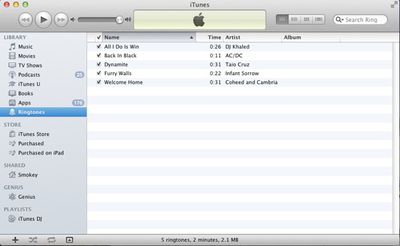
Italian Apple site Melaspazio.it [Translation] noted process was the same as creating ringtones. There are a few ways to create custom ringtones. The easiest option is a dedicated app like Ringer from Pixel Research Labs. This $3.99 app, available on the Mac App Store, creates custom-length audio-files directly from the iTunes Library, including fade-ins and -outs. It converts them properly and sends them directly to iTunes for syncing.
For users who don't want to pay to create a custom ringtone, there is a free option. Simonblog has the full instructions with screenshots, but here's the summary:
- Select a song in iTunes, right-click it and select "Get Info"
- Click the Options tab and use the "Start Time" and "Stop Time" to control the exact length of the sound file you want. Close the Get Info window.
- Right-click the song and select "Create AAC Version"
- Right-click the newly created song and select "Show In Finder"
- Change the file extension from .m4a to .m4r
- Head back to iTunes and right-click the newly created song. Select "Delete" and then click "Remove" to remove the song from the iTunes Library -- but then select "Keep File" so the actual ringtone doesn't get deleted.
- Finally, head back to the Finder and double-click the .m4r file. It will automatically add itself to iTunes as a Ringtone, ready to be synced with your iPhone.
If you're going to use a file as a text tone, be sure to keep it short or you'll be hearing 30 seconds of AC/DC's Back In Black every time you get a text. GarageBand can be used to create custom ringtones as well.




















Top Rated Comments
Haha!
atleast someone's parents know how to text
Spotted this one right away :D
These are the instructions I sent to my mates yesterday:
Tested the custom text tones facility on iOS5. Works a treat with iRinger. Go to http://www.iringer.net/ to get the latest version, import the file you want as a tone, export it as a text tone (CAF) then tick export to iTunes, click go, go to iTunes and drag the alert tone (from ringtones) onto your phone. On the phone go to settings > sounds > text tone > pick your new tone and tada! What's even better is that now if you look at your contacts and edit there is a custom field for text tone so you know who text you just from the alert :)