Apple Releases Apple TV Software 4.4.2 to Resolve Updating Issues - MacRumorsOpen MenuShow RoundupsShow Forums menuVisit ForumsOpen Sidebar
Skip to Content

Apple Releases Apple TV Software 4.4.2 to Resolve Updating Issues

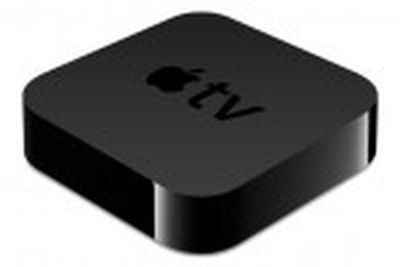
apple tv 2010 obliqueEarlier this month, Apple released Apple TV software version 4.4, adding a number of new features to the set-top box including Photo Stream support, AirPlay mirroring, and NHL and Wall Street Journal content. The update was not without its issues, however, as a number of users reported that the update temporarily bricked their devices, requiring that they be connected to iTunes with a micro USB cable that is not included with the device.

Less than a week later, Apple released version 4.4.1 of the Apple TV software to address some of those previous issues, but the new update was also met with complaints of Apple TVs needing to be connected to iTunes to restore. Apple quickly pulled the update and re-released it a day later, presumably fixing the issues.

Apple has now released yet another software update for the Apple TV, pushing out version 4.4.2 today to hopefully resolve the issues once and for all. Apple details some of the issues in a support document addressing the update.

Apple TV devices with software version 4.4 and 4.4.1 have an issue with updating software to later versions. The recommended way to resolve this is go to Settings -> General -> Reset -> Reset All Settings, prior to updating. Note: If you apply the software update without resetting all settings first, the updater will reset the settings for you.

Once the Apple TV has been reset, you can then successfully update to the latest software by going to Settings -> General -> Update Software.

We recognize that this is an inconvenience and apologize.

The $99 Apple TV set-top box offers access to a wide variety of media sources and features, including TV and movie content from the iTunes Store, Netflix streaming, sports content, AirPlay streaming, and iCloud integration. The company is also set to be working on an actual connected television set, with those rumors receiving significant attention in recent days.


Related Roundup: Apple TV
Buyer's Guide: Apple TV (Don't Buy)

Popular Stories

General visionOS watchOS and tvOS Betas Feature Redux

Apple Releases Third watchOS 26.6, tvOS 26.6 and visionOS 26.6 Betas

Monday June 29, 2026 10:08 am PDT by
Apple today provided developers with the third betas of upcoming watchOS 26.6, tvOS 26.6, and visionOS 26.6 betas for testing purposes. The software comes two weeks after Apple seeded the second betas. The software updates are available through the Settings app on each device, and because these are developer betas, a free developer account is required. There's no word on what's in the...
Apple TV 2025 Thumb 2 Sans Text

iOS 27 Lets You Update Your Apple TV Using Your iPhone

Tuesday June 23, 2026 9:09 am PDT by
If the idea of digging out your Siri Remote to install a tvOS update on your Apple TV sounds like too much effort, Apple's upcoming iOS 27 software will have a new feature you'll surely welcome. Based on the latest iOS 27 beta 2, you can push Apple TV software updates straight from your iPhone, and you don't even need to turn the Apple TV on first. Apple's set-top box now appears in the...
Chase Sapphire Reserve Apple Perk Feature

Chase Sapphire Credit Cards Offering New Apple TV and Apple One Perks

Wednesday June 24, 2026 7:00 am PDT by
Chase recently introduced new Apple TV and Apple One perks for its Sapphire Preferred and Sapphire Reserve credit cards in the United States. Sapphire Preferred cardholders ($95 annual fee) are now eligible to receive a complimentary one-year Apple TV streaming subscription, or a $7.50/month discount on an active Apple One subscription for 12 months instead. Sapphire Reserve cardholders...

Top Rated Comments

192 months ago
Was sitting here waiting for it to finish updating, then I hear "WELCOME TO APPLE TV" blasting from my speakers.

Apple please turn off that automatic speaking. Almost gave me a heart attack.
Score: 4 Votes (Like | Disagree)
192 months ago
just get the Remote app for your iPhone/iPod touch/iPad and use the keyboard from there. I dont even know where my aluminum remote is anymore, because the Remote app is so good and works really well. I couldn't stand entering in text with the included remote

That's fine if the Apple TV is ALREADY set up. I think the issue is that all settings have been erased, and there is a need to re-enter the wi-fi settings, etc. The Remote app doesn't help if it can't see the Apple TV.
Score: 2 Votes (Like | Disagree)
Kaibelf Avatar
192 months ago
Was sitting here waiting for it to finish updating, then I hear "WELCOME TO APPLE TV" blasting from my speakers.

Apple please turn off that automatic speaking. Almost gave me a heart attack.

I disagree - this is a VERY small thing considering it may help the visually-impaired immediately. Sounds like you just needed to turn down your speakers a tad ;)
Score: 1 Votes (Like | Disagree)
192 months ago
Someone help me out here...

Now it says "AirPlay Mirroring". Is this AirPlay as we already know it, where we can only show Video, Photos, and cooperating Apps on the TV?

OR...

Is it actual Mirroring, where we can now see our iPhone 4S and iPads on the TV completely, as if we were using the Digital AV Adapter and we can see EVERYTHING we do on the phone???


Yes, Mirroring everything on the iPad 2 / iPhone 4S.
So to make sure we're on the same page... I can now AirPlay onto the TV what I'm doing as I'm Browsing the internet, clicking on icons, etc., etc?

I could've saved myself the time of buying a Digital AV Adapter last night! I planned on returning it today, just because there were too many wires involved, and I could've saved myself the trouble of returning this on my lunch break!
Score: 1 Votes (Like | Disagree)
192 months ago
Someone help me out here...

Now it says "AirPlay Mirroring". Is this AirPlay as we already know it, where we can only show Video, Photos, and cooperating Apps on the TV?

OR...

Is it actual Mirroring, where we can now see our iPhone 4S and iPads on the TV completely, as if we were using the Digital AV Adapter and we can see EVERYTHING we do on the phone???[/QUOTE]
Yes, Mirroring everything on the iPad 2 / iPhone 4S.
Score: 1 Votes (Like | Disagree)
johnnymg Avatar
192 months ago
Updated with no issues. :D
Score: 1 Votes (Like | Disagree)