 iTunes 11 has finally arrived, nearly a month after it was originally promised because of the need to "get it right" according to Apple. The app promises a redesigned store, simplified layout, and more.
Aside from the tentpole changes, there are a number of other things -- both promising and confusing -- that have changed in iTunes 11. Here's a selection:
- The default iTunes 11 view removes the sidebar that has been a staple of iTunes since it was first released. The Mac Observer tells us how to get it back. Head to the View menu and select Show Sidebar.
- iPods have come in a wide variety of capacities in their time, but one notable capacity has never graced the device. There has never been a 128GB iPod, though as Sonny Dickson points out, iTunes appears to be ready for such an eventuality. A 128GB iOS device has been consistently rumored over the years, but has yet to make an appearance.
- Users can now redeem store-purchased iTunes Gift Cards by using the camera built into most recent Macs (or Windows machines) to scan the redemption code. This should make redeeming cards quicker and reduce user frustration.
- It has a new icon, as seen above.
- The red/yellow/green buttons at the top left of the window again perform in the standard OS X manner. Previously, the green button would send the iTunes into its special MiniPlayer window. Now, a special icon in the top right corner, next to the full screen button, toggles minimization.
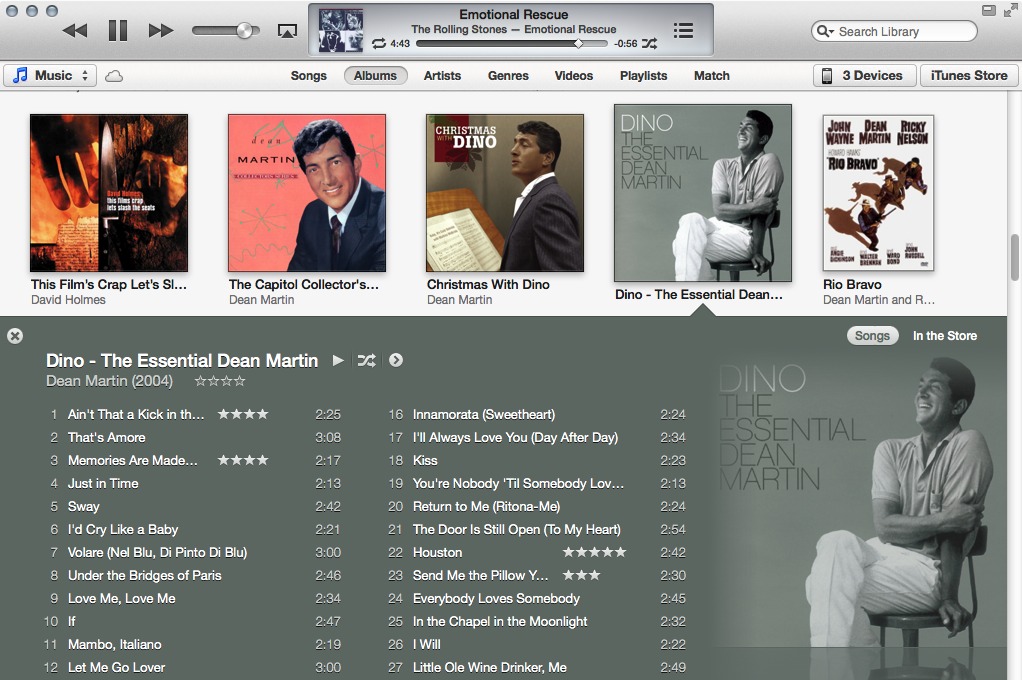
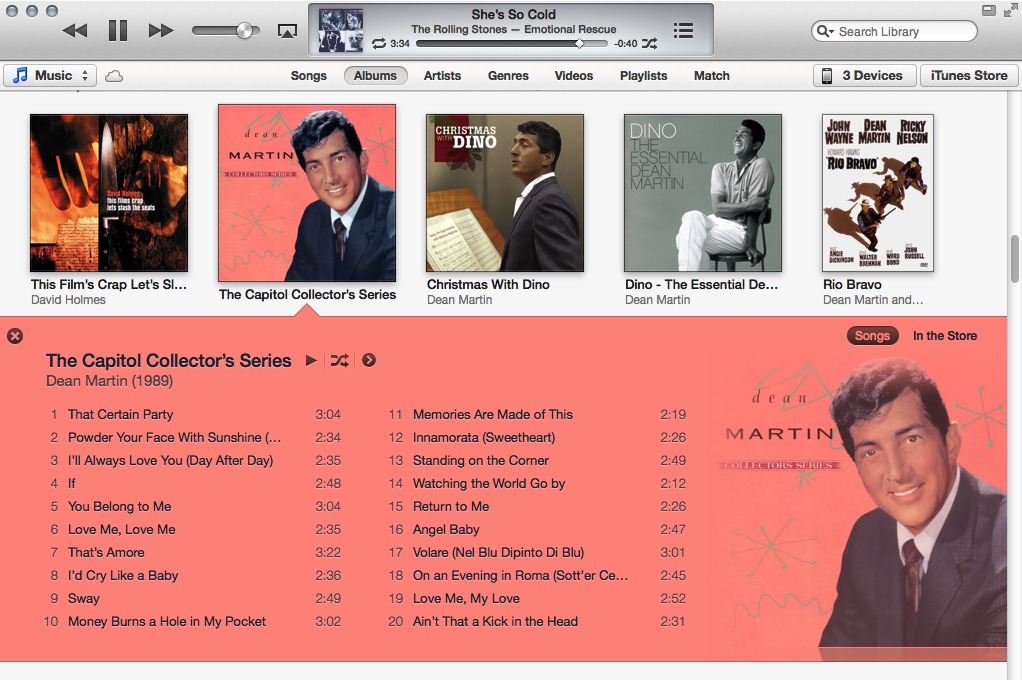
- John Gruber at Daring Fireball notes the new 'Expanded View' mode:
I think my favorite new design element is what Apple is calling “Expanded View”. In a graphical list of albums or movies or shows, you click one and it opens in a subview right there under the album/movie/show. Instead of going to a new view, you stay where you are. No way to get confused about where you are, more of a sense of direct manipulation. I think this is a brilliant design for everyone, particularly typical users. And there’s a neat trick: the colors for the song listing are chosen algorithmically based on the album or poster art. (Examples: here and here.) Very clever, very fun. It’s a digital approximation of going through real-world albums or DVD jewel boxes and opening them in place — with the custom color palettes, the listings feel like the “inside” of the albums.
- Gruber also noticed that the 'Up Next' menu displays differently on retina and standard displays. "On regular displays, the Up Next icon is a bullet list. But on retina displays, it’s a numbered list with minuscule numerals."
- iTunes DJ, formerly called Party Shuffle, is gone. It's been replaced by the clever 'Up Next'.
- Cover Flow, a major feature when it was introduced, is gone. It's been replaced by the 'Expanded View' mentioned above.
- There seems to be a bug with the AirPlay button. The button, which has been moved from the bottom right to the top left of the main window is missing for some users. Some have reported restoring the button by going to the MiniWindow and activating AirPlay there and it will then appear in the main window. Not all users are affected by the issue, however.
- Many users are reporting label issues within the iTunes and App Stores. As the stores are basically glorified web pages, these issues will likely be fixed server side while Apple gets the bugs shaken out.




/https://forums.macrumors.com/proxy.php%3Fimage=http://komplexify.com/images/2012/Picard-YES-meme.jpg&hash=17eb5b6a9c50c939c31aa9e350a101f0)