

Resetting Network Settings May Fix iMessages Not Working in iOS 7 - MacRumorsOpen MenuShow RoundupsShow Forums menuVisit ForumsOpen Sidebar
Skip to Content

Resetting Network Settings May Fix iMessages Not Working in iOS 7

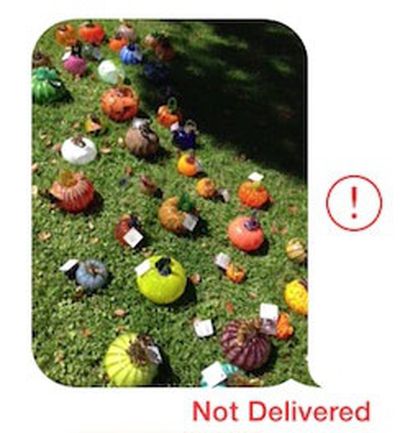
imessage_not_delivered_cropSince the release of iOS 7 earlier this month, a number of users have been complaining about issues with iMessages failing to be sent or received from their iOS devices.

While Apple's iMessage service has suffered from occasional outages, including a minor one documented on the company's System Status page earlier today, some users have been complaining of multi-day outages on their devices, suggesting that something more than a simple service problem may be occurring. Anecdotal reports have indicated that the issue may have worsened with last week's release of iOS 7.0.2, but reports of problems do date further back than that.

Some users have reported that turning their iOS devices off and back on fixes the problem, while others indicate that the solution has not worked for them. In our own testing with a device experiencing difficulties, the following steps appear to have fixed the issue (Note: this will cause your device to forget previously entered Wi-fi passwords)

1. Turn off iMessage in Settings > Messages
2. Reset networking settings in Settings > General > Reset
3. Reenable iMessage in Settings > Messages

Many users are reporting that these failed iMessages are also not falling back to traditional text messages as should occur when iMessage is unavailable. Instead, the iMessages simply hang during the sending process and eventually show as undelivered.


Related Forum: iOS 7

Popular Stories

iCloud iPhone 17 Pro

iPhone Users Who Pay for iCloud Storage Get Two New Perks on iOS 27

Thursday July 2, 2026 6:10 am PDT by
If you pay for certain iCloud+ storage plans beyond the 5GB that Apple offers for free, you will receive two more perks on iOS 27 at no additional cost. A summary of the two new iCloud+ perks on iOS 27:Increased daily usage limits for some new Apple Intelligence features, including image generation in the revamped Image Playground app. HomeKit Secure Video cameras receive generated video...
iPhone 4 on Black Feature

Apple Facing One of Its Worst Leaks Since the iPhone 4

Thursday July 2, 2026 9:53 am PDT by
Apple supplier Tata Electronics recently suffered a cyberattack that resulted in thousands of confidential files being published on the dark web, and this reportedly included some photos and documents related to the upcoming iPhone 18 Pro. We have elected not to share any of the leaked photos in this story due to the illegal nature in which they were obtained, but they can easily be found...
American Express Gold Apple Pay Feature

American Express Announces New Apple Pay Feature

Tuesday June 30, 2026 10:27 am PDT by
American Express today announced that you can now redeem Membership Rewards points when checking out with Apple Pay on the web and in apps on the iPhone and iPad. When checking out with Apple Pay on iOS 18 or iPadOS 18 or later, tap on your eligible American Express card (Platinum, Gold, Green, and others) and select the Membership Rewards points option. You can use points to cover all or...

Top Rated Comments

.Andy Avatar
167 months ago
1. Turn off iMessage in Settings > Messages
2. Reset networking settings in Settings > General > Reset
3. Reenable iMessage in Settings > Messages
MacRumors content image
Score: 24 Votes (Like | Disagree)
trainwrecka Avatar
167 months ago
Another thing to check is your service provider. If it says "Sprint" please put iMessage in the "OFF" position.
Score: 18 Votes (Like | Disagree)
BC2009 Avatar
167 months ago

But some iMessages never got thru to me. I know, they were from my wife.

Some might consider that a feature. Built-in excuse for failure to respond.
Score: 11 Votes (Like | Disagree)
167 months ago
Too glad I'm still on iOS 6
Score: 7 Votes (Like | Disagree)
ThunderSkunk Avatar
167 months ago
Dammit, iOS Vista...
Score: 4 Votes (Like | Disagree)
167 months ago
I just had to restart my iphone. Then it worked again.

But some iMessages never got thru to me. I know, they were from my wife.
Score: 4 Votes (Like | Disagree)













