

Apple Preparing Fix for Sleep/Wake Crashes in 2013 MacBook Airs - MacRumorsOpen MenuShow RoundupsShow Forums menuVisit ForumsOpen Sidebar
Skip to Content

Apple Preparing Fix for Sleep/Wake Crashes in 2013 MacBook Airs

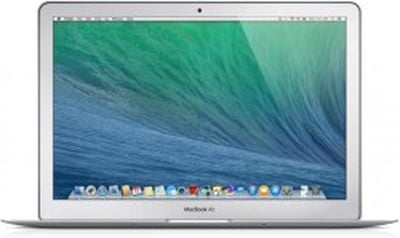
macbook_air_mavericks_roundup_headerApple is preparing an update to fix an issue that causes 11 and 13-inch 2013 MacBook Airs to crash when they are wakened from sleep, according to information from an Apple Authorized Service Provider.

According to multiple lengthy threads on the Apple Support Communities, 2013 MacBook Air users have been experiencing sleep/wake issues for several months. Crashes, freezes, and blank black screens are common after waking a MacBook Air from sleep, and fixing the problem requires a hard restart.

It appears that the problem is related to OS X Mavericks and requires a combination of the computer going to sleep and a press on the keyboard or touchpad to initiate. One user has been able to successfully re-create the problem by pressing the power button to put the MacBook Air to sleep and then immediately clicking on the touchpad, which causes the machine to freeze.

The service provider that notified MacRumors about the update has said that it appears to be a bug in the sensor that detects when the lid is being opened, which has led to multiple machine returns and replacements as it was previously unclear whether it was a hardware issue or a software issue.

An Apple Support representative has also confirmed that a fix is in the works and should be bundled with the next OS X Mavericks update, which likely points to 10.9.2. A user on Apple's support forums has noted that 10.9.2 beta 4 appears to fix part of the problem by altering the function of the power button, preventing the machine from going to sleep when the power button is mis-tapped.

Ahead of the update, customers who are experiencing sleep/wake crashes with their MacBook Airs appear to be able to repair the problem with a restart.


Related Roundup: MacBook Air
Buyer's Guide: MacBook Air (Neutral)
Related Forums: MacBook Air, OS X Mavericks

Popular Stories

apple price hike

Apple Just Increased Prices on MacBooks, iPads, and More

Thursday June 25, 2026 5:44 am PDT by
Apple today dramatically increased device prices across multiple product lines. Subscribe to the MacRumors YouTube channel for more videos. After temporarily taking it down earlier today, Apple's online store is back up with a series of product price increases. The changes are as follows: HomePod mini: $129, up from $99 (+$30) HomePod: $349, up from $299 (+$50) Apple TV: $199, up from...
2026 Macs and Studio Display 2 Feature

Apple Adds More 2026 Macs and Studio Display 2 to Refurbished Store

Friday June 26, 2026 7:12 am PDT by
Earlier today, we reported that Apple added the MacBook Neo to the refurbished store on its website, and it turns out the new additions go beyond that. The other products added to Apple's refurbished store in the U.S. and Canada for the first time today include the MacBook Air with the M5 chip, MacBook Pro models with M5 Pro and M5 Max chips, and the second-generation Studio Display (2026)....
iPhone 18 Pro Deep Red Feature

iPhone 18 Pro Launching in Two Months With These 12 New Features

Friday July 17, 2026 10:39 am PDT by
It is now mid-July, and that means the iPhone 18 Pro and iPhone 18 Pro Max are now just two months away. The devices are expected to look similar to the iPhone 17 Pro and iPhone 17 Pro Max, but there will still be many year-over-year changes, with rumored features including a smaller Dynamic Island, 5G via satellite, and more. Apple is expected to unveil the iPhone 18 Pro, iPhone 18 Pro Max, ...

Top Rated Comments

162 months ago
If you try to wake me too soon after I have gone to sleep -- I too will freeze up and crash. It is not just an Mac Air problem. :D
Score: 15 Votes (Like | Disagree)
162 months ago
Its not just the Mac Book Air that has this problem. My MBP has been having this crash problem for 2 years.
Score: 11 Votes (Like | Disagree)
needfx Avatar
162 months ago
at least the MBAs are not falling asleep and crashing against each other
Score: 9 Votes (Like | Disagree)
casperes1996 Avatar
162 months ago
I've been asked about this

I've been asked about this a few times. I always thought it was a user error, as the girl who asked me had never used a Mac before her Air, and was, no offense to her and god bless her, not exactly gifted when it comes to electronics...

Moral: Don't judge users when they report issues... And actually read up on it before you assume them to blame... At least now I have good news for her.
Score: 8 Votes (Like | Disagree)
162 months ago
About ********** time. I've been having this problem since October.
Score: 8 Votes (Like | Disagree)
162 months ago
I was working on this for my father-in-law today...frustrating issue for sure.

I fiddled with some of the sleep and hibernate settings in the Terminal to see if I could either replicate or fix the problem. I don't know if I was able to cure it by changing a couple very specific parameters (this is an intermittent issue on his Air) but I was able to freeze it on command.

Was pretty simple - in the terminal I just used a sleep now command, then attempted to "intercept" the sleep (or wake it up I guess you could say) by touching the spacebar as the system started to sleep. Trying to wake it just as the keyboard lights went out would freeze it every time. The backlight and keyboard would light back up but the screen would stay blank and a hard reset was the only way to get back in.

Whether this has anything to do with the power button or a lid sensor I do not know...but I wasn't closing the lid or touching the power button in any way and could freeze it at will.

As much as I like Mavericks, I sure do see a lot of problems with it. Lazy icons, sleep issues, wireless connectivity issues, etc. - across the board, and having little or nothing to do with hardware. All of it since Mavericks.

I think that a lot of it relates to trying to make an OS as power-friendly as possible and the hardware not being able to keep up. Too many different hardware combos to try to smother their power use with software and drivers that try to make it all work on the knife-edge of power consumption.

Let's get this fixed, folks.
Score: 4 Votes (Like | Disagree)













