

Microsoft's Office for iPad Apps Gain Printing Capabilities - MacRumorsOpen MenuShow RoundupsShow Forums menuVisit ForumsOpen Sidebar
Skip to Content

Microsoft's Office for iPad Apps Gain Printing Capabilities

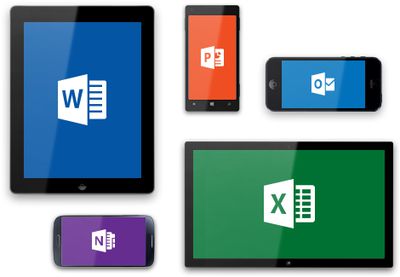
Microsoft's Office for iPad apps, including Word, Excel, and PowerPoint received their first major update today, gaining the printing capabilities that were notably absent when the apps launched back in March. The lack of an ability to print documents directly from the apps was a major complaint in initial reviews of the mobile productivity suite.
microsoftoffice
According to an official blog post, all three apps will gain the ability to print over-the-air to an AirPrint-compatible printer.

Your top request is here! You can now print Word documents, Excel spreadsheets, and PowerPoint presentations to an AirPrintTM printer. In Word for iPad, you can choose to print a document with or without markup. In Excel, print a selected range, a single worksheet or an entire spreadsheet. Of course, you can select the pages or slides you want to print.

Along with printing capabilities, the apps have gained a few other highly-requested features, including SmartGuides for PowerPoint and AutoFit for Excel. While SmartGuides help PowerPoint users align pictures, shapes, and textboxes on a slide page, AutoFit will let Excel users adjust the width and height of multiple rows and columns at once.

Each update also includes a number of bug fixes, along with a note from Microsoft outlining its commitment to continually improving its Office for iPad apps. "We're already working on the next update," reads the post.

All of the updates are currently available and can be downloaded from the App Store for free, but editing and creating documents requires an Office 365 subscription. Microsoft OneNote has also been updated with bug fixes.

- Microsoft Word for iPad [Direct Link]
- Microsoft Excel for iPad [Direct Link]
- Microsoft PowerPoint for iPad [Direct Link]
- Microsoft OneNote for iPad [Direct Link]


Popular Stories

iCloud iPhone 17 Pro

iPhone Users Who Pay for iCloud Storage Get Two New Perks on iOS 27

Thursday July 2, 2026 6:10 am PDT by
If you pay for certain iCloud+ storage plans beyond the 5GB that Apple offers for free, you will receive two more perks on iOS 27 at no additional cost. A summary of the two new iCloud+ perks on iOS 27:Increased daily usage limits for some new Apple Intelligence features, including image generation in the revamped Image Playground app. HomeKit Secure Video cameras receive generated video...
iPhone 4 on Black Feature

Apple Facing One of Its Worst Leaks Since the iPhone 4

Thursday July 2, 2026 9:53 am PDT by
Apple supplier Tata Electronics recently suffered a cyberattack that resulted in thousands of confidential files being published on the dark web, and this reportedly included some photos and documents related to the upcoming iPhone 18 Pro. We have elected not to share any of the leaked photos in this story due to the illegal nature in which they were obtained, but they can easily be found...
American Express Gold Apple Pay Feature

American Express Announces New Apple Pay Feature

Tuesday June 30, 2026 10:27 am PDT by
American Express today announced that you can now redeem Membership Rewards points when checking out with Apple Pay on the web and in apps on the iPhone and iPad. When checking out with Apple Pay on iOS 18 or iPadOS 18 or later, tap on your eligible American Express card (Platinum, Gold, Green, and others) and select the Membership Rewards points option. You can use points to cover all or...

Top Rated Comments

teknikal90 Avatar
159 months ago
Shipping Office without print support was an odd decision

so was shipping the iphone without 3g, cut and paste, mms or video recording capabilities
Score: 20 Votes (Like | Disagree)
longofest Avatar
159 months ago
We bought an Office365 subscription once Office for iPad came out so that my wife could use her iPad more for work, and from what she's told me, it has been pretty good. She tried to use the iWork apps and really struggled with them, finding them unintuitive and difficult to use in a tablet environment besides some pretty bad compatibility issues sometimes. So far none of those complaints from Office365, though she hadn't tried to print yet, so this update is certainly welcome.

For a subscription fee, Microsoft better not sit still.
Score: 17 Votes (Like | Disagree)
159 months ago
Shipping Office without print support was an odd decision

Shipping iOS without useable printing support as well.
Score: 12 Votes (Like | Disagree)
159 months ago
Printing is great, a subscription is not.

Any software that requires a monthly subscription - not interested, will not use.
Score: 11 Votes (Like | Disagree)
159 months ago
To those people who complain about subscriptions - many Apple fans were content to pay MobileMe subscriptions for many years.

"But MobileMe was a service" you say. Well, Microsoft is moving its business model to Devices and Services, of which it sees Office as a Service.

I don't mind the subscription at all.
Score: 10 Votes (Like | Disagree)
159 months ago
Pass

My Mac and iPad are MS Free Zones.
Score: 10 Votes (Like | Disagree)













