

iOS 8 beta 4, released earlier today, included a new app called Tips, which is designed to offer iOS 8 users information about all of the new features in the operating system.
Tips was first hinted at during Apple's Worldwide Developers Conference, shown briefly on a display that rounded up dozens of unmentioned iOS 8 features, but it was missing from the iOS 8 betas until today.
It was unclear what would be included in the Tips app, but it turns out Tips is a simple tutorial-style app that gives users a look at some of the various features in iOS 8, using text, images, and brief animations.
As detailed in the above video, the Tips app has the following sections: Quickly respond to a notification, Notify me when there's a reply (in Mail), Hey Siri (on hands-free Siri operation), Send a spoken message (in Messages), Quickly manage your mail (using gestures), and Be in the shot (camera timer mode).
Tips has a simple interface that opens directly into the first tip, using swipe gestures to navigate through available content. There's a menu button on the bottom of the screen that gives a list of all the available tips, and each tip can be shared via Message, Mail, Facebook, or Twitter using the app's share sheet. There's also a "Like" feature, which most likely gives Apple information on which tips are most popular.
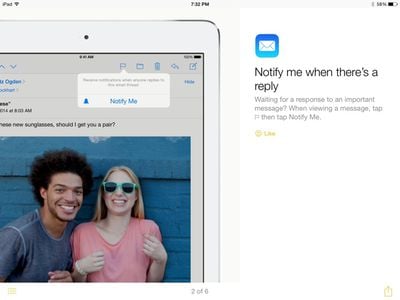
While there are only six different tips available in the app right now, an ending page suggests that users "Check back for new tips every week," indicating the app will be updated on a weekly basis. There's also a link to Apple's iOS 8 website, and the app will send notifications to users when new tips are available.
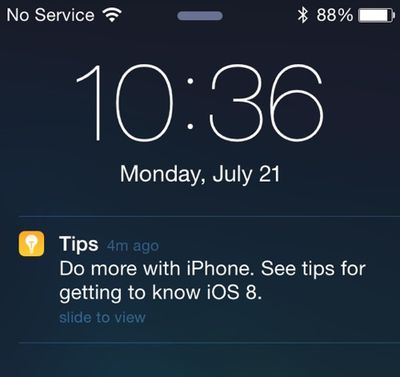
Tips probably won't be a feature that's useful for seasoned iOS users, but for users who aren't familiar with the ins and outs of the operating system, the app will provide valuable information on accessing new features. The Tips app is a default iOS 8 app and cannot be uninstalled.
Tips is only available to registered developers who have iOS 8 beta 4 installed on their devices, but it will become available to all users this fall, when iOS 8 is released to the public.
















Top Rated Comments
Hopefully the first weekly tip will explain how to put unwanted base apps into a junk folder, and give users Tim Cook's personal email address so people can email him about the ability to delete (at least some) pre-installed apps as a feature request. :D
That's a great idea. Given how many options there now are to restore apps, there's no need for Apple to worry about users "losing" them. I have no problem with a new device coming pre-installed with apps, but once I buy an iPhone it's MY device and I should be able to set it up the way I want.
They could let you delete them, then download them via the settings app on-demand (as they do for Facebook, Twitter).
Or they could have a setting which lets you hide them.
----------
Notifications for this seem like they'll get really annoying. Not only that, but I expect people will go there looking for general help. They should include a copy of the manual (or preinstall it into iBooks, which is now bundled, and include a link to it in the Tips app).
Just because we can fit more apps in folders since iOS 7, doesn't mean they should throw more apps at us.
Please correct me if I'm wrong, but won't my storage decrease on my device because the OS is larger now with these preinstalled apps?
I'm all Apple at the end of the day though :)
/end rant.
No, Apple is trying to attract new customers who may not be familiar with Apple's OS environment. There are many people out there who are not as smart as you. :apple: